
JETT36 - Minecraft Skins & Skin History
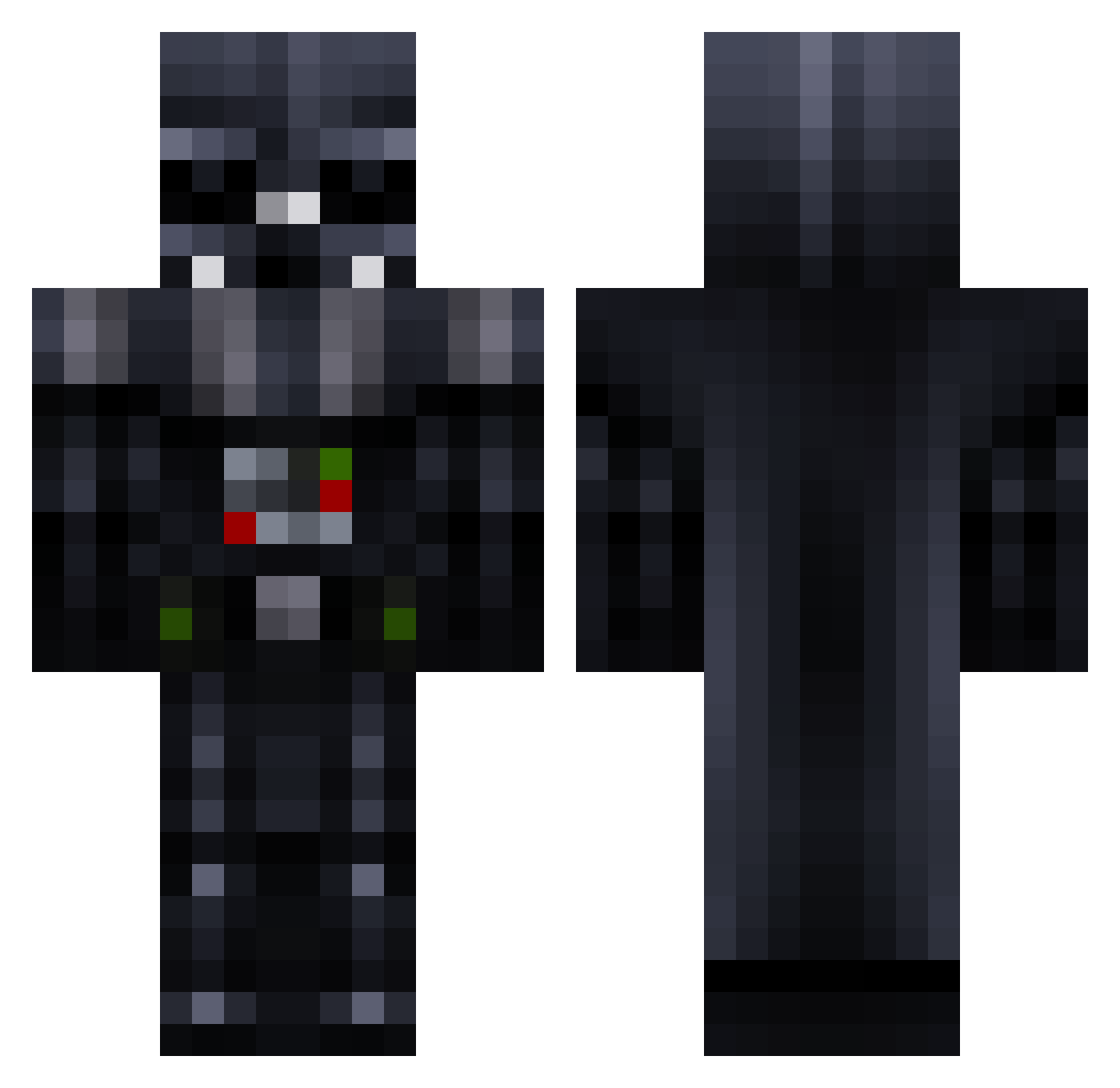
Current Minecraft skin of the player JETT36, loaded from the official Mojang API. Rotate the 3D model with your mouse or finger, then download the skin as a PNG file and use it in Minecraft: Bedrock Edition or Java Edition for free. When JETT36 changes their skin, this page updates automatically and the old skin stays in the history below.
Other players with this skin (781)
JETT36 was the 611th player we have seen with this skin, first spotted on 15.10.2026. The same skin was seen on these players. Open a nickname to see their current skin and skin history.
 djjazzyfizzle gage_erl mrreaper12345 gaffagnu af_guerra airlon ENDER_ANDY Gumi_Coca_Cola Jacky2807 hsuait Nandicko MinisterOfMagic1 Alec3 theoo99 Jony_fl08 HoM3SlIc386 Huphlungpu xdeathscythe430 xHappiiness Oggeoboy MonJiggy Doxaaa Metric_Monster HaxxDemo martijn398 SuperwafF kario lrmliam Badru AtaGunZ pepitozthetroll _DarthVader_ Joe_Brainer lamp180 MartinMD123 Vinnie83 dodou69 WPCrafter12 frankyt0wn Reaper111888 SilentNinjaLion ThatPolishGuy99 Demitrius24 ianstromski ZANESKATES candygoblin1 Asbjorn1011 sau6on tanto259 Skipjack1 Bjornatorke Sgt_StabStabs Cirqu3DuFr3ak StaticzGaming Posterchild9 torqqiffy ElectroHouse6 darklord315 bromanbro123 BeastSpec
More Darth Vader Minecraft skins
How to install the JETT36 skin
- Press the Download button above to save the skin as a PNG file.
- Minecraft: Bedrock Edition (PE): open the Dressing Room from the main menu (or tap your character → Edit Character), go to Classic Skins → Owned, press the + (new skin) button, choose the downloaded PNG and pick the Classic (Steve) model. Works on PC and mobile; consoles cannot import custom skins.
- Minecraft: Java Edition: open the Minecraft Launcher, go to the Skins tab, click New Skin, load the PNG, pick the Classic (Steve) model and press Save & Use. You can also upload it at minecraft.net → Profile → Change Skin.
The skin does not show up after import - what should I do?
Restart Minecraft and open the Dressing Room again - imported skins sometimes appear only after a restart. Also make sure you selected the imported skin and picked the Classic (Steve) model.
Which model should I choose, Classic or Slim?
This skin is designed for the Classic (Steve) model. If you pick the wrong model, the arms of the skin will look stretched or squeezed.
Is the skin of JETT36 free to download?
Yes. Press Download, save the PNG file and use it in Minecraft: Bedrock Edition or Java Edition - no payment or registration needed. The skin also works on multiplayer servers and Realms.
More skins
Looking for more? Go back to all Minecraft skins and check the top skins of the week, month and all time, or find any player's skin by nickname.