
JCWJOSHUA - Minecraft Skins & Skin History
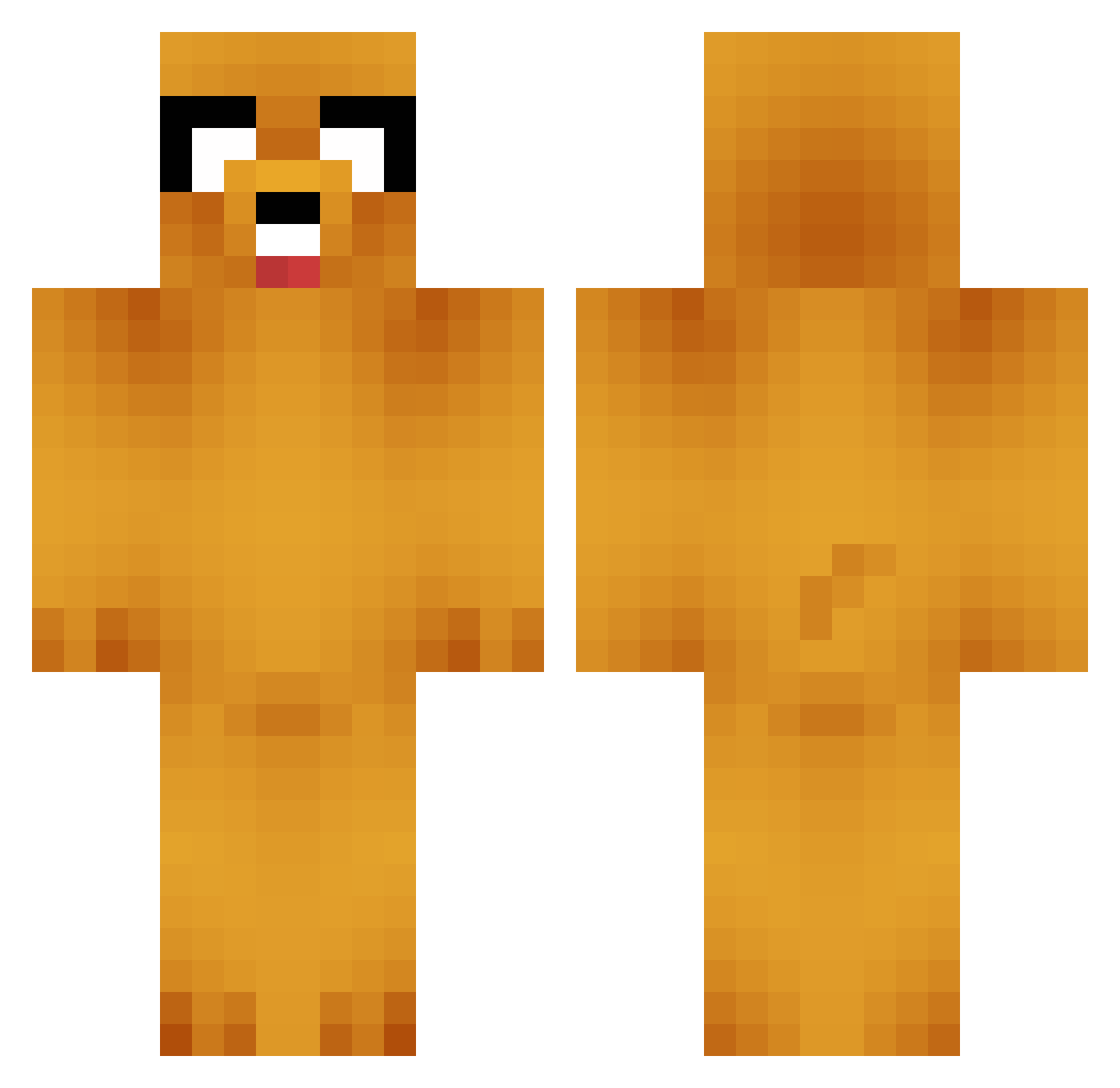
Current Minecraft skin of the player JCWJOSHUA, loaded from the official Mojang API. Rotate the 3D model with your mouse or finger, then download the skin as a PNG file and use it in Minecraft: Bedrock Edition or Java Edition for free. When JCWJOSHUA changes their skin, this page updates automatically and the old skin stays in the history below.
Other players with this skin (747)
JCWJOSHUA was the 639th player we have seen with this skin, first spotted on 21.10.2026. The same skin was seen on these players. Open a nickname to see their current skin and skin history.
 El_Kenzo DrGnome Odry666 Elite_Rhinos Sibaluma _Compuzzled login119 TheRealPepsi poodleicious wille400 xXxBANKSYxXx LordOfOOO cole573 beaglebond idon3c therealBMO01 alextwo willzoooor bosdowlen cfinn67 rickyviper countrychick123 DPHD1 magne4220 frank3791 bighuge347 poppekas DrasticChance aznPeabody xDeadlyDonkeyx kirdamas TheFrehnerr Puffball83 tuna87 Littlechul HOUSEOFCANNONS chalzb108 Handsome630 MrHorton12 Vapid_4576 futte2016 maycliff crashlyn jdogsimmy mildlygenius Waterboyz ASHANTIKING coolesocke58 Hotarumi Nicolas6263 pterodactyl_matt bj_2389 Muukiee radoutlaw C4pitals8 Jamesssssss koriecraft JakeThaDog ko_dk12 jncgf3
More Jake Minecraft skins
How to install the JCWJOSHUA skin
- Press the Download button above to save the skin as a PNG file.
- Minecraft: Bedrock Edition (PE): open the Dressing Room from the main menu (or tap your character → Edit Character), go to Classic Skins → Owned, press the + (new skin) button, choose the downloaded PNG and pick the Classic (Steve) model. Works on PC and mobile; consoles cannot import custom skins.
- Minecraft: Java Edition: open the Minecraft Launcher, go to the Skins tab, click New Skin, load the PNG, pick the Classic (Steve) model and press Save & Use. You can also upload it at minecraft.net → Profile → Change Skin.
The skin does not show up after import - what should I do?
Restart Minecraft and open the Dressing Room again - imported skins sometimes appear only after a restart. Also make sure you selected the imported skin and picked the Classic (Steve) model.
Which model should I choose, Classic or Slim?
This skin is designed for the Classic (Steve) model. If you pick the wrong model, the arms of the skin will look stretched or squeezed.
Is the skin of JCWJOSHUA free to download?
Yes. Press Download, save the PNG file and use it in Minecraft: Bedrock Edition or Java Edition - no payment or registration needed. The skin also works on multiplayer servers and Realms.
More skins
Looking for more? Go back to all Minecraft skins and check the top skins of the week, month and all time, or find any player's skin by nickname.