
JAWJIS - Minecraft Skins & Skin History
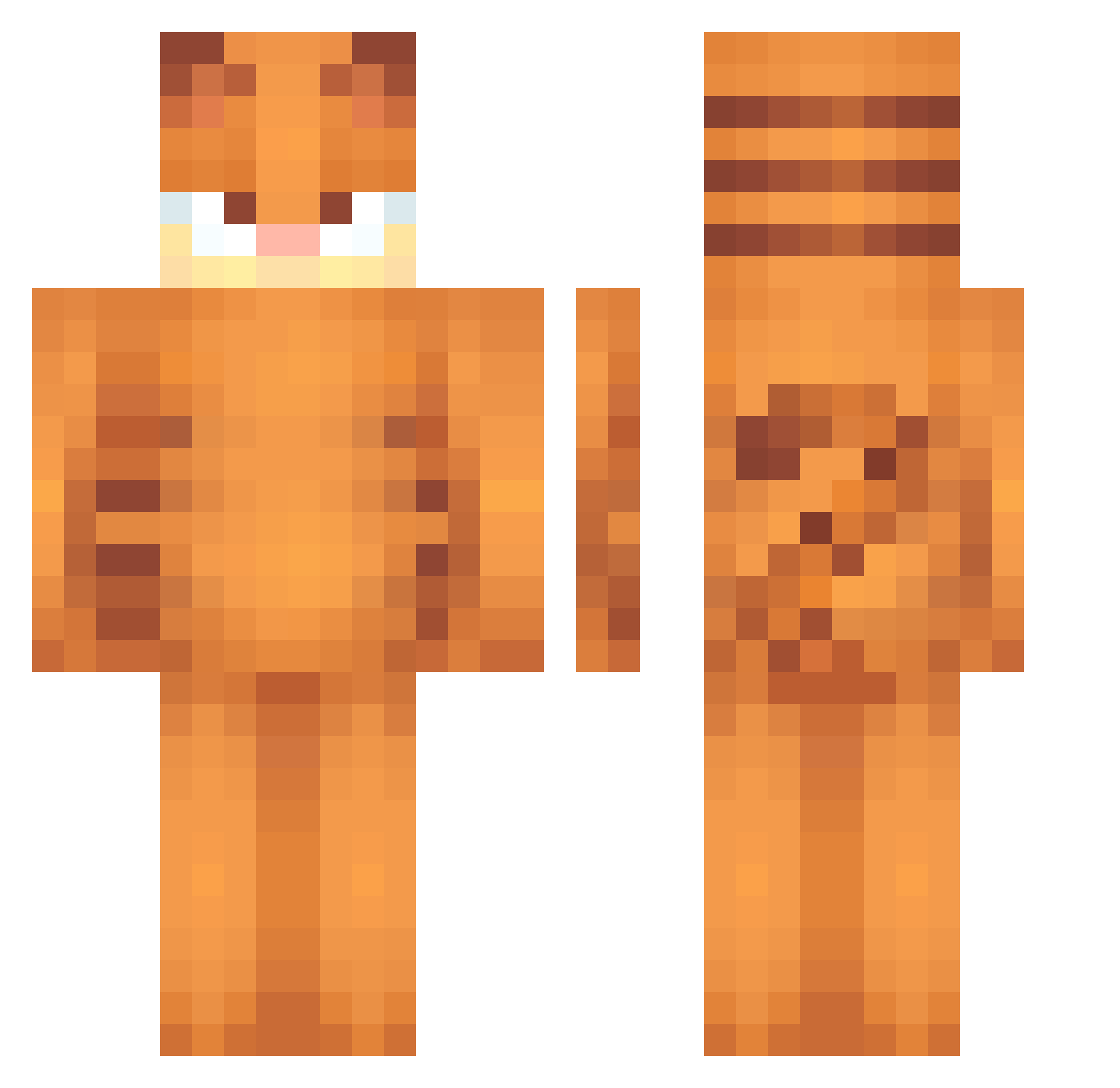
Current Minecraft skin of the player JAWJIS, loaded from the official Mojang API. Rotate the 3D model with your mouse or finger, then download the skin as a PNG file and use it in Minecraft: Bedrock Edition or Java Edition for free. When JAWJIS changes their skin, this page updates automatically and the old skin stays in the history below.
Other players with this skin (486)
JAWJIS was the 327th player we have seen with this skin, first spotted on 26.09.2026. The same skin was seen on these players. Open a nickname to see their current skin and skin history.
 Damian667 qpacha fatmallsanta babkamialasyna winterpiano RanRanRan1111111 Lassocier literallylemun bluemouse1 Broina AlisonKB norasunny10 bunnymyth Xajsiens GangstaMonke fkchickennuggets FARAANG fartnoise21 baseballmodern Qu4ckers22 Fatcat_swe elsrdelasarmas macmuir26 sillyangel3 ilymiaou URGOODNEIGHBORR wvsrn phillipachicken codyesco Witch_Emie Wschodnie_ Garfieldfan2487 Camp_Fyre Kimsuhyeok Celliiiii Kasztaniara__ MioDrevis 0v3l_uT10n Charm233 JacketOfSeville brooseberry haars2 jwzzn mrpierre58 MidNightWolfxx ddangkoo Svemic_ CLOVER215 accuwau leogui33 KingNabbit SnowHater recep3834 ninnaaaaa WIKUS111 Ziejtej mumbayumba3 Bibibangka CS_kwin HarvestHog
More Garfield Minecraft skins
How to install the JAWJIS skin
- Press the Download button above to save the skin as a PNG file.
- Minecraft: Bedrock Edition (PE): open the Dressing Room from the main menu (or tap your character → Edit Character), go to Classic Skins → Owned, press the + (new skin) button, choose the downloaded PNG and pick the Classic (Steve) model. Works on PC and mobile; consoles cannot import custom skins.
- Minecraft: Java Edition: open the Minecraft Launcher, go to the Skins tab, click New Skin, load the PNG, pick the Classic (Steve) model and press Save & Use. You can also upload it at minecraft.net → Profile → Change Skin.
The skin does not show up after import - what should I do?
Restart Minecraft and open the Dressing Room again - imported skins sometimes appear only after a restart. Also make sure you selected the imported skin and picked the Classic (Steve) model.
Which model should I choose, Classic or Slim?
This skin is designed for the Classic (Steve) model. If you pick the wrong model, the arms of the skin will look stretched or squeezed.
Is the skin of JAWJIS free to download?
Yes. Press Download, save the PNG file and use it in Minecraft: Bedrock Edition or Java Edition - no payment or registration needed. The skin also works on multiplayer servers and Realms.
More skins
Looking for more? Go back to all Minecraft skins and check the top skins of the week, month and all time, or find any player's skin by nickname.