
JANGmatt - Minecraft Skins & Skin History
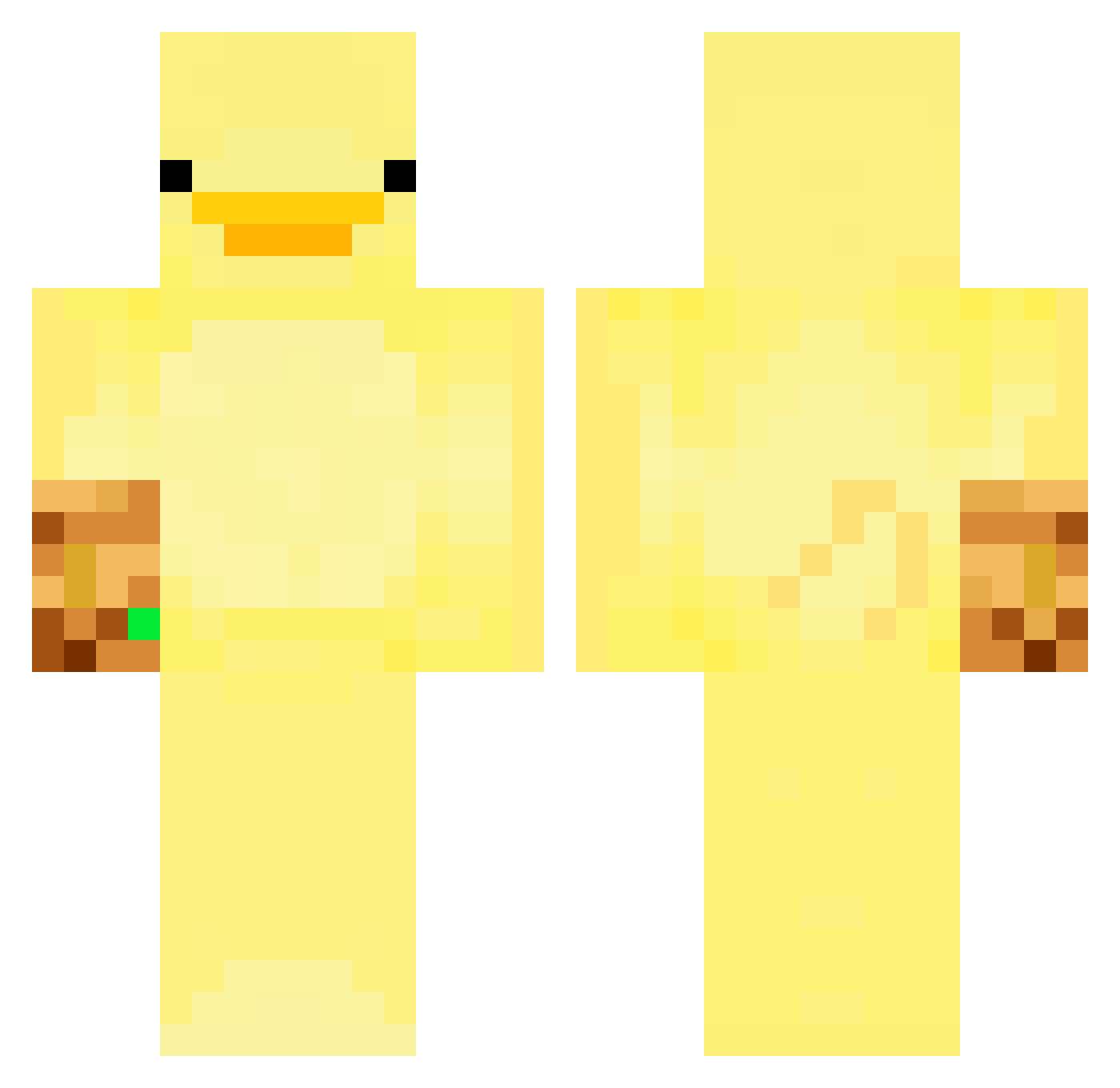
Current Minecraft skin of the player JANGmatt, loaded from the official Mojang API. Rotate the 3D model with your mouse or finger, then download the skin as a PNG file and use it in Minecraft: Bedrock Edition or Java Edition for free. When JANGmatt changes their skin, this page updates automatically and the old skin stays in the history below.
Other players with this skin (247)
JANGmatt was the 61st player we have seen with this skin, first spotted on 16.08.2026. The same skin was seen on these players. Open a nickname to see their current skin and skin history.
 z_0_i_n_k_s ReNkONNNN sal_tinecracker ChatterBoxHost NaChOs_11 cameria_sinensis Pedros00uso TarynEw eeedddwwd IPNIALL tndud1030 maybe_me1 peaky07 Doom_Pie DelayedSpark122 yossy4357 GavinBear Papouto YaMuGYM SeoFlower1568 phruitsnack solsol0118 calleefdezz FarthestPage950 Utka_anos MrMcMuffin121 seunghuuun tensai6075 Trianglinn OrdekUcuyor Quack_McDuck Kayakkkk EunjunChoi endurenova Il_Fonto AhriSpring lawrencelo36 PraiseKev lvl_3_Crook Mr_Radon69 kdopna mcboying seojunhong DantuiOkayu plowplowplow xandiboy NoBrake_00 pateRIP HPSTA Neodim_ caprisun14_ parkjun0112 Renomini115 kevinspaan MrApito Izquack KSTERMI flippeee5 zhdskdneldsb_5 Zouuzouu
More Thanos Minecraft skins
How to install the JANGmatt skin
- Press the Download button above to save the skin as a PNG file.
- Minecraft: Bedrock Edition (PE): open the Dressing Room from the main menu (or tap your character → Edit Character), go to Classic Skins → Owned, press the + (new skin) button, choose the downloaded PNG and pick the Classic (Steve) model. Works on PC and mobile; consoles cannot import custom skins.
- Minecraft: Java Edition: open the Minecraft Launcher, go to the Skins tab, click New Skin, load the PNG, pick the Classic (Steve) model and press Save & Use. You can also upload it at minecraft.net → Profile → Change Skin.
The skin does not show up after import - what should I do?
Restart Minecraft and open the Dressing Room again - imported skins sometimes appear only after a restart. Also make sure you selected the imported skin and picked the Classic (Steve) model.
Which model should I choose, Classic or Slim?
This skin is designed for the Classic (Steve) model. If you pick the wrong model, the arms of the skin will look stretched or squeezed.
Is the skin of JANGmatt free to download?
Yes. Press Download, save the PNG file and use it in Minecraft: Bedrock Edition or Java Edition - no payment or registration needed. The skin also works on multiplayer servers and Realms.
More skins
Looking for more? Go back to all Minecraft skins and check the top skins of the week, month and all time, or find any player's skin by nickname.