
JACKsSocks - Minecraft Skins & Skin History
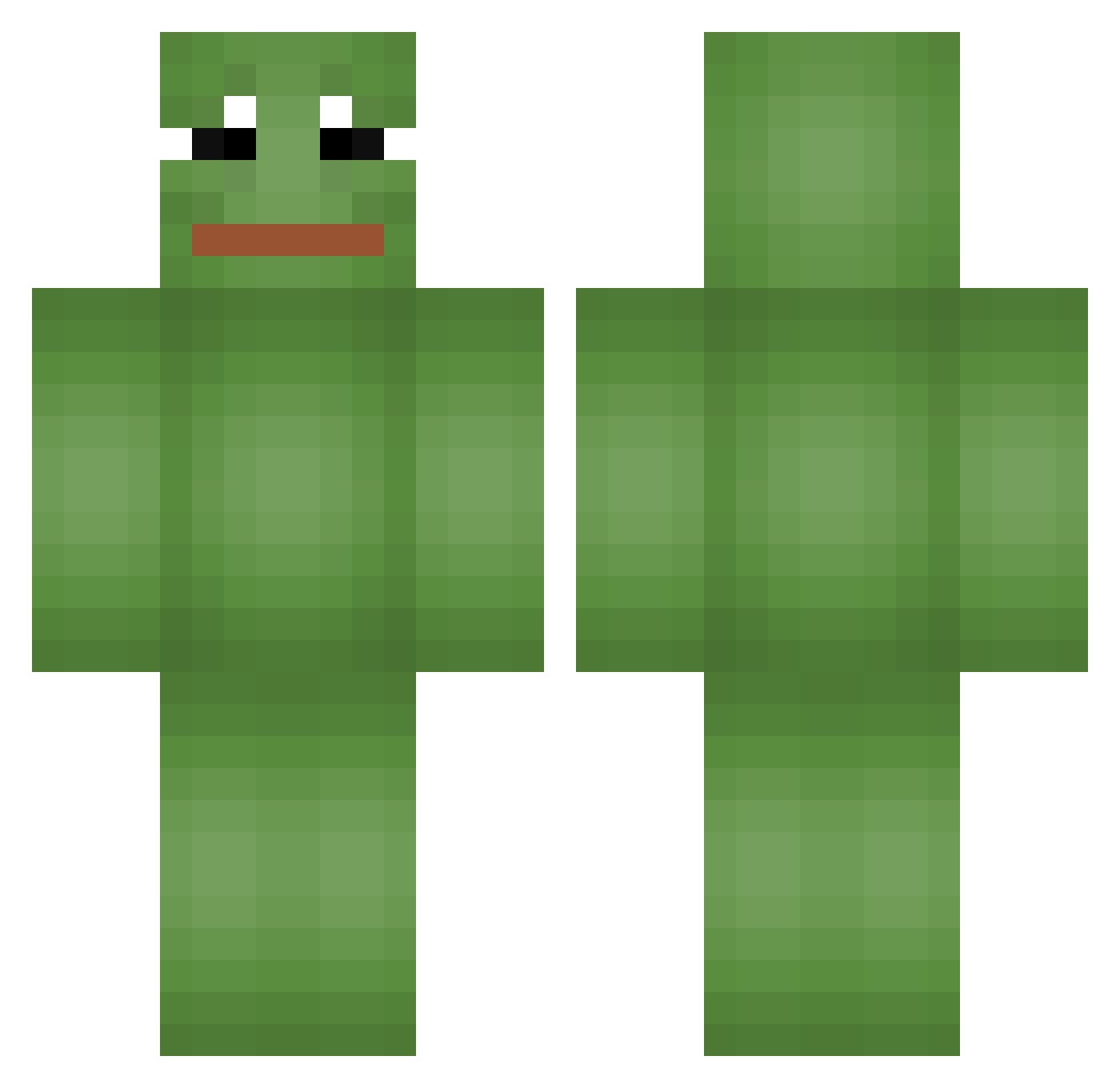
Current Minecraft skin of the player JACKsSocks, loaded from the official Mojang API. Rotate the 3D model with your mouse or finger, then download the skin as a PNG file and use it in Minecraft: Bedrock Edition or Java Edition for free. When JACKsSocks changes their skin, this page updates automatically and the old skin stays in the history below.
Other players with this skin (665)
JACKsSocks was the 105th player we have seen with this skin, first spotted on 11.08.2026. The same skin was seen on these players. Open a nickname to see their current skin and skin history.
 Maith23 JoseTrevino2000 borpis FrogWithSombrero Veerant Tommy_039 woojin611 _1FuziGames1_ BubbaAGamer PingIISJ Okxmii Buggamies mitnop nerdyboy62 exzagone AmoLeo galp4 polnareff31 Maeum09 edeeeedfwe Kabaru7 YBeeZy99 Beisn AmeiseHD Miki_Sixx spazmagic AzerFly stag123 AUTigerPaul2 krimabela Estoiro cow_nanda Der_Bauer69 1rellevant ralo_s2 nietaanmijzitten KangDW kimmandoooooo killerboy916 Joseggi PyroTacticz East_Castle Nicholas0399 LOLSROYCE Lil_weezy Rizzaa_ JoCHHH Knoten_BoB Rui28199 RPG_Ind ztemenloc Dangmoo3 ambrenuit01 k1rura HiImJongHoon hws0 QuiZu DDfrog Texas_Granger Fraidknight
More Pepe Minecraft skins
How to install the JACKsSocks skin
- Press the Download button above to save the skin as a PNG file.
- Minecraft: Bedrock Edition (PE): open the Dressing Room from the main menu (or tap your character → Edit Character), go to Classic Skins → Owned, press the + (new skin) button, choose the downloaded PNG and pick the Classic (Steve) model. Works on PC and mobile; consoles cannot import custom skins.
- Minecraft: Java Edition: open the Minecraft Launcher, go to the Skins tab, click New Skin, load the PNG, pick the Classic (Steve) model and press Save & Use. You can also upload it at minecraft.net → Profile → Change Skin.
The skin does not show up after import - what should I do?
Restart Minecraft and open the Dressing Room again - imported skins sometimes appear only after a restart. Also make sure you selected the imported skin and picked the Classic (Steve) model.
Which model should I choose, Classic or Slim?
This skin is designed for the Classic (Steve) model. If you pick the wrong model, the arms of the skin will look stretched or squeezed.
Is the skin of JACKsSocks free to download?
Yes. Press Download, save the PNG file and use it in Minecraft: Bedrock Edition or Java Edition - no payment or registration needed. The skin also works on multiplayer servers and Realms.
More skins
Looking for more? Go back to all Minecraft skins and check the top skins of the week, month and all time, or find any player's skin by nickname.