
J22Sevens - Minecraft Skins & Skin History
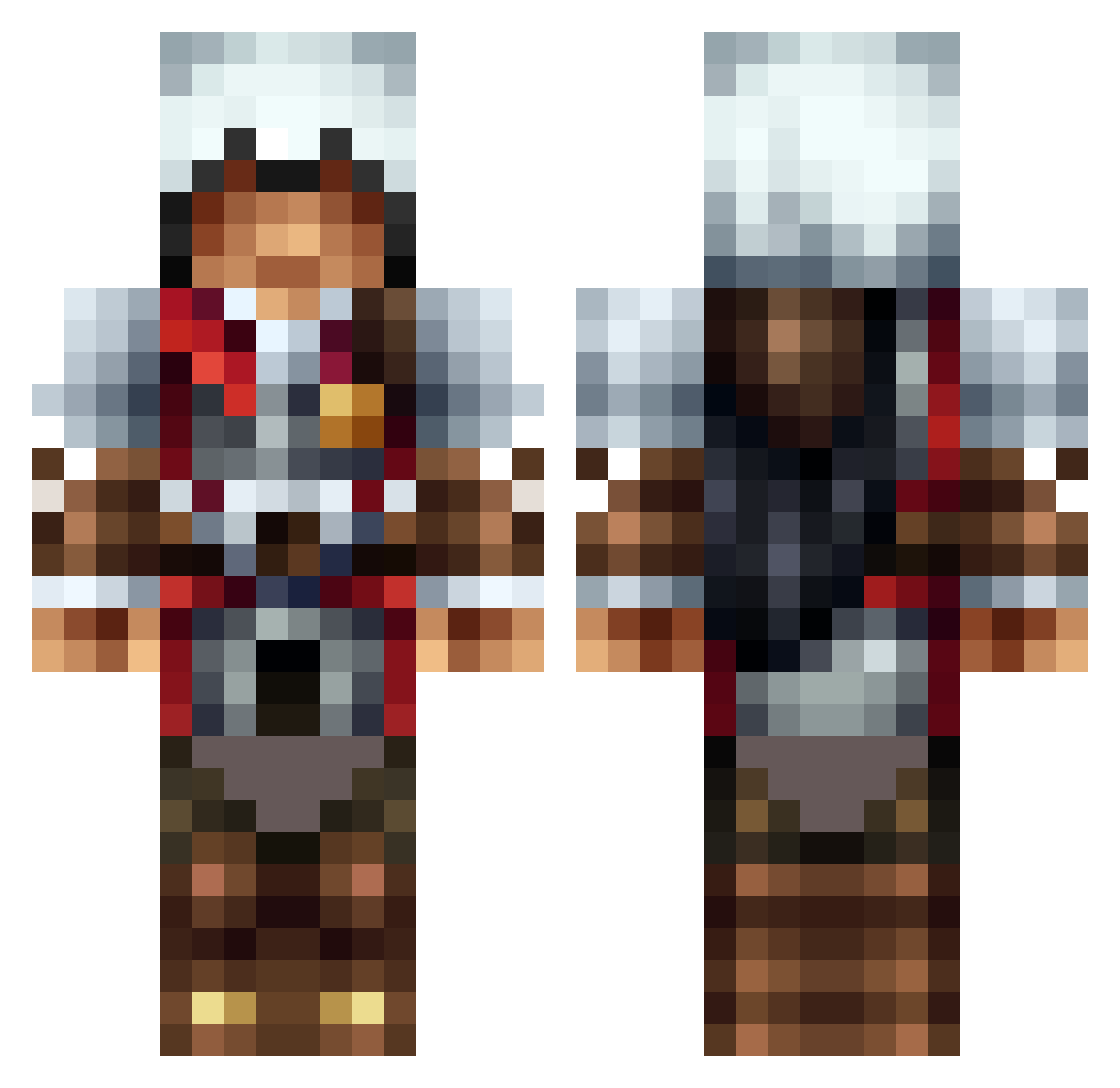
Current Minecraft skin of the player J22Sevens, loaded from the official Mojang API. Rotate the 3D model with your mouse or finger, then download the skin as a PNG file and use it in Minecraft: Bedrock Edition or Java Edition for free. When J22Sevens changes their skin, this page updates automatically and the old skin stays in the history below.
Other players with this skin (1309)
J22Sevens was the 1064th player we have seen with this skin, first spotted on 17.10.2026. The same skin was seen on these players. Open a nickname to see their current skin and skin history.
 stormcloak28 Codakk iArkay Kucia Zarock_LP c4_explosion Slitersz lemonzandwafflez Dagorlad62 steve22331 johnmarcusscott fabimine99 Kratos7757 kingbaca8 Darkness_Deer GrosseDindeQC Montgomery612 david1342 delien21 lazytom1 Flying_Assassin guigui_br Cordedfeline18 MrShark1993 Vinix_craft FAiiRNESS theNanex SK_Greycastle mastervini789 mightyassassin12 zombieman_2001 bondjames200 jamesflynn f059 DarkZeepz Thenaq B3mm1 sky_net006 mpinata Luckynator64 Chysoar RogueLegacy Tiziano1388 masterofluck420 Yamgaming1 Noob_Gamer323 Captain_PC AnimaHenri Takedstar Favini DBLADES97 nickglas slingblade17 super_go mcmahon999 caleb456 DecaNat123 StomaticSeven5 0_NightStalker_0 xXAssassinMCXx
More Altair Minecraft skins
How to install the J22Sevens skin
- Press the Download button above to save the skin as a PNG file.
- Minecraft: Bedrock Edition (PE): open the Dressing Room from the main menu (or tap your character → Edit Character), go to Classic Skins → Owned, press the + (new skin) button, choose the downloaded PNG and pick the Classic (Steve) model. Works on PC and mobile; consoles cannot import custom skins.
- Minecraft: Java Edition: open the Minecraft Launcher, go to the Skins tab, click New Skin, load the PNG, pick the Classic (Steve) model and press Save & Use. You can also upload it at minecraft.net → Profile → Change Skin.
The skin does not show up after import - what should I do?
Restart Minecraft and open the Dressing Room again - imported skins sometimes appear only after a restart. Also make sure you selected the imported skin and picked the Classic (Steve) model.
Which model should I choose, Classic or Slim?
This skin is designed for the Classic (Steve) model. If you pick the wrong model, the arms of the skin will look stretched or squeezed.
Is the skin of J22Sevens free to download?
Yes. Press Download, save the PNG file and use it in Minecraft: Bedrock Edition or Java Edition - no payment or registration needed. The skin also works on multiplayer servers and Realms.
More skins
Looking for more? Go back to all Minecraft skins and check the top skins of the week, month and all time, or find any player's skin by nickname.