
Izana2408 - Minecraft Skins & Skin History
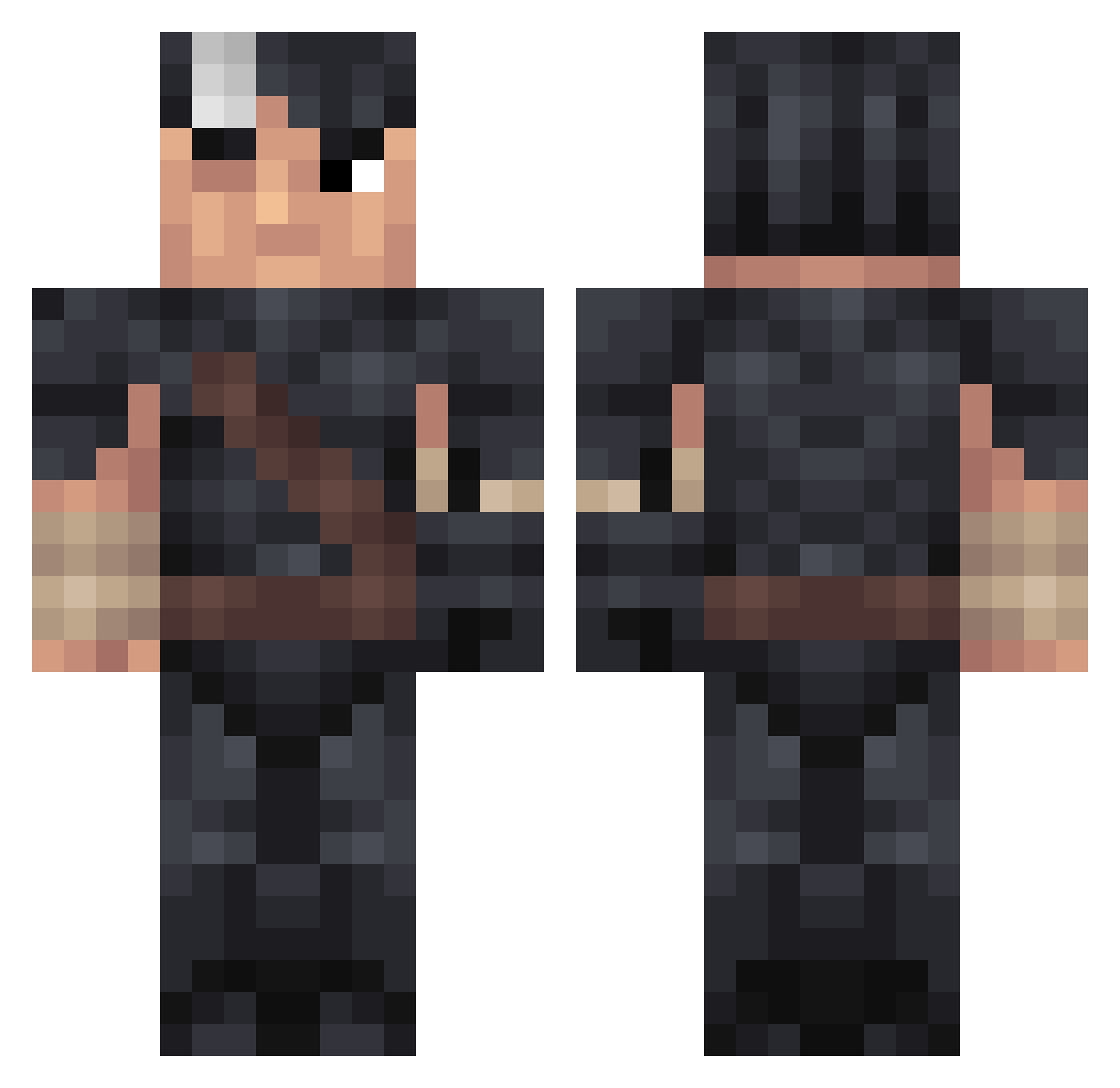
Current Minecraft skin of the player Izana2408, loaded from the official Mojang API. Rotate the 3D model with your mouse or finger, then download the skin as a PNG file and use it in Minecraft: Bedrock Edition or Java Edition for free. When Izana2408 changes their skin, this page updates automatically and the old skin stays in the history below.
Other players with this skin (242)
Izana2408 was the 195th player we have seen with this skin, first spotted on 18.10.2026. The same skin was seen on these players. Open a nickname to see their current skin and skin history.
 Blockwispere Chasywaysy HarmlessBard50 FinesserMichael XanderSavin avaiskuhl Jrhockey0620006 Kid__1412 VillagerTyr NCLDaunting Capitannacho forskinprophet Cavial0 King_kayra12 matheo24f Niskalin ToudinCOUP faijaspainajaine Sardica __Meow__ Pererelicles Beast_Nick_ KePaChI D1olver BOTJoshy ColtanKing zCR3W Nooah1221 senkuu2 Ceescc Kinderm Maladuck The_XXII SlakezHD FuelVIII SenseiRank1 Vegenance Atotsi fahem Hilant Kidirro oddleo YuzoTheKing Thormannus FunkySquaredance NLEFEN Igorbenkenobi Taesoo_ Synezix NeroZz17 vornakoth MrKek1c4 BerserkFan69 Zelions LeoUrbi miharbi212 dendos24 Cohimbra SlavisA1 Kriss_SD
More Guts Minecraft skins
How to install the Izana2408 skin
- Press the Download button above to save the skin as a PNG file.
- Minecraft: Bedrock Edition (PE): open the Dressing Room from the main menu (or tap your character → Edit Character), go to Classic Skins → Owned, press the + (new skin) button, choose the downloaded PNG and pick the Classic (Steve) model. Works on PC and mobile; consoles cannot import custom skins.
- Minecraft: Java Edition: open the Minecraft Launcher, go to the Skins tab, click New Skin, load the PNG, pick the Classic (Steve) model and press Save & Use. You can also upload it at minecraft.net → Profile → Change Skin.
The skin does not show up after import - what should I do?
Restart Minecraft and open the Dressing Room again - imported skins sometimes appear only after a restart. Also make sure you selected the imported skin and picked the Classic (Steve) model.
Which model should I choose, Classic or Slim?
This skin is designed for the Classic (Steve) model. If you pick the wrong model, the arms of the skin will look stretched or squeezed.
Is the skin of Izana2408 free to download?
Yes. Press Download, save the PNG file and use it in Minecraft: Bedrock Edition or Java Edition - no payment or registration needed. The skin also works on multiplayer servers and Realms.
More skins
Looking for more? Go back to all Minecraft skins and check the top skins of the week, month and all time, or find any player's skin by nickname.