
Ivkee72 - Minecraft Skins & Skin History
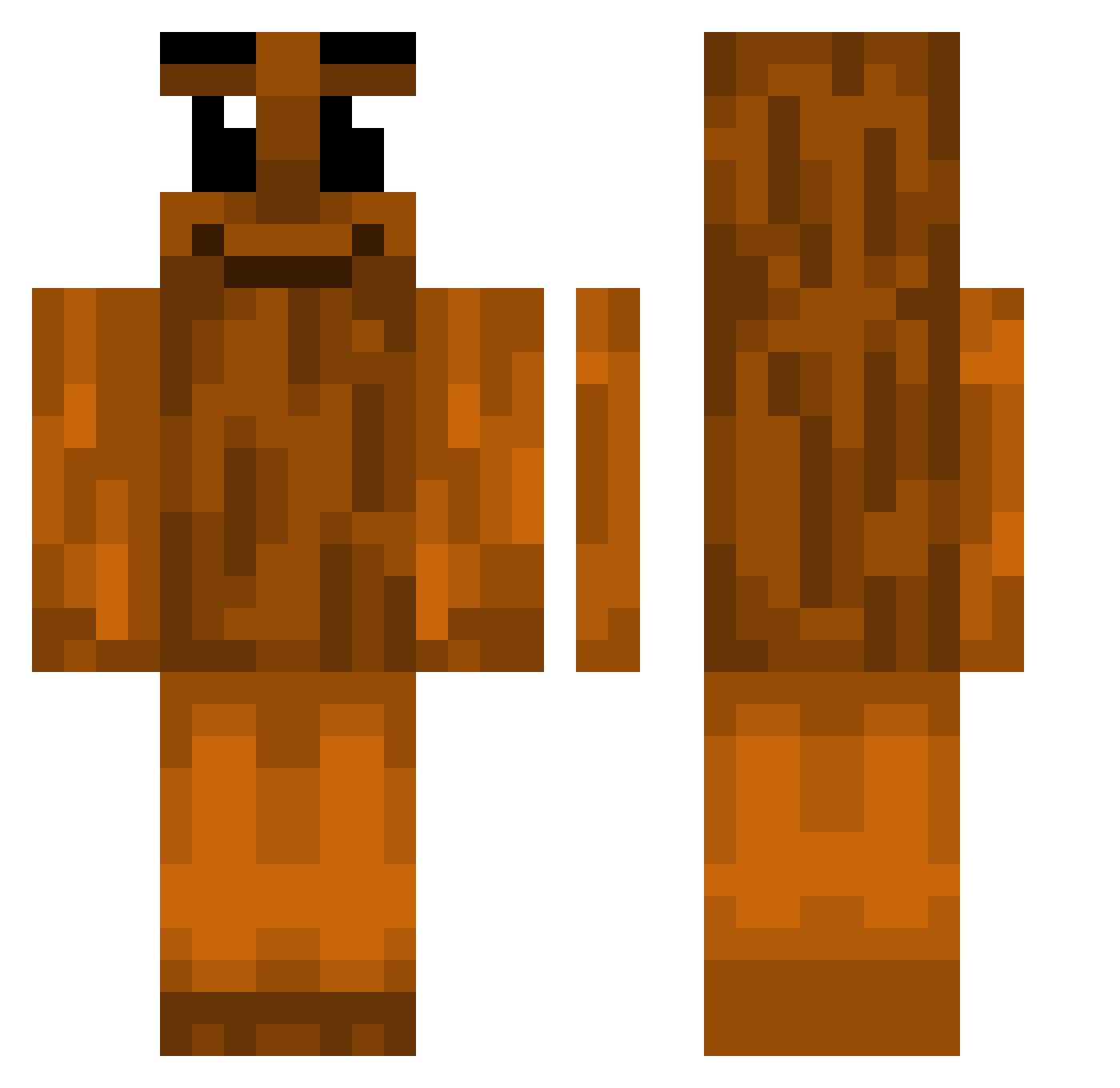
Current Minecraft skin of the player Ivkee72, loaded from the official Mojang API. Rotate the 3D model with your mouse or finger, then download the skin as a PNG file and use it in Minecraft: Bedrock Edition or Java Edition for free. When Ivkee72 changes their skin, this page updates automatically and the old skin stays in the history below.
Other players with this skin (375)
Ivkee72 was the 168th player we have seen with this skin, first spotted on 06.09.2026. The same skin was seen on these players. Open a nickname to see their current skin and skin history.
 7maxxi Iamcoolryan Gapls CreatorOof TapThatDB SofiaStone_323 Anestheticezz Tatite_2009 codyrx
 AjarBridge73807 irfii Adipan lgmusicfan anistinks nickxxz Trempando ph4tl Anthony00000000 Im1workaholic carvalho8s
 maoyuye Clouttyy Monarh_h Jyzatsu Guci0_931 sahurone SkibidiNopx4 UnknowPerson10 OhThatsTungtung Pitilleras TungTungSlayer Optimalnuthat69 paulsolo orv jajasamuraja4 ChickenLover125 DarkMagicGirl28 PQVG Simxn67
 SNNKY AvatarTV euphaedrea ENJENO A3hmd isluux T3zzy IDontHaveCancer Ritchel_Crickets HummusMuncher123 SkillBeats TeKra0226 the_tigerking27 Sequef SSilo HipHopViking Simon1014 _poopI_ AydroZ gonewithoutme Yosteps123
More Oak Log Minecraft skins
How to install the Ivkee72 skin
- Press the Download button above to save the skin as a PNG file.
- Minecraft: Bedrock Edition (PE): open the Dressing Room from the main menu (or tap your character → Edit Character), go to Classic Skins → Owned, press the + (new skin) button, choose the downloaded PNG and pick the Classic (Steve) model. Works on PC and mobile; consoles cannot import custom skins.
- Minecraft: Java Edition: open the Minecraft Launcher, go to the Skins tab, click New Skin, load the PNG, pick the Classic (Steve) model and press Save & Use. You can also upload it at minecraft.net → Profile → Change Skin.
The skin does not show up after import - what should I do?
Restart Minecraft and open the Dressing Room again - imported skins sometimes appear only after a restart. Also make sure you selected the imported skin and picked the Classic (Steve) model.
Which model should I choose, Classic or Slim?
This skin is designed for the Classic (Steve) model. If you pick the wrong model, the arms of the skin will look stretched or squeezed.
Is the skin of Ivkee72 free to download?
Yes. Press Download, save the PNG file and use it in Minecraft: Bedrock Edition or Java Edition - no payment or registration needed. The skin also works on multiplayer servers and Realms.
More skins
Looking for more? Go back to all Minecraft skins and check the top skins of the week, month and all time, or find any player's skin by nickname.