
Ivandjere - Minecraft Skins & Skin History
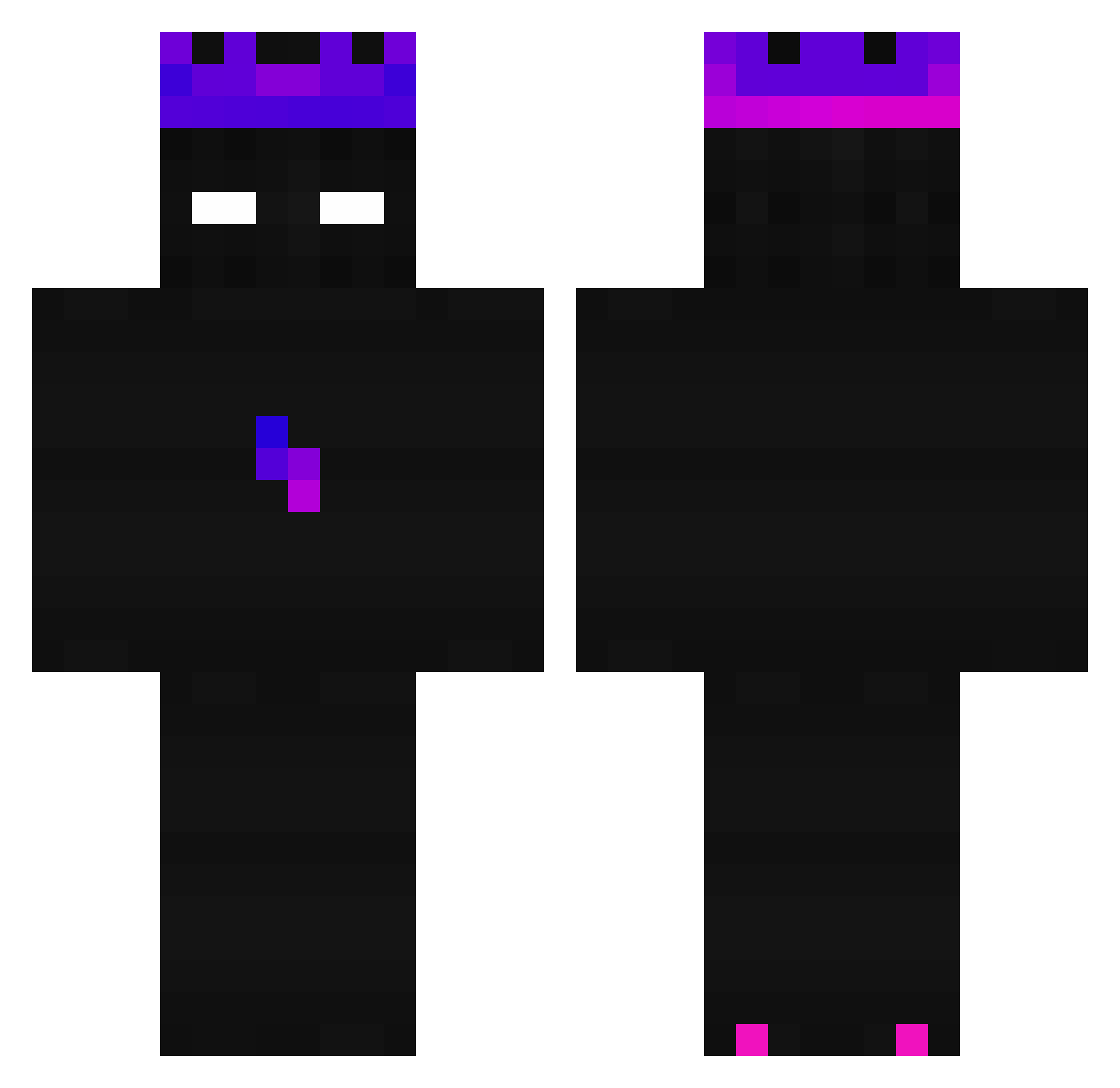
Current Minecraft skin of the player Ivandjere, loaded from the official Mojang API. Rotate the 3D model with your mouse or finger, then download the skin as a PNG file and use it in Minecraft: Bedrock Edition or Java Edition for free. When Ivandjere changes their skin, this page updates automatically and the old skin stays in the history below.
Other players with this skin (243)
Ivandjere was the 180th player we have seen with this skin, first spotted on 10.10.2026. The same skin was seen on these players. Open a nickname to see their current skin and skin history.
 VMorozan The_Ole_Ones Antite303 P3dro2137 Sejour HE2LYT BindassKavya zluisito007 SirEniigma sinxq_ VromaHNX Allen0210 epic100001 Sneak_Dead DjOlfa ElMago511 bz_2zEbx_10_03 VicRealty Neolonzo Azlu9 Bloodjustice004 iLyfty Triple21 Ikeybby Lookash __ux Isaias_Silva084 zMortzy XAnti_v GGGames PoepAAPJaap Mid_Oasis DrKrafica fthsyt hazy_999 snow_do_ Massipro2011 Eric5220 Julian0606 Spriaincc Since17 OpTMystic taine04 Bodiber maciusjestem312 Dracaulox WeeklyLemur147 Maliex09 Sven5631 miguelzinho3110 Player00112244 SouEter Nixums Schmax09 NotKing12 Smorgoff AS1stElephant_TW RomandII Dream8360 claudel27x
How to install the Ivandjere skin
- Press the Download button above to save the skin as a PNG file.
- Minecraft: Bedrock Edition (PE): open the Dressing Room from the main menu (or tap your character → Edit Character), go to Classic Skins → Owned, press the + (new skin) button, choose the downloaded PNG and pick the Classic (Steve) model. Works on PC and mobile; consoles cannot import custom skins.
- Minecraft: Java Edition: open the Minecraft Launcher, go to the Skins tab, click New Skin, load the PNG, pick the Classic (Steve) model and press Save & Use. You can also upload it at minecraft.net → Profile → Change Skin.
The skin does not show up after import - what should I do?
Restart Minecraft and open the Dressing Room again - imported skins sometimes appear only after a restart. Also make sure you selected the imported skin and picked the Classic (Steve) model.
Which model should I choose, Classic or Slim?
This skin is designed for the Classic (Steve) model. If you pick the wrong model, the arms of the skin will look stretched or squeezed.
Is the skin of Ivandjere free to download?
Yes. Press Download, save the PNG file and use it in Minecraft: Bedrock Edition or Java Edition - no payment or registration needed. The skin also works on multiplayer servers and Realms.
More skins
Looking for more? Go back to all Minecraft skins and check the top skins of the week, month and all time, or find any player's skin by nickname.