
IvanaStarr1 - Minecraft Skins & Skin History
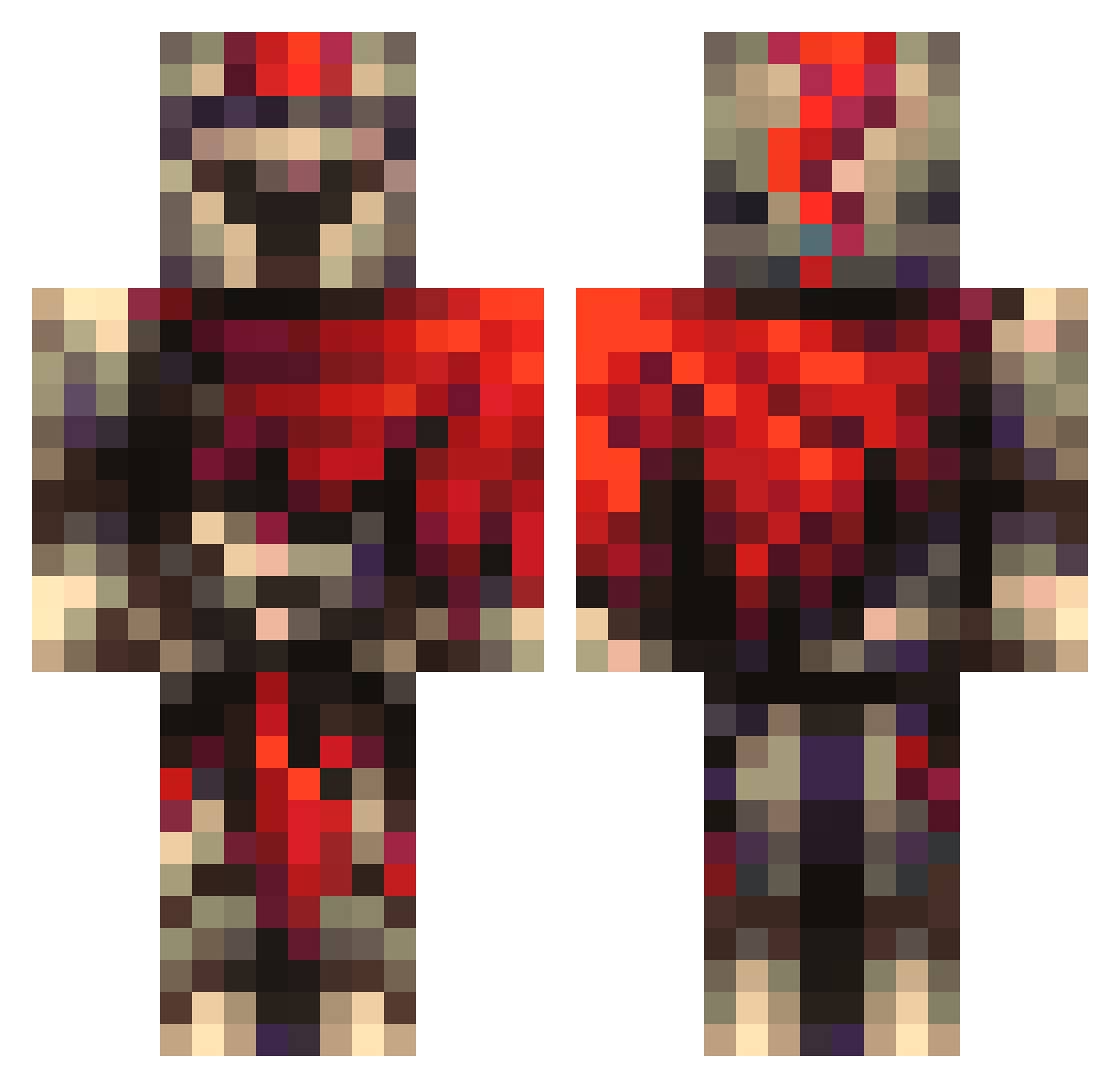
Current Minecraft skin of the player IvanaStarr1, loaded from the official Mojang API. Rotate the 3D model with your mouse or finger, then download the skin as a PNG file and use it in Minecraft: Bedrock Edition or Java Edition for free. When IvanaStarr1 changes their skin, this page updates automatically and the old skin stays in the history below.
Other players with this skin (101)
IvanaStarr1 was the 63rd player we have seen with this skin, first spotted on 23.09.2026. The same skin was seen on these players. Open a nickname to see their current skin and skin history.
 _micle Nuclearceratops Ratty123 Viktor4500 Boyzz001 Dragonking1411 HeroBraeden BoonanerBoos Notna369 K9_Bytr Trapped_in_Gold best314 0Msiai0 Young_Stonka grimreaper12567 SundaySensei Whale098 Tharvon LanternCat BaconBoy1128 Accurate_Hackerz FightingHermit woundedleaf TheFallenHero50 AfterMathz Dabiggae OG8628 MLGnoobr3ker dempher Hawkeye122 ItAllDepends TristanJamie CookieCreeper57 punbun
 DarknesssMC theplugalilweird 123forgf IsntAFK Asterdayz Jones696 BalaclavaG Miaizer Milija10 FinickyFriend21 ZenniDaGoat Gr3mL1n2833 Dikwifi11 ShyByTalker TheGreenEyesss HAM4N5 doomslayer8162 Siafuu Leapcard127 LuNaBoy5222 random_bocchi LECHUGA6 Yogo0708 Skrub13 XYZ515 Jhacub
More Gladiator Minecraft skins
How to install the IvanaStarr1 skin
- Press the Download button above to save the skin as a PNG file.
- Minecraft: Bedrock Edition (PE): open the Dressing Room from the main menu (or tap your character → Edit Character), go to Classic Skins → Owned, press the + (new skin) button, choose the downloaded PNG and pick the Classic (Steve) model. Works on PC and mobile; consoles cannot import custom skins.
- Minecraft: Java Edition: open the Minecraft Launcher, go to the Skins tab, click New Skin, load the PNG, pick the Classic (Steve) model and press Save & Use. You can also upload it at minecraft.net → Profile → Change Skin.
The skin does not show up after import - what should I do?
Restart Minecraft and open the Dressing Room again - imported skins sometimes appear only after a restart. Also make sure you selected the imported skin and picked the Classic (Steve) model.
Which model should I choose, Classic or Slim?
This skin is designed for the Classic (Steve) model. If you pick the wrong model, the arms of the skin will look stretched or squeezed.
Is the skin of IvanaStarr1 free to download?
Yes. Press Download, save the PNG file and use it in Minecraft: Bedrock Edition or Java Edition - no payment or registration needed. The skin also works on multiplayer servers and Realms.
More skins
Looking for more? Go back to all Minecraft skins and check the top skins of the week, month and all time, or find any player's skin by nickname.