
Itz_m4ti - Minecraft Skins & Skin History
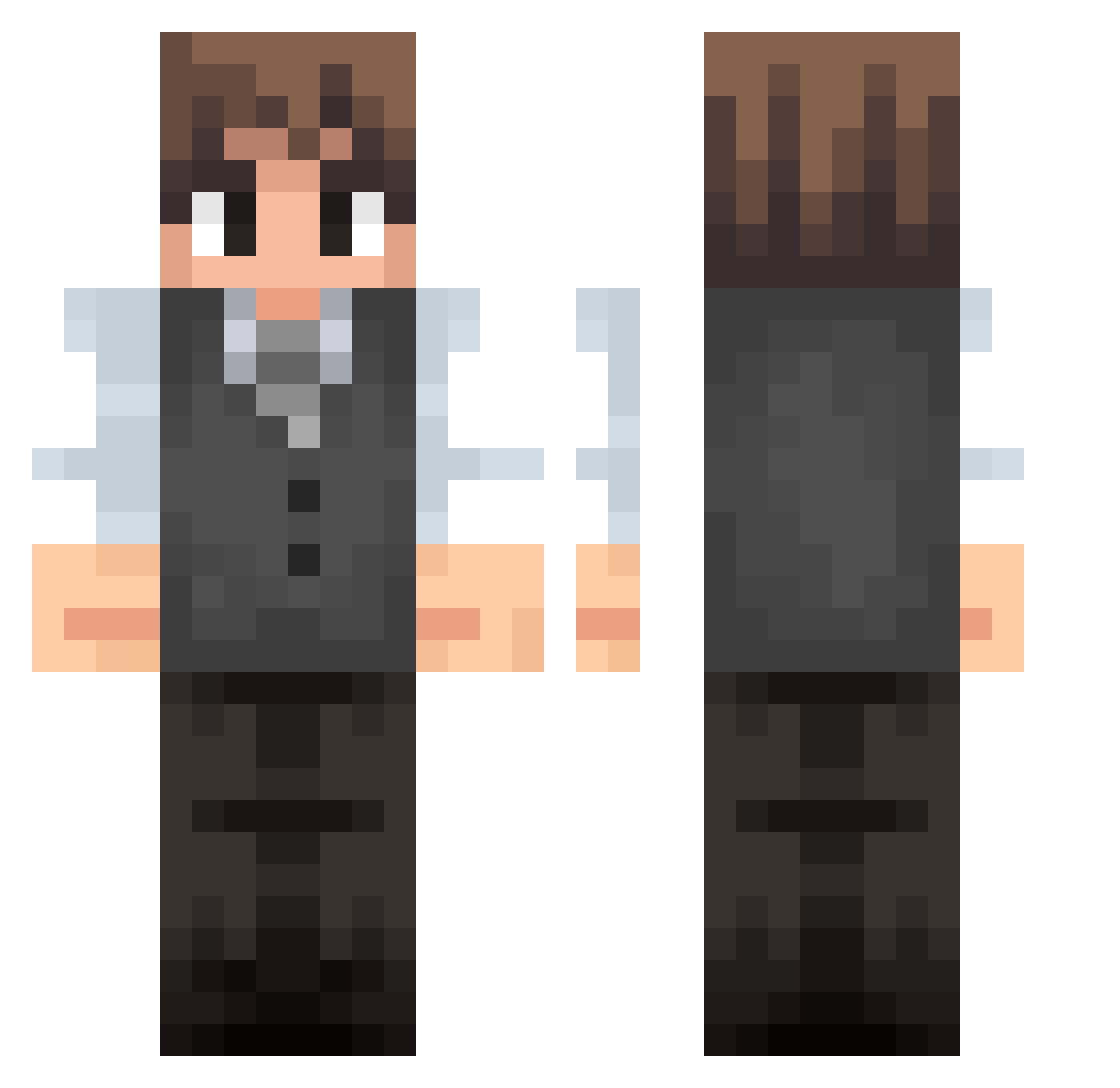
Current Minecraft skin of the player Itz_m4ti, loaded from the official Mojang API. Rotate the 3D model with your mouse or finger, then download the skin as a PNG file and use it in Minecraft: Bedrock Edition or Java Edition for free. When Itz_m4ti changes their skin, this page updates automatically and the old skin stays in the history below.
Other players with this skin (44)
Itz_m4ti was the 16th player we have seen with this skin, first spotted on 06.09.2026. The same skin was seen on these players. Open a nickname to see their current skin and skin history.
 yukkyminor xItzJack frenchmyname MatCauthon4 maxou70100
 Gustafiguiz Artembek
 Zecitaz UNUSEDBULL92353 emrldxd KaiDeBouwer Empei LiterallySimon wertex200 isaacnewton1255 Dargoz1 Nyu3kin Malve34 GrandMxster bubatzpilot420 Denzn somebody0_0 jpmorpixels WalkercitoDT thrillerdotmp3 Bayelixxx MilkaCsoki_123 Donguri9e GeorgeMeir WhisperingSkye Pikachu258 sberlino
 valasme Yagami7702 garnaalkroket_ HoangfNam DarkDeath847 dark0uu Max_Dieo mikusmp4 Timoxa224 Silver_Ashcroft Medina_jota MegamindKasi
Previous skins of Itz_m4ti
Skins that Itz_m4ti wore before, newest first. Click a skin to open its page and download it.
How to install the Itz_m4ti skin
- Press the Download button above to save the skin as a PNG file.
- Minecraft: Bedrock Edition (PE): open the Dressing Room from the main menu (or tap your character → Edit Character), go to Classic Skins → Owned, press the + (new skin) button, choose the downloaded PNG and pick the Classic (Steve) model. Works on PC and mobile; consoles cannot import custom skins.
- Minecraft: Java Edition: open the Minecraft Launcher, go to the Skins tab, click New Skin, load the PNG, pick the Classic (Steve) model and press Save & Use. You can also upload it at minecraft.net → Profile → Change Skin.
The skin does not show up after import - what should I do?
Restart Minecraft and open the Dressing Room again - imported skins sometimes appear only after a restart. Also make sure you selected the imported skin and picked the Classic (Steve) model.
Which model should I choose, Classic or Slim?
This skin is designed for the Classic (Steve) model. If you pick the wrong model, the arms of the skin will look stretched or squeezed.
Is the skin of Itz_m4ti free to download?
Yes. Press Download, save the PNG file and use it in Minecraft: Bedrock Edition or Java Edition - no payment or registration needed. The skin also works on multiplayer servers and Realms.
More skins
Looking for more? Go back to all Minecraft skins and check the top skins of the week, month and all time, or find any player's skin by nickname.