
Itz_Lucky_ - Minecraft Skins & Skin History
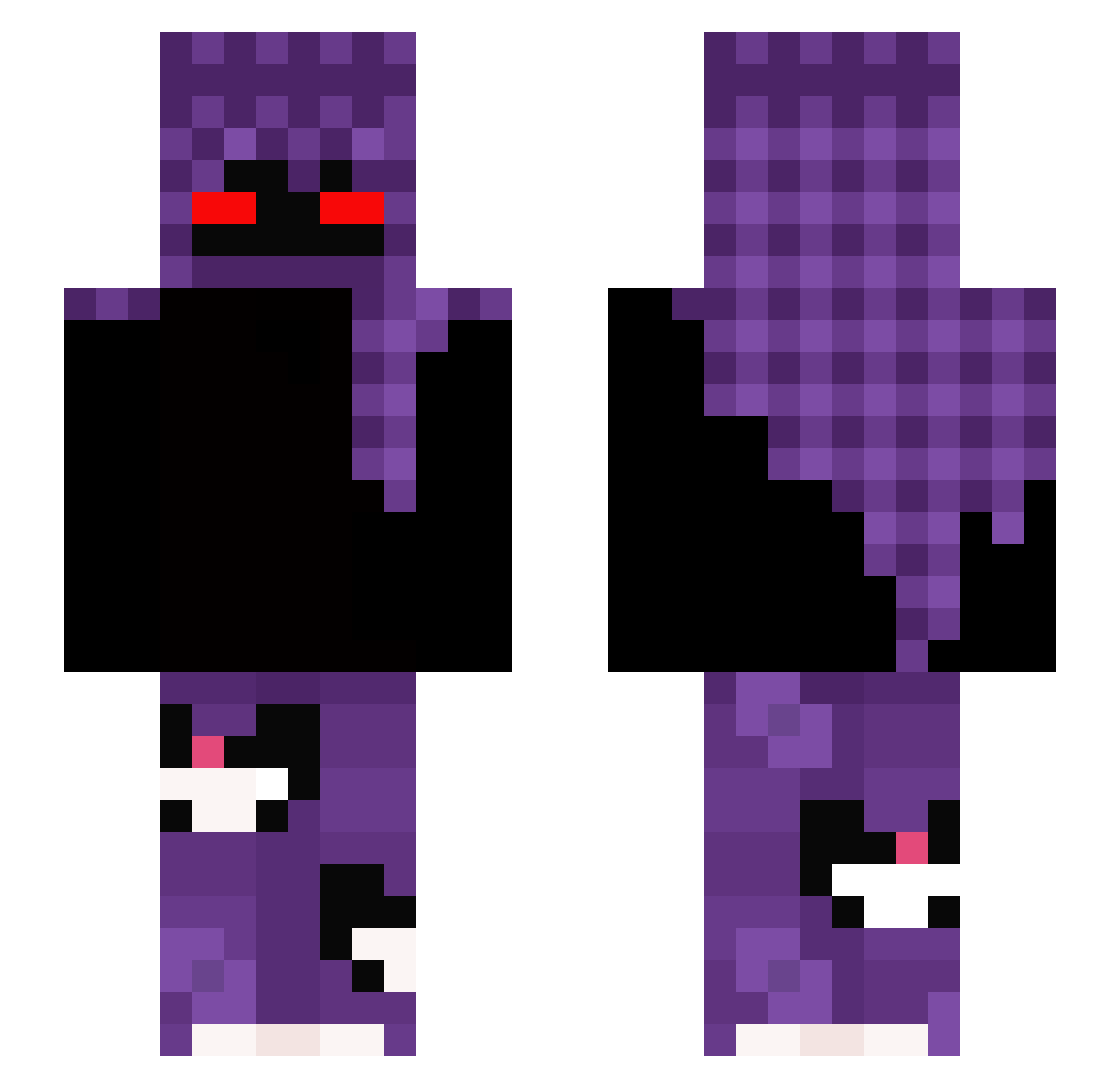
Current Minecraft skin of the player Itz_Lucky_, loaded from the official Mojang API. Rotate the 3D model with your mouse or finger, then download the skin as a PNG file and use it in Minecraft: Bedrock Edition or Java Edition for free. When Itz_Lucky_ changes their skin, this page updates automatically and the old skin stays in the history below.
Other players with this skin (300)
Itz_Lucky_ was the 281st player we have seen with this skin, first spotted on 26.10.2026. The same skin was seen on these players. Open a nickname to see their current skin and skin history.
 Pascal_GHG11 _yeeat Mr_Magic1098 vexxcs jeremy041010 sillyness0 manuel648 VTamaLoira xXram2dieXx4 MrV2Fon4o VIZANO _NotOblivion Entitilo_KCpbO unnamezero Rejsuu ebrx 370k_ hiro0163144 DanielCraig14 Aquirxz RamonPato KahjiMash szpiku_ macio1234 Wronekpl goattiboi LilLoko 22122022 zMIZE_09 Bueno33 Caamzy 44_BEDO RawZZZz Krvl_Dropss thomy_xd link0905 metafetaEnjoyer DzikiDzikk Yordanov ELNAGAR __y1 8AWS gamerfrog20012 rebeuXADV750 LayingSmoke Wosch_Lu cyxryz tempuni mertny givenchylockss Leutrox BoneCya D4ajczm4nek_GG crucifery234 DeadlyGod420 Jani_OG Valtsu_11 Gnuleyabko Dav600 sadlq
More Cat Minecraft skins
How to install the Itz_Lucky_ skin
- Press the Download button above to save the skin as a PNG file.
- Minecraft: Bedrock Edition (PE): open the Dressing Room from the main menu (or tap your character → Edit Character), go to Classic Skins → Owned, press the + (new skin) button, choose the downloaded PNG and pick the Slim (Alex) model. Works on PC and mobile; consoles cannot import custom skins.
- Minecraft: Java Edition: open the Minecraft Launcher, go to the Skins tab, click New Skin, load the PNG, pick the Slim (Alex) model and press Save & Use. You can also upload it at minecraft.net → Profile → Change Skin.
The skin does not show up after import - what should I do?
Restart Minecraft and open the Dressing Room again - imported skins sometimes appear only after a restart. Also make sure you selected the imported skin and picked the Slim (Alex) model.
Which model should I choose, Classic or Slim?
This skin is designed for the Slim (Alex) model. If you pick the wrong model, the arms of the skin will look stretched or squeezed.
Is the skin of Itz_Lucky_ free to download?
Yes. Press Download, save the PNG file and use it in Minecraft: Bedrock Edition or Java Edition - no payment or registration needed. The skin also works on multiplayer servers and Realms.
More skins
Looking for more? Go back to all Minecraft skins and check the top skins of the week, month and all time, or find any player's skin by nickname.