
ItzBartex - Minecraft Skins & Skin History
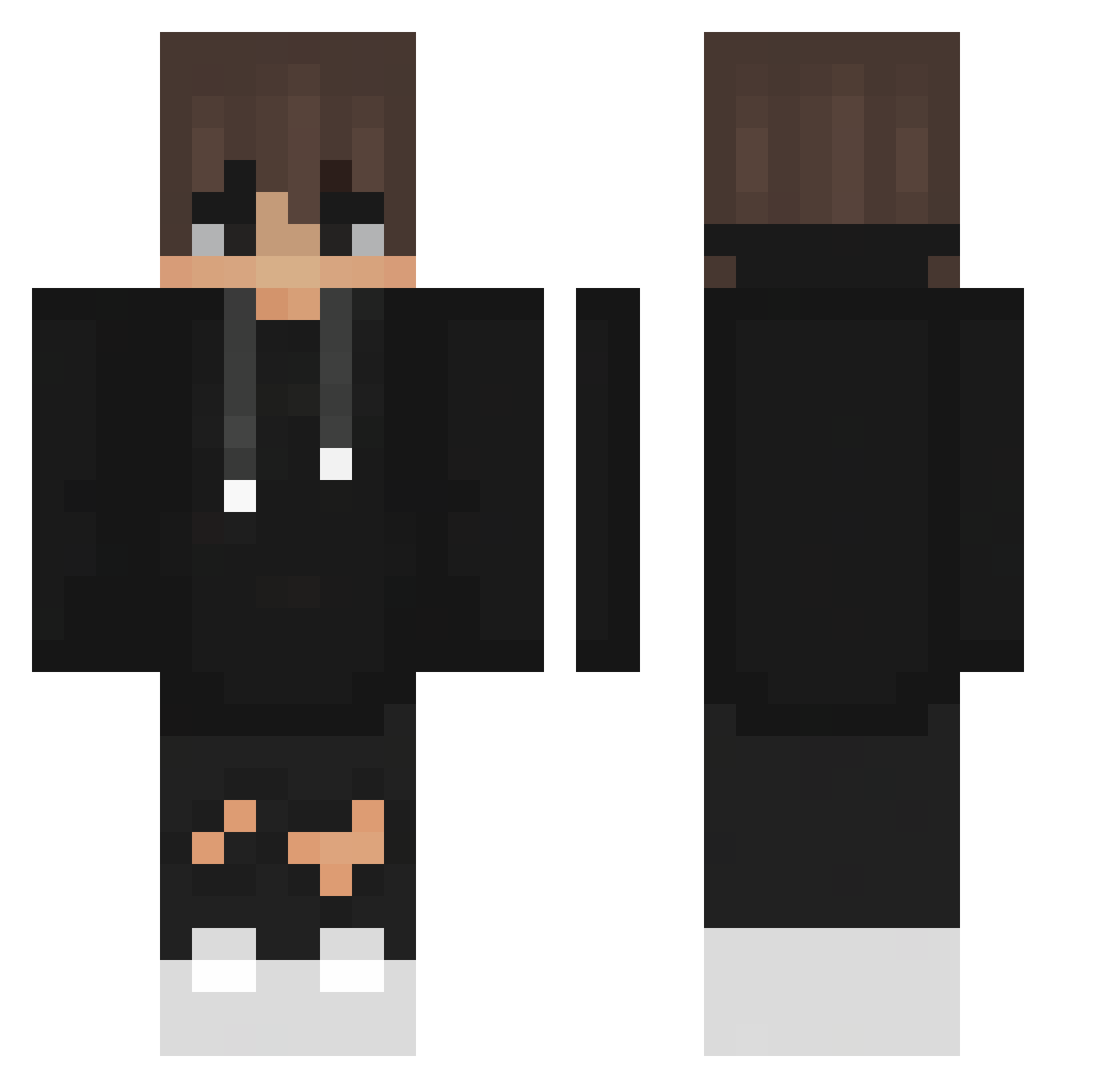
Current Minecraft skin of the player ItzBartex, loaded from the official Mojang API. Rotate the 3D model with your mouse or finger, then download the skin as a PNG file and use it in Minecraft: Bedrock Edition or Java Edition for free. When ItzBartex changes their skin, this page updates automatically and the old skin stays in the history below.
Other players with this skin (357)
ItzBartex was the 153rd player we have seen with this skin, first spotted on 06.09.2026. The same skin was seen on these players. Open a nickname to see their current skin and skin history.
 matzin1x TheColourCraft _Igor4Q_99 Ily_Dqctor CastBell_0812 makapaka475 LeMxnu IRqkYou FabiisHighh GMSiberian uwantwonky szebixon xRyan20 iQGamer123 Night_Light_ wdwdwda kwminhyeok0208 olwr Silonius_ Gardenz22 SassyBaka69 xMaltor GYUY Timmee1 AleekOF1 Jasonhoop yong2010 goergefloy BllackShadow OneWavez its0k_87 Exodia1117 DariusTheMaster IndexReal xMajkel987 Syaooooooh Turbo__03 ChipsAHoy354 Silco1011 Ludo_d sudan64 AimKai NanXiao2001 supersavvy ChenYancheng122 ksnags88 Machitorr _Alvy_ Lady_Lyra VercityK tristanb_ Moogracht Xenonek InkyAndAfraid Ado717 Mateoxe aniki001 serpvnt titoblox Carlos7u7
How to install the ItzBartex skin
- Press the Download button above to save the skin as a PNG file.
- Minecraft: Bedrock Edition (PE): open the Dressing Room from the main menu (or tap your character → Edit Character), go to Classic Skins → Owned, press the + (new skin) button, choose the downloaded PNG and pick the Classic (Steve) model. Works on PC and mobile; consoles cannot import custom skins.
- Minecraft: Java Edition: open the Minecraft Launcher, go to the Skins tab, click New Skin, load the PNG, pick the Classic (Steve) model and press Save & Use. You can also upload it at minecraft.net → Profile → Change Skin.
The skin does not show up after import - what should I do?
Restart Minecraft and open the Dressing Room again - imported skins sometimes appear only after a restart. Also make sure you selected the imported skin and picked the Classic (Steve) model.
Which model should I choose, Classic or Slim?
This skin is designed for the Classic (Steve) model. If you pick the wrong model, the arms of the skin will look stretched or squeezed.
Is the skin of ItzBartex free to download?
Yes. Press Download, save the PNG file and use it in Minecraft: Bedrock Edition or Java Edition - no payment or registration needed. The skin also works on multiplayer servers and Realms.
More skins
Looking for more? Go back to all Minecraft skins and check the top skins of the week, month and all time, or find any player's skin by nickname.