
ItsTheEgg - Minecraft Skins & Skin History
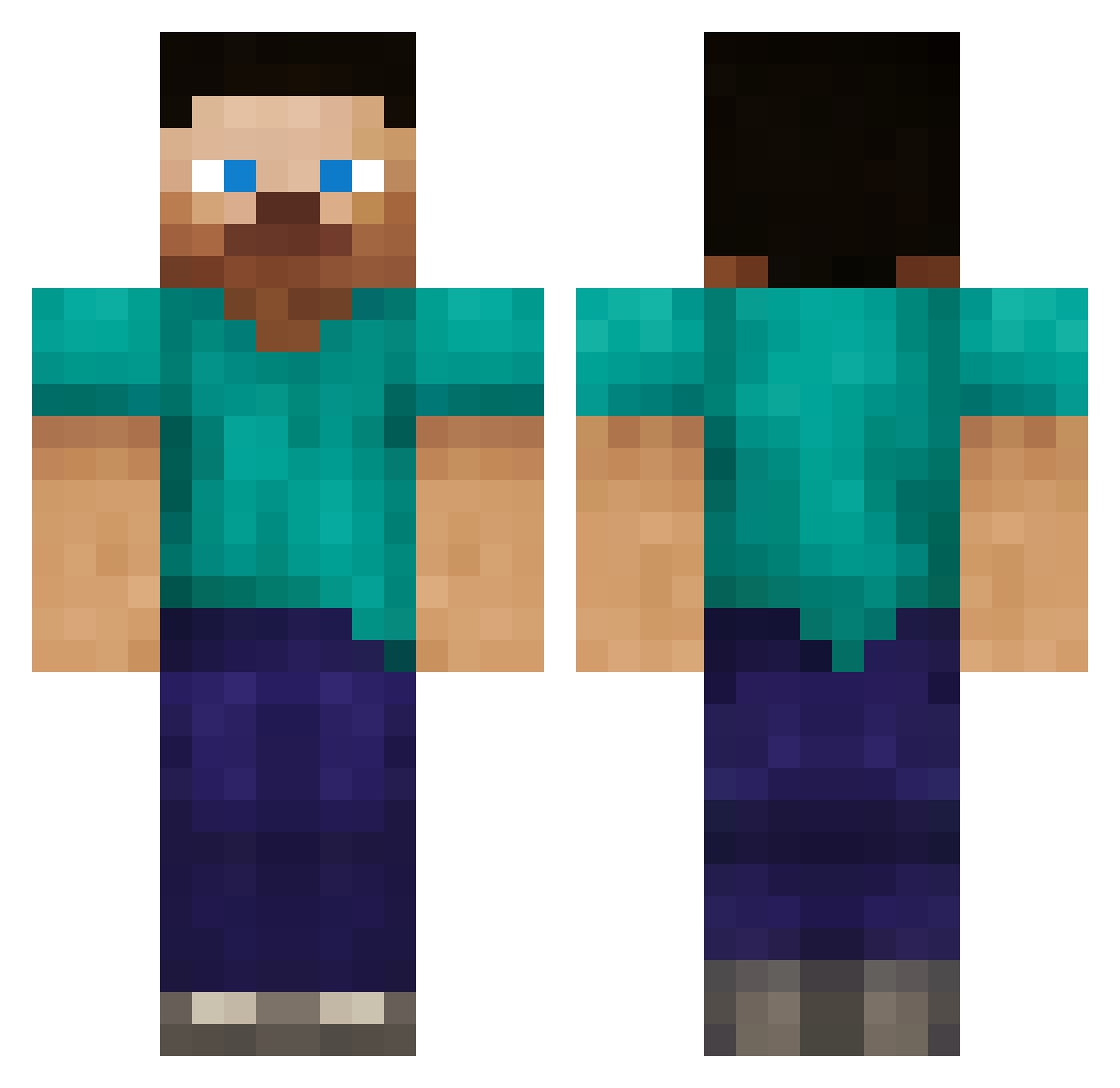
Current Minecraft skin of the player ItsTheEgg, loaded from the official Mojang API. Rotate the 3D model with your mouse or finger, then download the skin as a PNG file and use it in Minecraft: Bedrock Edition or Java Edition for free. When ItsTheEgg changes their skin, this page updates automatically and the old skin stays in the history below.
Other players with this skin (387)
ItsTheEgg was the 218th player we have seen with this skin, first spotted on 03.10.2026. The same skin was seen on these players. Open a nickname to see their current skin and skin history.
 Ooopha CrispyDoodle G36CLover Per4ik666 CallumJasonT emmaberg hosim Ryanpwnz slybadger12 Enkil1968 CrazyJannik14 Takeshi44455 Yankeeboz Luzifer91 GJ20013 ed456mo craigm1997 doubleowen100 PandaToTheRescue vladamier666 weneedicecream joshuaFPS Jumes Darkscouty12 Charlotte_Dunn LosPerjuicios dominikme Kiloz24 tiyman3605 Schweinestier latravita Max358 bralax1 loliver masakiman001 Rayyan45 hulkman123456 xMindzz potobi SZYMONJTX Franklien1337 kaplowe asaaaaa D_Scully chris_young Leficent MakerJake BIKESLIDER craftermaster12 Iskai94 koer34 BashYou12 hyKry KobyBlake macshane Phellows John_C4 shooter0155 tj823 VenixKensai
How to install the ItsTheEgg skin
- Press the Download button above to save the skin as a PNG file.
- Minecraft: Bedrock Edition (PE): open the Dressing Room from the main menu (or tap your character → Edit Character), go to Classic Skins → Owned, press the + (new skin) button, choose the downloaded PNG and pick the Classic (Steve) model. Works on PC and mobile; consoles cannot import custom skins.
- Minecraft: Java Edition: open the Minecraft Launcher, go to the Skins tab, click New Skin, load the PNG, pick the Classic (Steve) model and press Save & Use. You can also upload it at minecraft.net → Profile → Change Skin.
The skin does not show up after import - what should I do?
Restart Minecraft and open the Dressing Room again - imported skins sometimes appear only after a restart. Also make sure you selected the imported skin and picked the Classic (Steve) model.
Which model should I choose, Classic or Slim?
This skin is designed for the Classic (Steve) model. If you pick the wrong model, the arms of the skin will look stretched or squeezed.
Is the skin of ItsTheEgg free to download?
Yes. Press Download, save the PNG file and use it in Minecraft: Bedrock Edition or Java Edition - no payment or registration needed. The skin also works on multiplayer servers and Realms.
More skins
Looking for more? Go back to all Minecraft skins and check the top skins of the week, month and all time, or find any player's skin by nickname.