
ItsPizzaPlays - Minecraft Skins & Skin History
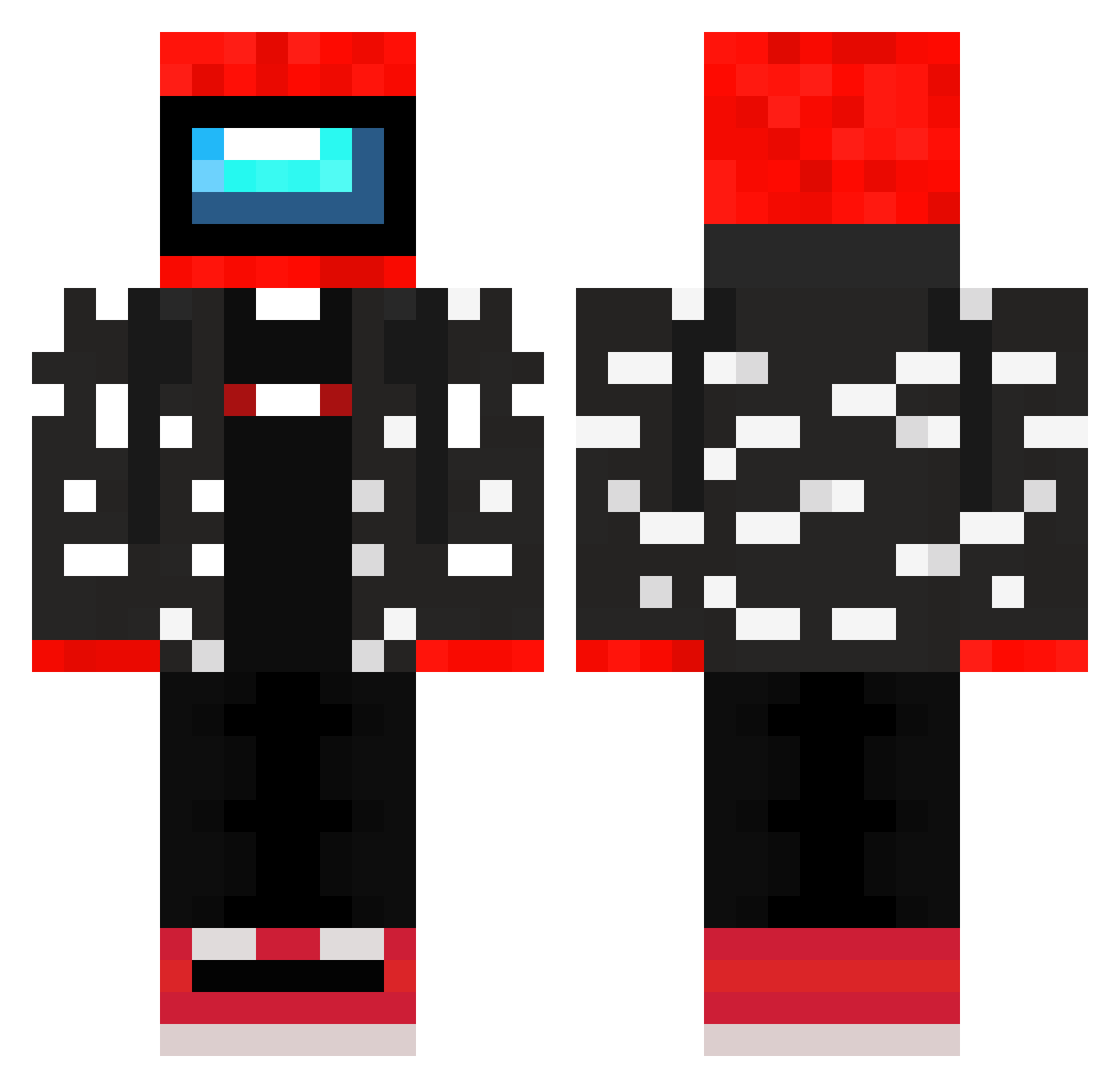
Current Minecraft skin of the player ItsPizzaPlays, loaded from the official Mojang API. Rotate the 3D model with your mouse or finger, then download the skin as a PNG file and use it in Minecraft: Bedrock Edition or Java Edition for free. When ItsPizzaPlays changes their skin, this page updates automatically and the old skin stays in the history below.
Other players with this skin (245)
ItsPizzaPlays was the 223rd player we have seen with this skin, first spotted on 20.10.2026. The same skin was seen on these players. Open a nickname to see their current skin and skin history.
 kimch927 Adorableeeee IamIndeedFrog Pepinot30 fantastcgalactic Quamy Emremas MHGAMERyt Likummm kn5n Oberesboys StratosF3ar OguzhanCakr1 shady_kadry bicente4862 t_Seikrow_t Draeg00n MEYBES Iwilltakeyou455 Quentultime MyteA_No1 KrisYYDS skeppd emerysid ppadan suisauce IDK__love brzotrcimare Remeq102 BigPPMonstr Jaasce oleczko 1Danya ContentCreator18 radek0533 xB3T4x Kapedani Little_Tonms Leoncino6000 SnIkO_972 LeeNzee ResNoorus Naoyumi13 Polvilar30 Paziczeq siegeCast Renatinho_Bobox BigMassiveAlex CHADGAMING123 Abzan229 RedSus_ CansieGamezz italito16000 manicminerD tomo0922 BrianR6827 EnderMan210 SlimeSlayer102 FaZeChromosome mhsmhs123
More Drip Minecraft skins
How to install the ItsPizzaPlays skin
- Press the Download button above to save the skin as a PNG file.
- Minecraft: Bedrock Edition (PE): open the Dressing Room from the main menu (or tap your character → Edit Character), go to Classic Skins → Owned, press the + (new skin) button, choose the downloaded PNG and pick the Classic (Steve) model. Works on PC and mobile; consoles cannot import custom skins.
- Minecraft: Java Edition: open the Minecraft Launcher, go to the Skins tab, click New Skin, load the PNG, pick the Classic (Steve) model and press Save & Use. You can also upload it at minecraft.net → Profile → Change Skin.
The skin does not show up after import - what should I do?
Restart Minecraft and open the Dressing Room again - imported skins sometimes appear only after a restart. Also make sure you selected the imported skin and picked the Classic (Steve) model.
Which model should I choose, Classic or Slim?
This skin is designed for the Classic (Steve) model. If you pick the wrong model, the arms of the skin will look stretched or squeezed.
Is the skin of ItsPizzaPlays free to download?
Yes. Press Download, save the PNG file and use it in Minecraft: Bedrock Edition or Java Edition - no payment or registration needed. The skin also works on multiplayer servers and Realms.
More skins
Looking for more? Go back to all Minecraft skins and check the top skins of the week, month and all time, or find any player's skin by nickname.