
ItsLuke6819 - Minecraft Skins & Skin History
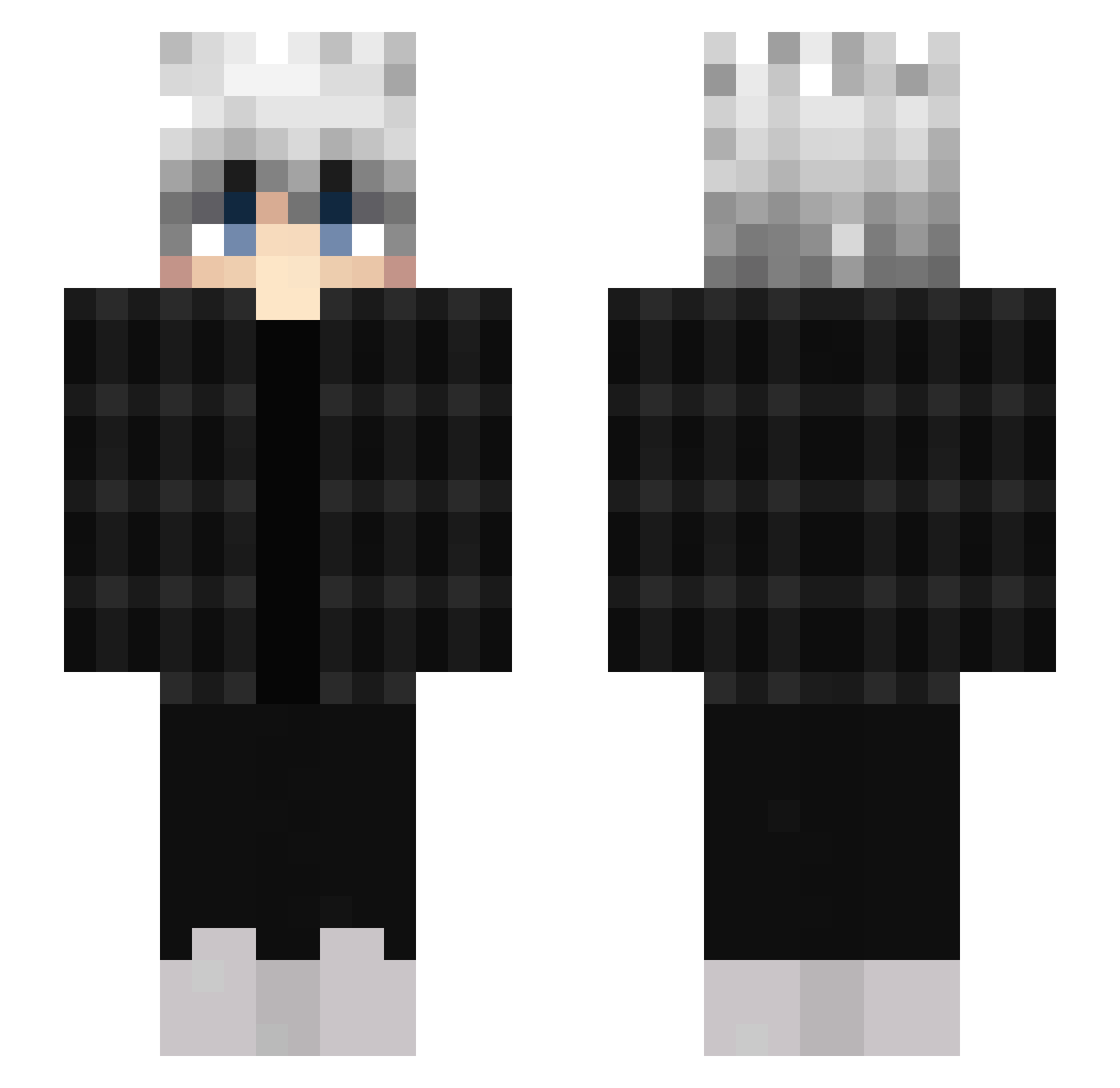
Current Minecraft skin of the player ItsLuke6819, loaded from the official Mojang API. Rotate the 3D model with your mouse or finger, then download the skin as a PNG file and use it in Minecraft: Bedrock Edition or Java Edition for free. When ItsLuke6819 changes their skin, this page updates automatically and the old skin stays in the history below.
Other players with this skin (452)
ItsLuke6819 was the 407th player we have seen with this skin, first spotted on 22.10.2026. The same skin was seen on these players. Open a nickname to see their current skin and skin history.
 xEspeo PelliBest44 xiao_xia111 BajerAntar Katchinga HomeLife brisqui KeeV_00 Vlytz x2yy armyqua Toramoraa Lunar_Mare43 Vitalii1st juwon7755 Crypto_ice ExactFuzzball83 Reeeea Axen1322 makura0501 En0niMA Shadow0_0_0 Kellooggss 7Keres Magicalme1 Ian4712 nevoooo NobleHunter6 YanzuuNoKami pe7la alio101 Nobu_1112 iPaNiiCz_Tv dweep772 anyzeqq StaySafeKings OkkaDestroyer Jimmt vtty2751 malachicolemann sarah149 Lyjie_1729 Toxine_94 Lio_SnupK LYuHoo Jonelka TheeY1TO4KA Winaura itsisaaxxxx jason0u0 Kanekiikun to0xic SKYT4679 Woke_Tea LasthSandanayake Borey955 Drako386 FrankLance Hassel_Q icy_wastaken
How to install the ItsLuke6819 skin
- Press the Download button above to save the skin as a PNG file.
- Minecraft: Bedrock Edition (PE): open the Dressing Room from the main menu (or tap your character → Edit Character), go to Classic Skins → Owned, press the + (new skin) button, choose the downloaded PNG and pick the Slim (Alex) model. Works on PC and mobile; consoles cannot import custom skins.
- Minecraft: Java Edition: open the Minecraft Launcher, go to the Skins tab, click New Skin, load the PNG, pick the Slim (Alex) model and press Save & Use. You can also upload it at minecraft.net → Profile → Change Skin.
The skin does not show up after import - what should I do?
Restart Minecraft and open the Dressing Room again - imported skins sometimes appear only after a restart. Also make sure you selected the imported skin and picked the Slim (Alex) model.
Which model should I choose, Classic or Slim?
This skin is designed for the Slim (Alex) model. If you pick the wrong model, the arms of the skin will look stretched or squeezed.
Is the skin of ItsLuke6819 free to download?
Yes. Press Download, save the PNG file and use it in Minecraft: Bedrock Edition or Java Edition - no payment or registration needed. The skin also works on multiplayer servers and Realms.
More skins
Looking for more? Go back to all Minecraft skins and check the top skins of the week, month and all time, or find any player's skin by nickname.