
IrushiINspace - Minecraft Skins & Skin History
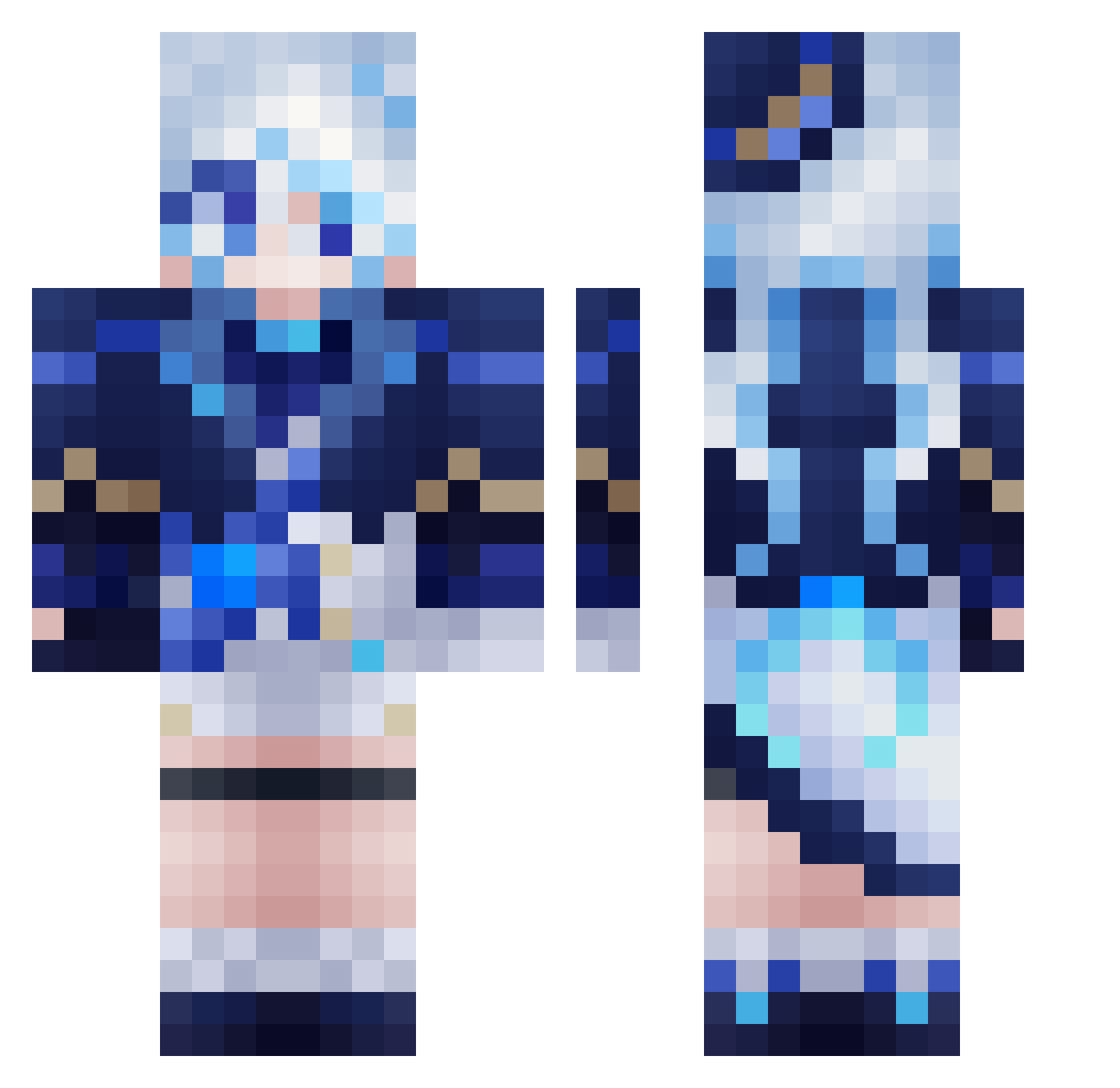
Current Minecraft skin of the player IrushiINspace, loaded from the official Mojang API. Rotate the 3D model with your mouse or finger, then download the skin as a PNG file and use it in Minecraft: Bedrock Edition or Java Edition for free. When IrushiINspace changes their skin, this page updates automatically and the old skin stays in the history below.
Other players with this skin (558)
IrushiINspace was the 489th player we have seen with this skin, first spotted on 21.10.2026. The same skin was seen on these players. Open a nickname to see their current skin and skin history.
 534332 The_Wuyou Sprayzeny vel_kuma AzuMya25 MateoRDO13 Estellinea Yae_sakura520 Snappylow11 YunDDanDDan XiaoBu0 Lycoris_Moon koituo liziren10 mirakapz97 Caelus_Caleb JSupah KAMlDESU 10_Pang GohanHG5 yushone SenTaroX BrickEradicator houzy77 Haruwunn Umai1234 Theresse xiaomi211 Elder_Asura PIGEONGGGGGG Linyu_Mochi nijiushidaiduo jellisama biteyfox yamatoawa1106 MonkeyDJack3293 KimBongSik119 ChattySushi ina4178 Rapp_ youngwook08 kandiako tzuyu1016 its_jazzz BistecDeMilanesa NXDDZJQ baimingw Shisheng666 Xaicram jeongwooko DakBunny zhiqi2333 Nellieu fufu6 Cherryoats xuan00RA Evapol PHSSS shiorichyan sadevlux
More Furina Minecraft skins
How to install the IrushiINspace skin
- Press the Download button above to save the skin as a PNG file.
- Minecraft: Bedrock Edition (PE): open the Dressing Room from the main menu (or tap your character → Edit Character), go to Classic Skins → Owned, press the + (new skin) button, choose the downloaded PNG and pick the Classic (Steve) model. Works on PC and mobile; consoles cannot import custom skins.
- Minecraft: Java Edition: open the Minecraft Launcher, go to the Skins tab, click New Skin, load the PNG, pick the Classic (Steve) model and press Save & Use. You can also upload it at minecraft.net → Profile → Change Skin.
The skin does not show up after import - what should I do?
Restart Minecraft and open the Dressing Room again - imported skins sometimes appear only after a restart. Also make sure you selected the imported skin and picked the Classic (Steve) model.
Which model should I choose, Classic or Slim?
This skin is designed for the Classic (Steve) model. If you pick the wrong model, the arms of the skin will look stretched or squeezed.
Is the skin of IrushiINspace free to download?
Yes. Press Download, save the PNG file and use it in Minecraft: Bedrock Edition or Java Edition - no payment or registration needed. The skin also works on multiplayer servers and Realms.
More skins
Looking for more? Go back to all Minecraft skins and check the top skins of the week, month and all time, or find any player's skin by nickname.