
InventSEAN - Minecraft Skins & Skin History
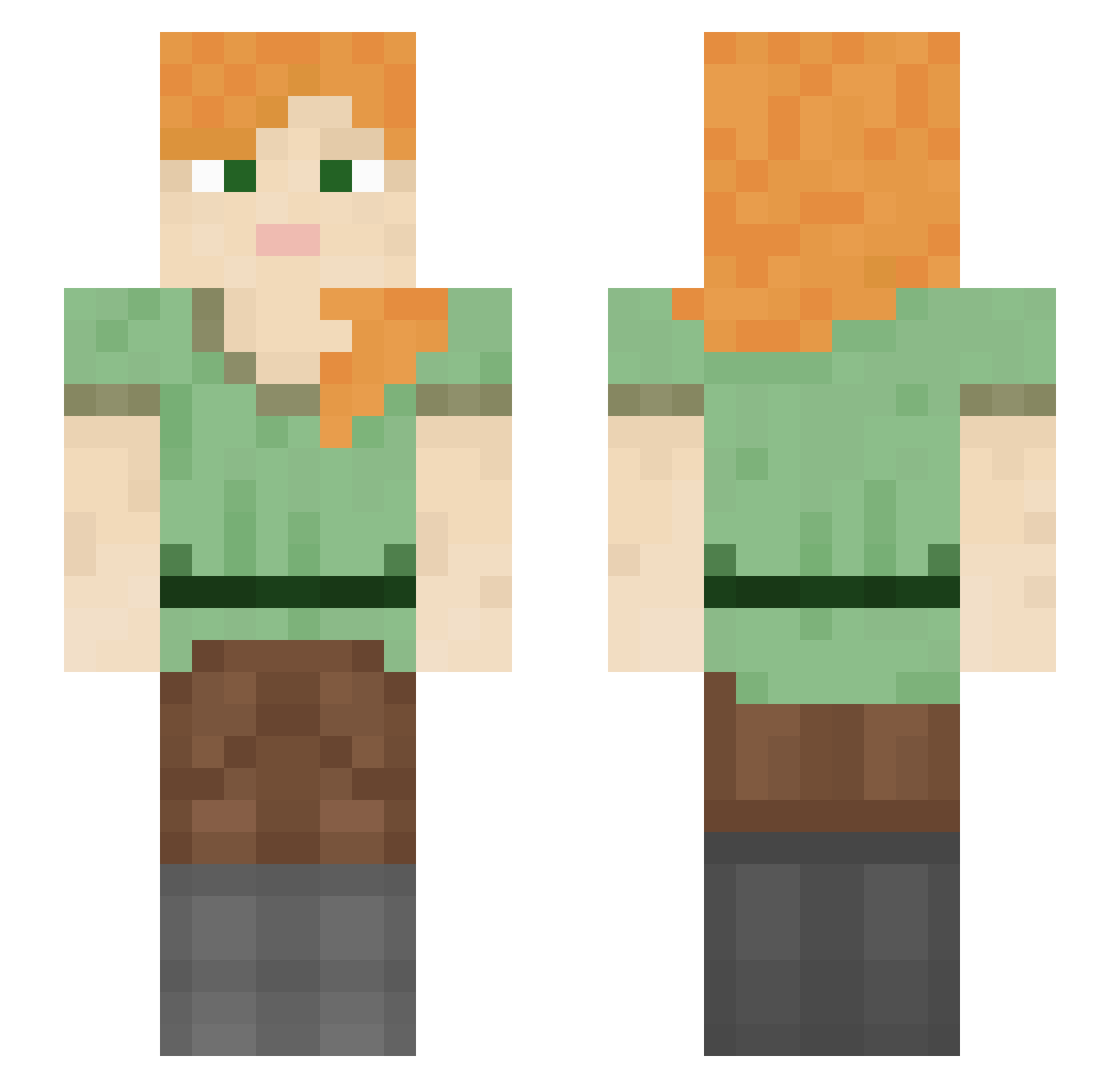
Current Minecraft skin of the player InventSEAN, loaded from the official Mojang API. Rotate the 3D model with your mouse or finger, then download the skin as a PNG file and use it in Minecraft: Bedrock Edition or Java Edition for free. When InventSEAN changes their skin, this page updates automatically and the old skin stays in the history below.
Other players with this skin (1054)
InventSEAN was the 321st player we have seen with this skin, first spotted on 24.08.2026. The same skin was seen on these players. Open a nickname to see their current skin and skin history.
 Fimbria PIueschii Bloodyhunter775 kuhrel_ stampery _Debbyy DepExp171 CHEESEx3c PizzaMore Germain18 PEW01 the_source1 sin5mu upgo SalmonBerry29 Boastful NixzonXZ Gerald OverD4rth PooMan43 hvllx zaasz LMAO0401 cystichell Lucasgamer0215 Oxidative trigonum
 Bandana zygomycete DABURAG32 Arke1n un0o Seatism krazydoom04 Rea1NameHidden futuristico999 MahalY gguidune Aedumb0293 GeoJLG WhyrmX777 eglocks Merg_e blockbuster711 xeniazmus Meagy04 atua 9PES Iwa_Zulu RitLing wapslayer69 Batons PixelKillerMC Soceryy 99point GGABB1 nora_l_w SummoningZ rowellyo lleennn
How to install the InventSEAN skin
- Press the Download button above to save the skin as a PNG file.
- Minecraft: Bedrock Edition (PE): open the Dressing Room from the main menu (or tap your character → Edit Character), go to Classic Skins → Owned, press the + (new skin) button, choose the downloaded PNG and pick the Slim (Alex) model. Works on PC and mobile; consoles cannot import custom skins.
- Minecraft: Java Edition: open the Minecraft Launcher, go to the Skins tab, click New Skin, load the PNG, pick the Slim (Alex) model and press Save & Use. You can also upload it at minecraft.net → Profile → Change Skin.
The skin does not show up after import - what should I do?
Restart Minecraft and open the Dressing Room again - imported skins sometimes appear only after a restart. Also make sure you selected the imported skin and picked the Slim (Alex) model.
Which model should I choose, Classic or Slim?
This skin is designed for the Slim (Alex) model. If you pick the wrong model, the arms of the skin will look stretched or squeezed.
Is the skin of InventSEAN free to download?
Yes. Press Download, save the PNG file and use it in Minecraft: Bedrock Edition or Java Edition - no payment or registration needed. The skin also works on multiplayer servers and Realms.
More skins
Looking for more? Go back to all Minecraft skins and check the top skins of the week, month and all time, or find any player's skin by nickname.