
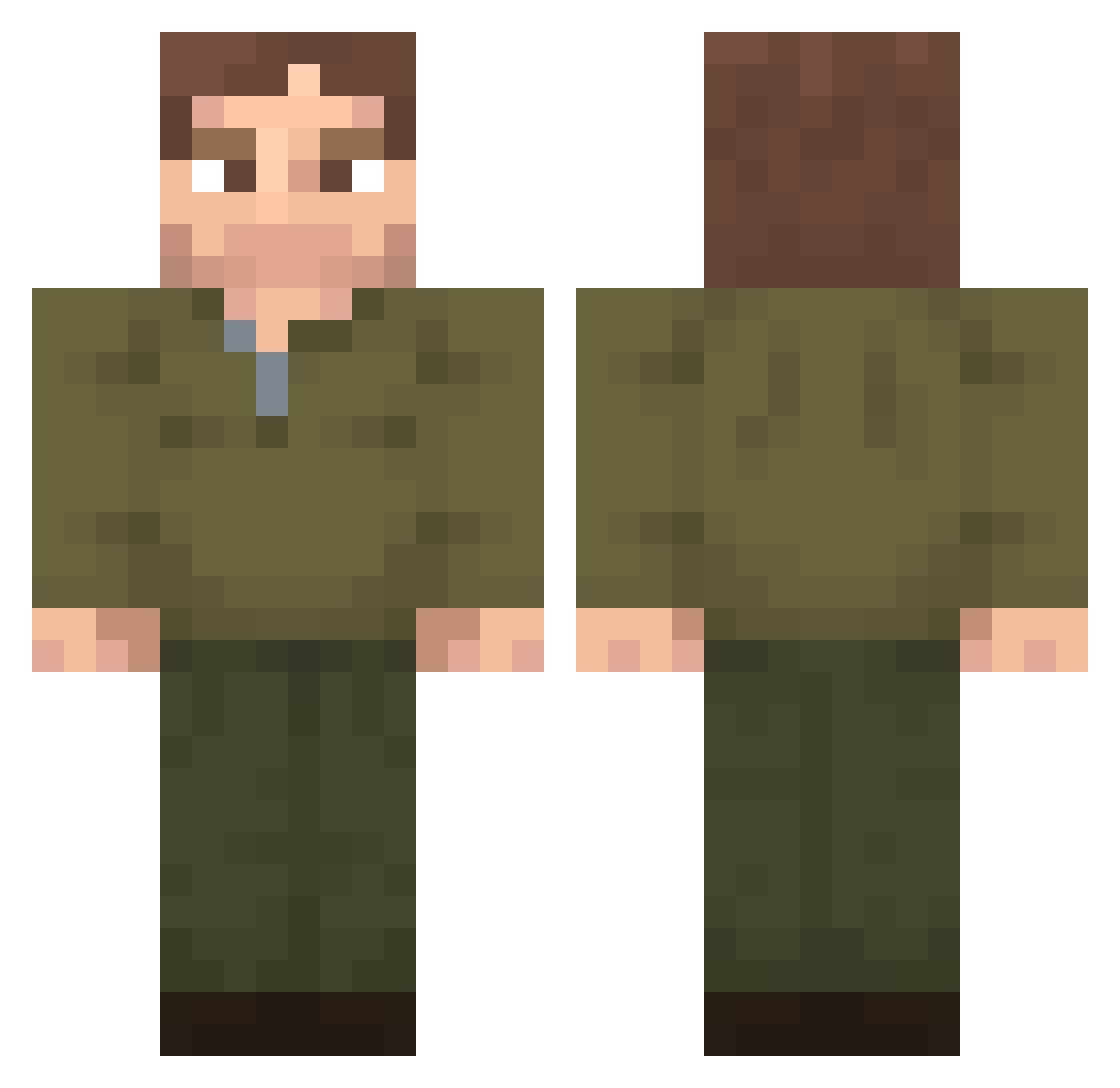
Current Minecraft skin of the player Insulinkrieger, loaded from the official Mojang API. Rotate the 3D model with your mouse or finger, then download the skin as a PNG file and use it in Minecraft: Bedrock Edition or Java Edition for free. When Insulinkrieger changes their skin, this page updates automatically and the old skin stays in the history below.
Other players with this skin (248)
Insulinkrieger was the 190th player we have seen with this skin, first spotted on 02.10.2026. The same skin was seen on these players. Open a nickname to see their current skin and skin history.
 YSLucas Gargleblaster_42 Yoru2835 Angelo77038 jackerinho LUISMP sphinx_061 TUNGTUNGTUNG69 ItzYoakim bimboebela King77407 Downhill888 BayrborButcher sein_kn Rumi_Z Gabriele9 Mowmoimas BronxTheSigma xinglett db420 JellyJokerMC NateGarff Coja02 Gamerdovid Orxai Is_legall Mr_Wrigglesworth AndreGiuss Nylu2304 Nic_Nac_49 Utkuv NesspressoXD D6w6d PanMarchewkaPL GennyLong So_amigos Byrou_ JONNYBIRD Vzhmlfawefaf Noksik14 mmmmmmmmmmmmmaar udontknowme9737 arandomplayerty zStarky MajoMiezga star_wars_1022 TagyG SimplementeJoaco slawnnn Skill000 HerobrineTR1 Suparmy1 TimThe23rd Kost1ia goodsoulman egamer221 milwie Unthroned PabloAlegria morosos
More Uniform Minecraft skins
How to install the Insulinkrieger skin
- Press the Download button above to save the skin as a PNG file.
- Minecraft: Bedrock Edition (PE): open the Dressing Room from the main menu (or tap your character → Edit Character), go to Classic Skins → Owned, press the + (new skin) button, choose the downloaded PNG and pick the Classic (Steve) model. Works on PC and mobile; consoles cannot import custom skins.
- Minecraft: Java Edition: open the Minecraft Launcher, go to the Skins tab, click New Skin, load the PNG, pick the Classic (Steve) model and press Save & Use. You can also upload it at minecraft.net → Profile → Change Skin.
The skin does not show up after import - what should I do?
Restart Minecraft and open the Dressing Room again - imported skins sometimes appear only after a restart. Also make sure you selected the imported skin and picked the Classic (Steve) model.
Which model should I choose, Classic or Slim?
This skin is designed for the Classic (Steve) model. If you pick the wrong model, the arms of the skin will look stretched or squeezed.
Is the skin of Insulinkrieger free to download?
Yes. Press Download, save the PNG file and use it in Minecraft: Bedrock Edition or Java Edition - no payment or registration needed. The skin also works on multiplayer servers and Realms.
More skins
Looking for more? Go back to all Minecraft skins and check the top skins of the week, month and all time, or find any player's skin by nickname.