
Insane_Rory - Minecraft Skins & Skin History
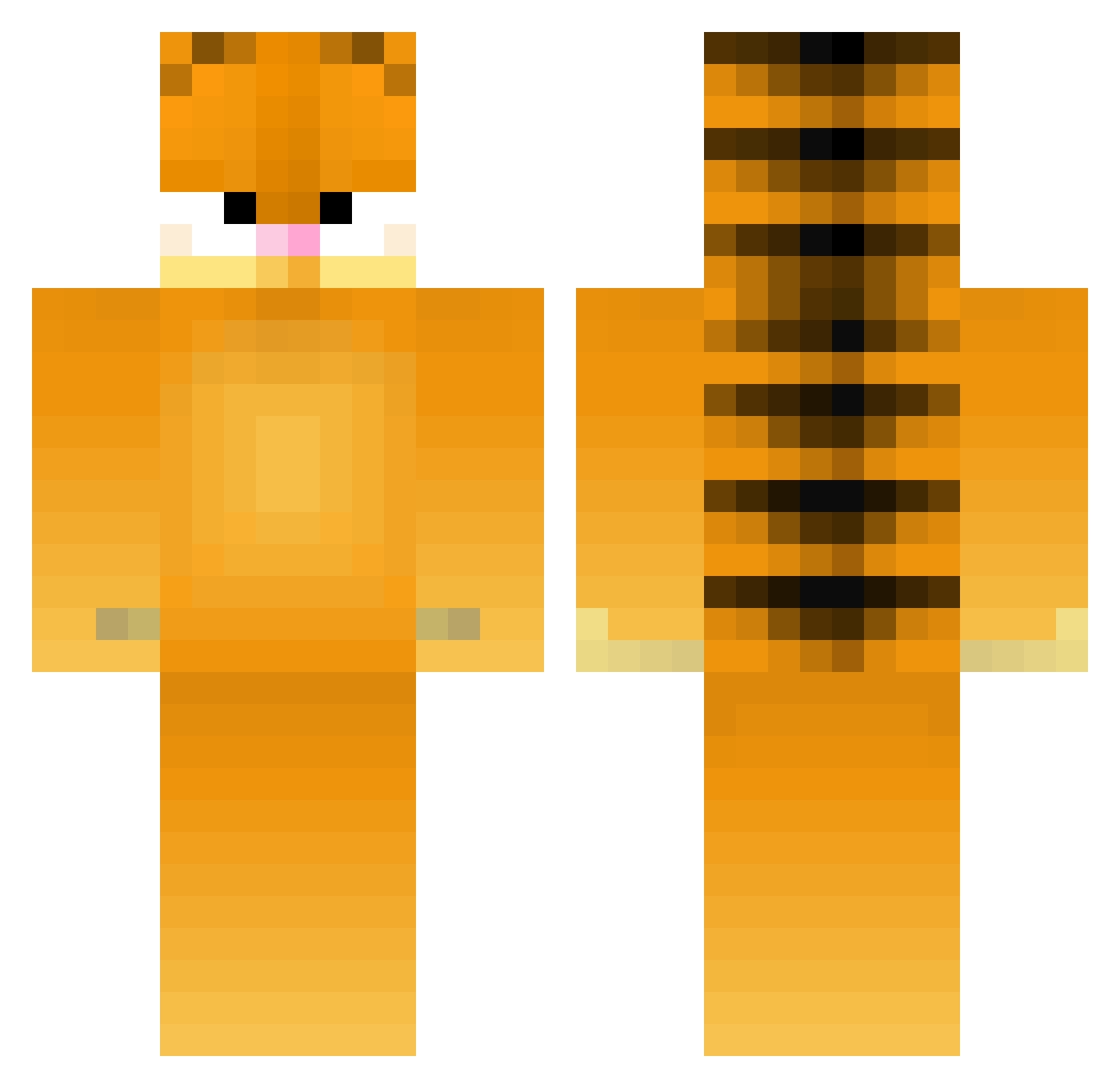
Current Minecraft skin of the player Insane_Rory, loaded from the official Mojang API. Rotate the 3D model with your mouse or finger, then download the skin as a PNG file and use it in Minecraft: Bedrock Edition or Java Edition for free. When Insane_Rory changes their skin, this page updates automatically and the old skin stays in the history below.
Other players with this skin (429)
Insane_Rory was the 401st player we have seen with this skin, first spotted on 01.11.2026. The same skin was seen on these players. Open a nickname to see their current skin and skin history.
 dankhankt K00kaburra76 Peladro47 Justpeacheyy TataLenin idkallex BrownTarot Cattosus phobophobia01 johanaaaaa wotutalkinbout TOTOsama SteezyTeeze LeChunger zSeaniniVi aku11111 audboss88 DirtyDrk thatcyrusguy lettuce826 madschannel eandrlinks BlackMamba Nattyy02 LilyTreadway thesnowfake SuperficialMelon GreenTea988 mintjuulpodss FunnyBunny3 elithans The_real_Mainer TheBiggestFridge J0rdman07 Yun8 Stondt off_real Syxano xGorciu Goosedman09 dootus_prootus _Wolfiethedog camerongang KiwiKitKat101 flingusballs Piotor123 benbastion kasqtr Dark0rca BB_Reggie DoctorKelogs ka8i zzymoonlight ronnard Justus282011 Zhakuub Ruanlong friendlymackerel Maraysgg1 PiklDus
More Garfield Minecraft skins
How to install the Insane_Rory skin
- Press the Download button above to save the skin as a PNG file.
- Minecraft: Bedrock Edition (PE): open the Dressing Room from the main menu (or tap your character → Edit Character), go to Classic Skins → Owned, press the + (new skin) button, choose the downloaded PNG and pick the Classic (Steve) model. Works on PC and mobile; consoles cannot import custom skins.
- Minecraft: Java Edition: open the Minecraft Launcher, go to the Skins tab, click New Skin, load the PNG, pick the Classic (Steve) model and press Save & Use. You can also upload it at minecraft.net → Profile → Change Skin.
The skin does not show up after import - what should I do?
Restart Minecraft and open the Dressing Room again - imported skins sometimes appear only after a restart. Also make sure you selected the imported skin and picked the Classic (Steve) model.
Which model should I choose, Classic or Slim?
This skin is designed for the Classic (Steve) model. If you pick the wrong model, the arms of the skin will look stretched or squeezed.
Is the skin of Insane_Rory free to download?
Yes. Press Download, save the PNG file and use it in Minecraft: Bedrock Edition or Java Edition - no payment or registration needed. The skin also works on multiplayer servers and Realms.
More skins
Looking for more? Go back to all Minecraft skins and check the top skins of the week, month and all time, or find any player's skin by nickname.