
Inexorably - Minecraft Skins & Skin History
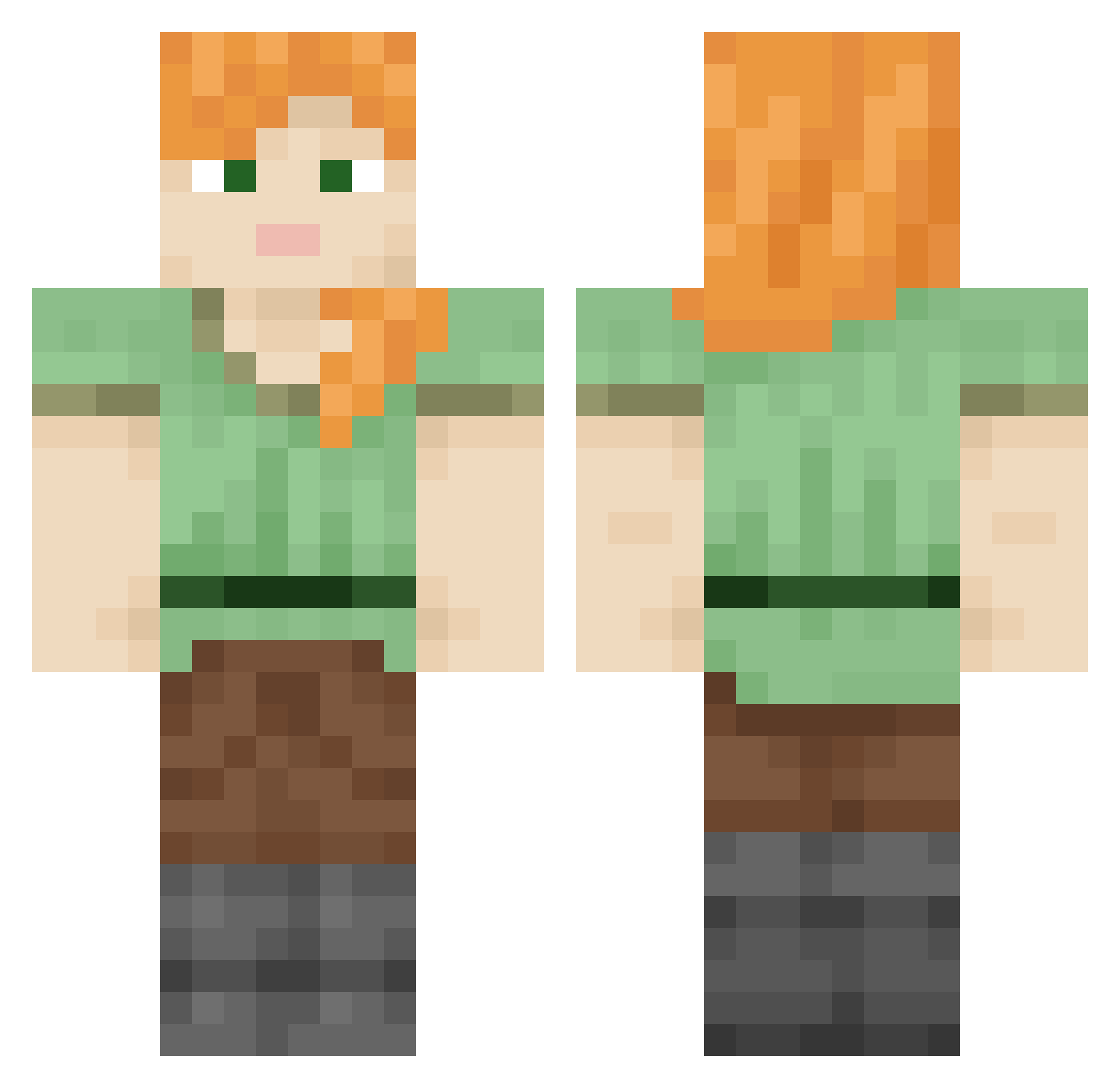
Current Minecraft skin of the player Inexorably, loaded from the official Mojang API. Rotate the 3D model with your mouse or finger, then download the skin as a PNG file and use it in Minecraft: Bedrock Edition or Java Edition for free. When Inexorably changes their skin, this page updates automatically and the old skin stays in the history below.
Other players with this skin (847)
Inexorably was the 664th player we have seen with this skin, first spotted on 14.10.2026. The same skin was seen on these players. Open a nickname to see their current skin and skin history.
 i_am_a_hobo_1 W1RL3 maldcan whitefluffycat mexicanita airbus737 Plunge Basanite Corpuscularian Airer Uniter Kinshey Challis dcofsty Jouking Barstool discarnation Floodwall Afterwrath cocksparrow boogeraid tomy233 Taramasalata SKorp911 Langleys Haremk1ng Zimny07 HyppeBoy Defector engrace Nargkiller SxS Minnnie Repellently unbarricaded BridgeDeep vocalizes VTHG PranQst3r Pamiri Sravaka Quizzicality Explori OmegaTres cladophora intergroup hassan200 Kay3 Tallied Reinflate BreckieHuegel Wonderboy666 Itz_ENDR Goatswithtricks abow WubityDubity Bowline hellicat Coastmen fredablitz
How to install the Inexorably skin
- Press the Download button above to save the skin as a PNG file.
- Minecraft: Bedrock Edition (PE): open the Dressing Room from the main menu (or tap your character → Edit Character), go to Classic Skins → Owned, press the + (new skin) button, choose the downloaded PNG and pick the Classic (Steve) model. Works on PC and mobile; consoles cannot import custom skins.
- Minecraft: Java Edition: open the Minecraft Launcher, go to the Skins tab, click New Skin, load the PNG, pick the Classic (Steve) model and press Save & Use. You can also upload it at minecraft.net → Profile → Change Skin.
The skin does not show up after import - what should I do?
Restart Minecraft and open the Dressing Room again - imported skins sometimes appear only after a restart. Also make sure you selected the imported skin and picked the Classic (Steve) model.
Which model should I choose, Classic or Slim?
This skin is designed for the Classic (Steve) model. If you pick the wrong model, the arms of the skin will look stretched or squeezed.
Is the skin of Inexorably free to download?
Yes. Press Download, save the PNG file and use it in Minecraft: Bedrock Edition or Java Edition - no payment or registration needed. The skin also works on multiplayer servers and Realms.
More skins
Looking for more? Go back to all Minecraft skins and check the top skins of the week, month and all time, or find any player's skin by nickname.