
Indy77 - Minecraft Skins & Skin History
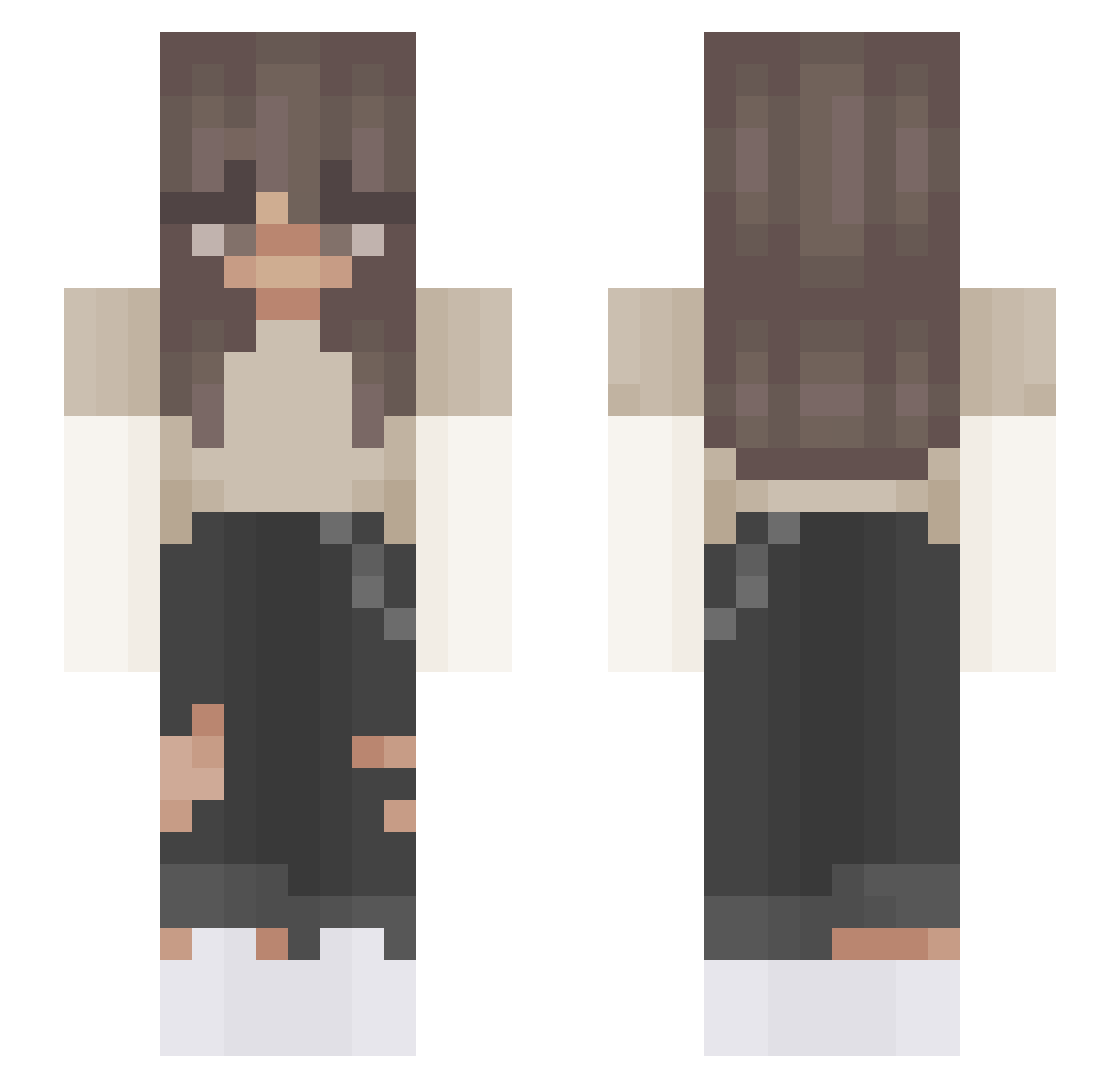
Current Minecraft skin of the player Indy77, loaded from the official Mojang API. Rotate the 3D model with your mouse or finger, then download the skin as a PNG file and use it in Minecraft: Bedrock Edition or Java Edition for free. When Indy77 changes their skin, this page updates automatically and the old skin stays in the history below.
Other players with this skin (408)
Indy77 was the 71st player we have seen with this skin, first spotted on 13.08.2026. The same skin was seen on these players. Open a nickname to see their current skin and skin history.
 _921 thekytikat iiSunflower Mack1700 X10MARA JustNoonie northernhoney Lord_Oryx_IV Trunkis_ CroquetaDeAmor julxaza WaveyVI bukkitnotfound kaatje108 hannah48903 Sophisas LittleGamerG768 Harlequinn_xo Greto21 p1ckel blusxrose mrsaustiiin epfa_xm ThiccyNikki Clara_wts XxOliexX 6sg_ k8rose FlounderCat78 SavaAbba 6WhatTheDogDoin7 jujieez Hannah_NL r_itzx Qi_MaSanN 3mmaG Methyss WIK4_ lilysheetzz ItsFuna_ Maeyachii Alick2007 koreanswag123 esistnichtlegit ahnarchist Carber11719 GurlyPop Xuxalot Reczul megaming6996 Olaf20111 starxplorfamily burgers_69 Killer_AK RYDER454 leilahh Monique_ nadiacoppola Userin__ wagisi
More Grunge Minecraft skins
How to install the Indy77 skin
- Press the Download button above to save the skin as a PNG file.
- Minecraft: Bedrock Edition (PE): open the Dressing Room from the main menu (or tap your character → Edit Character), go to Classic Skins → Owned, press the + (new skin) button, choose the downloaded PNG and pick the Slim (Alex) model. Works on PC and mobile; consoles cannot import custom skins.
- Minecraft: Java Edition: open the Minecraft Launcher, go to the Skins tab, click New Skin, load the PNG, pick the Slim (Alex) model and press Save & Use. You can also upload it at minecraft.net → Profile → Change Skin.
The skin does not show up after import - what should I do?
Restart Minecraft and open the Dressing Room again - imported skins sometimes appear only after a restart. Also make sure you selected the imported skin and picked the Slim (Alex) model.
Which model should I choose, Classic or Slim?
This skin is designed for the Slim (Alex) model. If you pick the wrong model, the arms of the skin will look stretched or squeezed.
Is the skin of Indy77 free to download?
Yes. Press Download, save the PNG file and use it in Minecraft: Bedrock Edition or Java Edition - no payment or registration needed. The skin also works on multiplayer servers and Realms.
More skins
Looking for more? Go back to all Minecraft skins and check the top skins of the week, month and all time, or find any player's skin by nickname.