
Indica07 - Minecraft Skins & Skin History
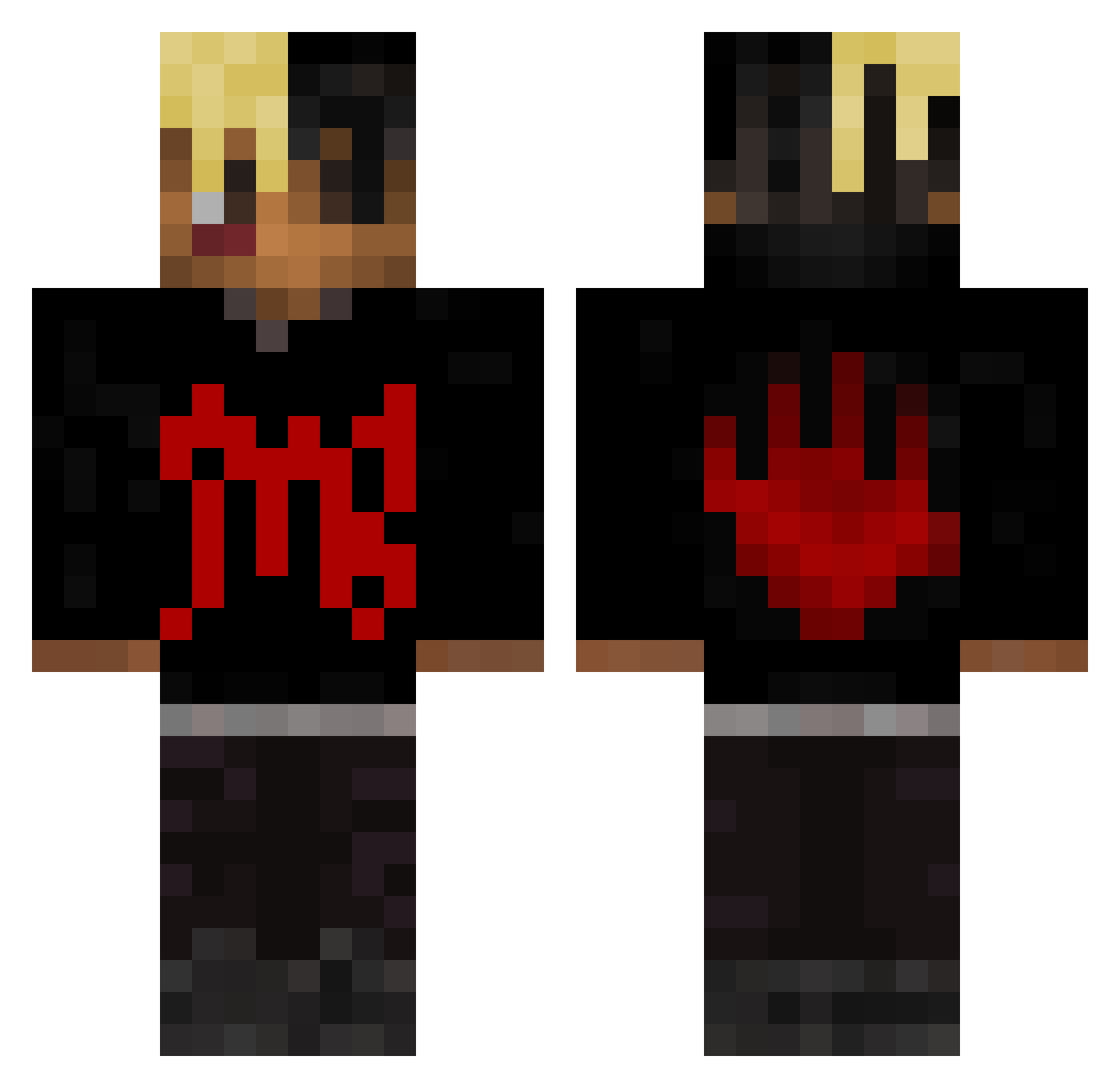
Current Minecraft skin of the player Indica07, loaded from the official Mojang API. Rotate the 3D model with your mouse or finger, then download the skin as a PNG file and use it in Minecraft: Bedrock Edition or Java Edition for free. When Indica07 changes their skin, this page updates automatically and the old skin stays in the history below.
Other players with this skin (484)
Indica07 was the 450th player we have seen with this skin, first spotted on 09.11.2026. The same skin was seen on these players. Open a nickname to see their current skin and skin history.
 lilfbio Moistsock27 assasinsdagger8 MonkeyLuca minekkari123 OreoNMilkz DJQ2K09 optimus91x DelBenji mrkiwissss __3LO__ Re4kZe Mathgeek9 Regraado CityMorgueZ woozkie Kojababy stillvrokn DanielHasNoRizz SiuuuuQu1nZ BigBulkDaddy Dateifehler MIKO_YAE_ SaucetoOnfroy allen0520 Crimsn671 frickemil 7Exx GreatIGN Nitro_lione Joven_uppal7 Kauees tuneski_ Ecauch NAGICHAMA WallahWarrior lil_trdt tvNex Rinkunn XXX486 Frost667 AYCEYY Seuwz DaKidGianni Members0nly MaxwwNzl HanxSsj BALALAIKA17 zuyaa iTwinzz KingM2024 msdgusg CRYBLS07 scouter125 broncos2001 Asiaticus Knoxy123 pro100wryj122 lilmill100 55cents
More Xxxtentacion Minecraft skins
See all 469 Xxxtentacion skins
How to install the Indica07 skin
- Press the Download button above to save the skin as a PNG file.
- Minecraft: Bedrock Edition (PE): open the Dressing Room from the main menu (or tap your character → Edit Character), go to Classic Skins → Owned, press the + (new skin) button, choose the downloaded PNG and pick the Classic (Steve) model. Works on PC and mobile; consoles cannot import custom skins.
- Minecraft: Java Edition: open the Minecraft Launcher, go to the Skins tab, click New Skin, load the PNG, pick the Classic (Steve) model and press Save & Use. You can also upload it at minecraft.net → Profile → Change Skin.
The skin does not show up after import - what should I do?
Restart Minecraft and open the Dressing Room again - imported skins sometimes appear only after a restart. Also make sure you selected the imported skin and picked the Classic (Steve) model.
Which model should I choose, Classic or Slim?
This skin is designed for the Classic (Steve) model. If you pick the wrong model, the arms of the skin will look stretched or squeezed.
Is the skin of Indica07 free to download?
Yes. Press Download, save the PNG file and use it in Minecraft: Bedrock Edition or Java Edition - no payment or registration needed. The skin also works on multiplayer servers and Realms.
More skins
Looking for more? Go back to all Minecraft skins and check the top skins of the week, month and all time, or find any player's skin by nickname.