
IndianaStroud - Minecraft Skins & Skin History
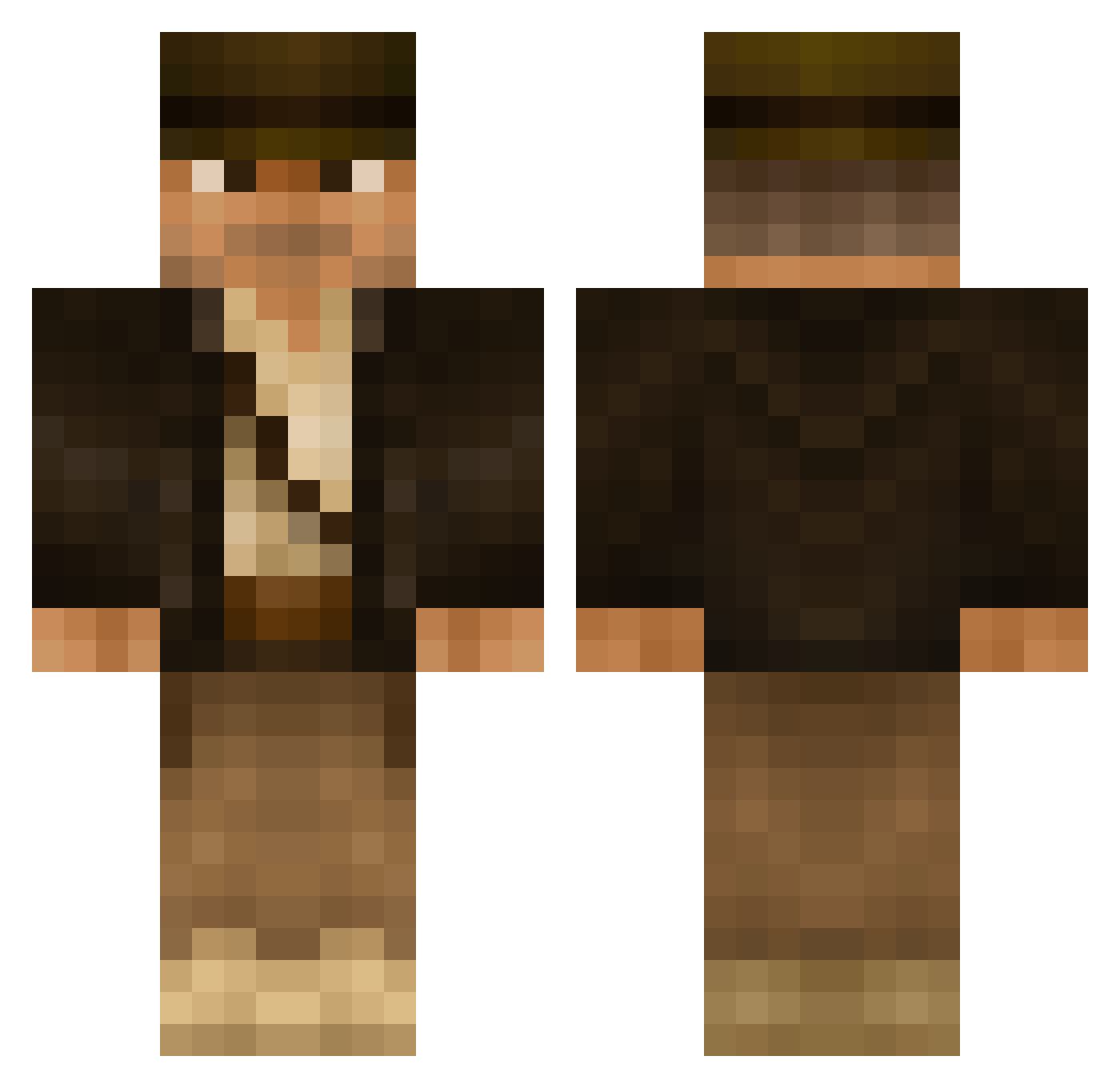
Current Minecraft skin of the player IndianaStroud, loaded from the official Mojang API. Rotate the 3D model with your mouse or finger, then download the skin as a PNG file and use it in Minecraft: Bedrock Edition or Java Edition for free. When IndianaStroud changes their skin, this page updates automatically and the old skin stays in the history below.
Other players with this skin (506)
IndianaStroud was the 35th player we have seen with this skin, first spotted on 31.07.2026. The same skin was seen on these players. Open a nickname to see their current skin and skin history.
 MWAAdrichem UKDogTag deroda78 Xplicit_BOO SombreroAlpacka Croy84 Peanutius_1 outatime0000 glaba77 alieninvader11 Reniten ricekari699 Schnittlauchheld Pheragus CapChris19 r0b13 Erikx64 skytraveler2012 sund3r pOwnZ96 paddy2de Yazoo_11 Pascualito Kayvo DerLoori mailanderli Arthur_Valere GeoWill T0MA1 Davinchi56 BT_Gaming_36 Dukke BasRelief AgentAC007 Tylakarp geolchris AkJack03 Eagle_eye80 bobschoch rec230 Snowlan VegaQ8 CaptainGoogley XxSwagridxX himselforama MrStormy xXDany95Xx joteb Hunter67Golf PeterWirick silentstorm29 Omaljev witchy1000 0xroguepacket Mick1620 shamseeil TheHellDevil666 Bassmaster30 Stokweg PM_Check
More Indiana Jones Minecraft skins
See all 80 Indiana Jones skins
How to install the IndianaStroud skin
- Press the Download button above to save the skin as a PNG file.
- Minecraft: Bedrock Edition (PE): open the Dressing Room from the main menu (or tap your character → Edit Character), go to Classic Skins → Owned, press the + (new skin) button, choose the downloaded PNG and pick the Classic (Steve) model. Works on PC and mobile; consoles cannot import custom skins.
- Minecraft: Java Edition: open the Minecraft Launcher, go to the Skins tab, click New Skin, load the PNG, pick the Classic (Steve) model and press Save & Use. You can also upload it at minecraft.net → Profile → Change Skin.
The skin does not show up after import - what should I do?
Restart Minecraft and open the Dressing Room again - imported skins sometimes appear only after a restart. Also make sure you selected the imported skin and picked the Classic (Steve) model.
Which model should I choose, Classic or Slim?
This skin is designed for the Classic (Steve) model. If you pick the wrong model, the arms of the skin will look stretched or squeezed.
Is the skin of IndianaStroud free to download?
Yes. Press Download, save the PNG file and use it in Minecraft: Bedrock Edition or Java Edition - no payment or registration needed. The skin also works on multiplayer servers and Realms.
More skins
Looking for more? Go back to all Minecraft skins and check the top skins of the week, month and all time, or find any player's skin by nickname.