
IncubusGrave - Minecraft Skins & Skin History
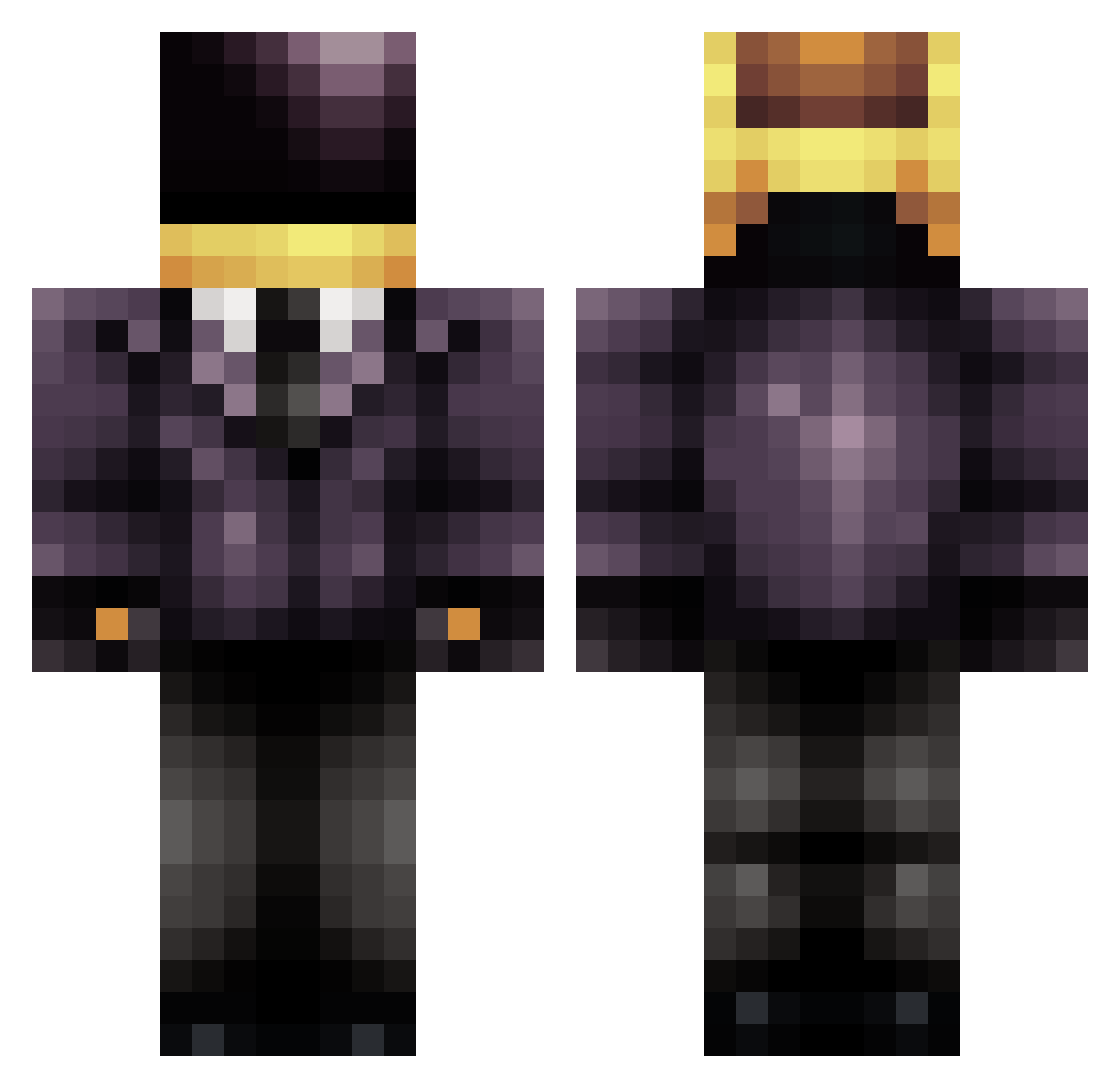
Current Minecraft skin of the player IncubusGrave, loaded from the official Mojang API. Rotate the 3D model with your mouse or finger, then download the skin as a PNG file and use it in Minecraft: Bedrock Edition or Java Edition for free. When IncubusGrave changes their skin, this page updates automatically and the old skin stays in the history below.
Other players with this skin (709)
IncubusGrave was the 147th player we have seen with this skin, first spotted on 19.08.2026. The same skin was seen on these players. Open a nickname to see their current skin and skin history.
 owencoreya cdxmaster Flowma sawyersawya Canesnols joltyhippo JollyGreen67 Cheekyside torkoal99 DyingStar_0 DropThePots sredrocks Emberify BOX_DOGE JENGA2314 KIARASH1012 omicrondelta caveman4563 mecnics KumiLife fred_nrnj TheMogonom bunny343 jamminest Sophie36521 DemApples24 csmurf89 itsjustarka zerorockphenom Oogladius doom_pie_6 bobtheninja123 CREATESF Aiglex tyo34 GetCircle Demonstrated eriktheshadow Vincentkcraft LazerMoose420 yechanee CJConch13 Heldaeus Alderany WasabeMustard Avengeus VjekoSC _Sempus warriwul colbster77 UtilityxMan ratelkin NeoAcher Kinest kyler17 Bjuice21 bunny_2013 Faze_Harambe2323 Ozmadus TroubleMakers20
More Daft Punk Minecraft skins
How to install the IncubusGrave skin
- Press the Download button above to save the skin as a PNG file.
- Minecraft: Bedrock Edition (PE): open the Dressing Room from the main menu (or tap your character → Edit Character), go to Classic Skins → Owned, press the + (new skin) button, choose the downloaded PNG and pick the Classic (Steve) model. Works on PC and mobile; consoles cannot import custom skins.
- Minecraft: Java Edition: open the Minecraft Launcher, go to the Skins tab, click New Skin, load the PNG, pick the Classic (Steve) model and press Save & Use. You can also upload it at minecraft.net → Profile → Change Skin.
The skin does not show up after import - what should I do?
Restart Minecraft and open the Dressing Room again - imported skins sometimes appear only after a restart. Also make sure you selected the imported skin and picked the Classic (Steve) model.
Which model should I choose, Classic or Slim?
This skin is designed for the Classic (Steve) model. If you pick the wrong model, the arms of the skin will look stretched or squeezed.
Is the skin of IncubusGrave free to download?
Yes. Press Download, save the PNG file and use it in Minecraft: Bedrock Edition or Java Edition - no payment or registration needed. The skin also works on multiplayer servers and Realms.
More skins
Looking for more? Go back to all Minecraft skins and check the top skins of the week, month and all time, or find any player's skin by nickname.