
ImNotAutoing - Minecraft Skins & Skin History
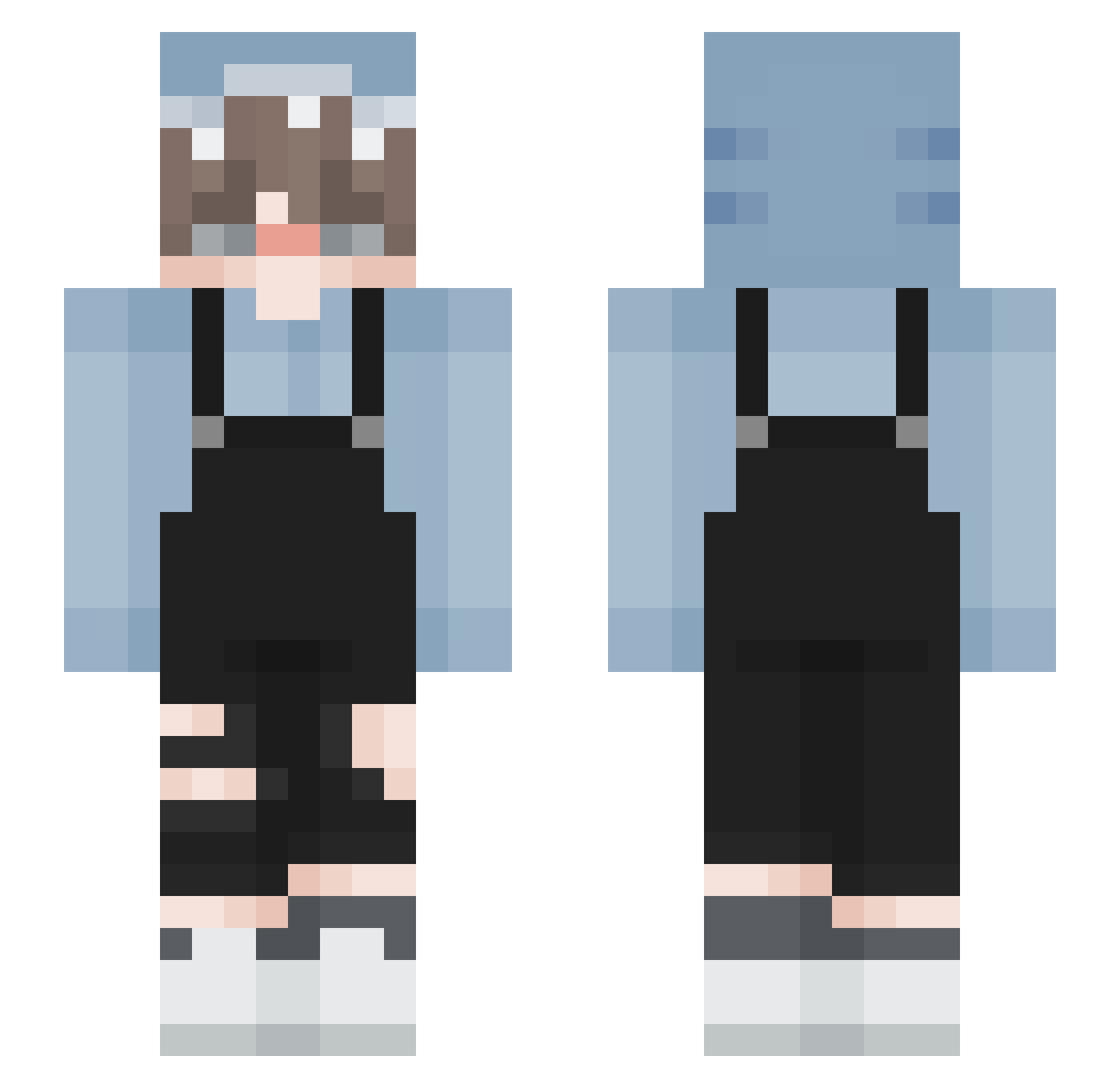
Current Minecraft skin of the player ImNotAutoing, loaded from the official Mojang API. Rotate the 3D model with your mouse or finger, then download the skin as a PNG file and use it in Minecraft: Bedrock Edition or Java Edition for free. When ImNotAutoing changes their skin, this page updates automatically and the old skin stays in the history below.
Other players with this skin (217)
ImNotAutoing was the 181st player we have seen with this skin, first spotted on 06.11.2026. The same skin was seen on these players. Open a nickname to see their current skin and skin history.
 Katexgaming SharkysBite apiots GamemodeLost royalbage1 IJJINSU cicatrizings railedyazxra umi_bubbling PR0XY5H4RK nu_net Sebru_ aleloso Ssnaydher 69imnothigh CheeseCake69_ akura99 Stutterings alessandroc10 Vannitas ShianL KaruuuPaBo YEJUN05 SimpMasterAndrew HazNugRecon 0hSu1c1deMe 9898s semmy500 SimonIsDead CityLoner ItsAkylen0k Skumr Faylow Z3nar0w_ Lupfii PianoWingz ajax015 _DestinyDemon_ Untimme epIcgamerYk2 ffayble xiaolouxia rainbowsalttt MuddyWine Bojooo34 WinWinn Cammercial _b3lol Miaoussito HEICHAN20 Chamalot mikerest XPrism378 mollymolly68 SushiSteve50 RainbowFei ANBU_SANTI Bubblegaaam rgby1 XSZYMEK120
How to install the ImNotAutoing skin
- Press the Download button above to save the skin as a PNG file.
- Minecraft: Bedrock Edition (PE): open the Dressing Room from the main menu (or tap your character → Edit Character), go to Classic Skins → Owned, press the + (new skin) button, choose the downloaded PNG and pick the Slim (Alex) model. Works on PC and mobile; consoles cannot import custom skins.
- Minecraft: Java Edition: open the Minecraft Launcher, go to the Skins tab, click New Skin, load the PNG, pick the Slim (Alex) model and press Save & Use. You can also upload it at minecraft.net → Profile → Change Skin.
The skin does not show up after import - what should I do?
Restart Minecraft and open the Dressing Room again - imported skins sometimes appear only after a restart. Also make sure you selected the imported skin and picked the Slim (Alex) model.
Which model should I choose, Classic or Slim?
This skin is designed for the Slim (Alex) model. If you pick the wrong model, the arms of the skin will look stretched or squeezed.
Is the skin of ImNotAutoing free to download?
Yes. Press Download, save the PNG file and use it in Minecraft: Bedrock Edition or Java Edition - no payment or registration needed. The skin also works on multiplayer servers and Realms.
More skins
Looking for more? Go back to all Minecraft skins and check the top skins of the week, month and all time, or find any player's skin by nickname.