
IlyBoltz - Minecraft Skins & Skin History
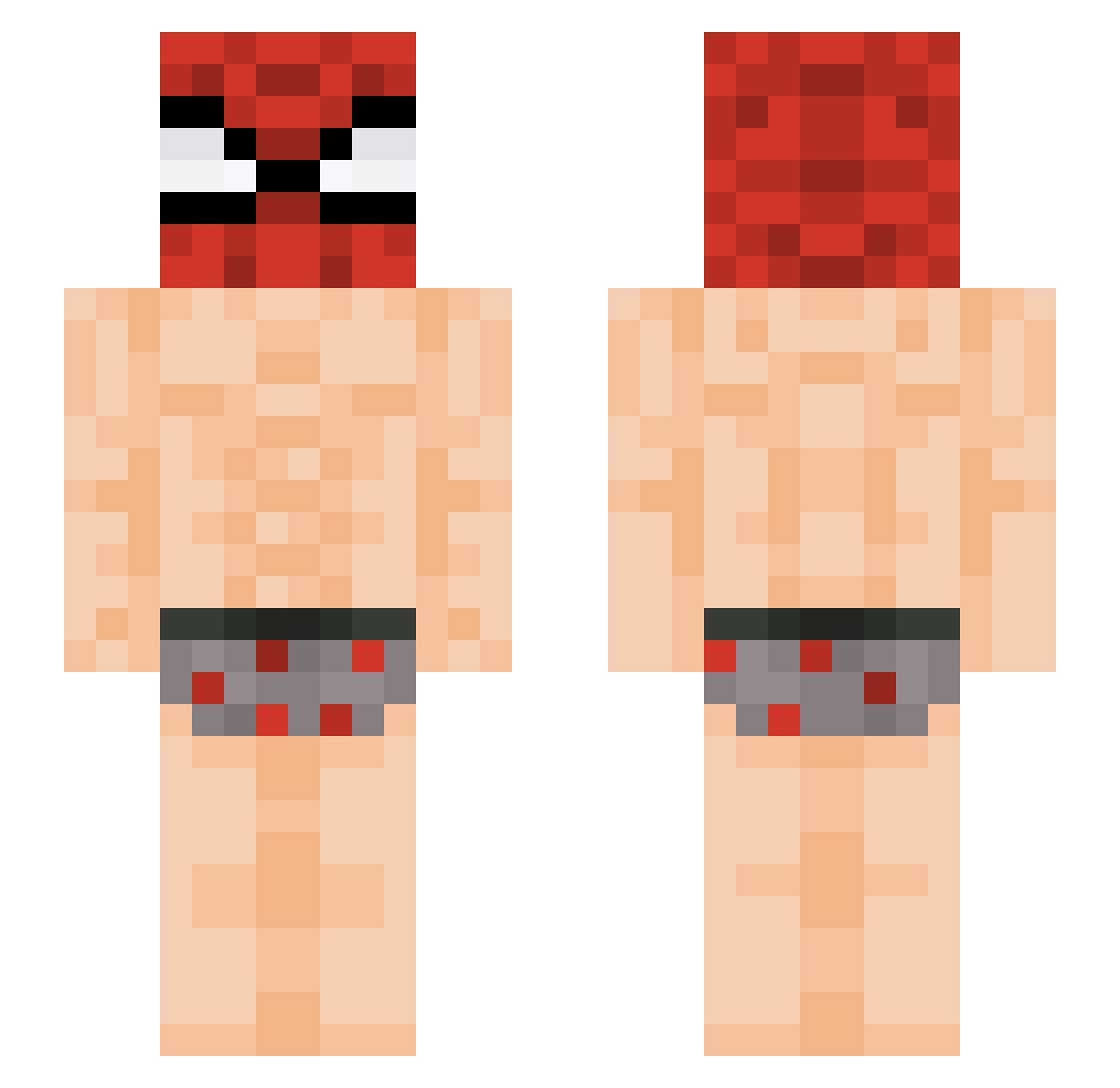
Current Minecraft skin of the player IlyBoltz, loaded from the official Mojang API. Rotate the 3D model with your mouse or finger, then download the skin as a PNG file and use it in Minecraft: Bedrock Edition or Java Edition for free. When IlyBoltz changes their skin, this page updates automatically and the old skin stays in the history below.
Other players with this skin (396)
IlyBoltz was the 343rd player we have seen with this skin, first spotted on 15.10.2026. The same skin was seen on these players. Open a nickname to see their current skin and skin history.
 andytheappel fmice Ritualbee7 m9toy junho0405 CantSeeYaCuz Qerche14 Jacob_715 Hykaaa Shapira09 ovallehebert UsSiNg06 twebdude4352 Caetanopeg Kruxx01 Selak_ HarisM Tixno Razael777 1337Bl1tz_ DeclansNuts boozle4019 godlopo TheBigArex kruski13lat HonzaXcze SrDarth890 NINOX_1342 edwhini Aasch GenLeeAwesomeJr sickidese HellRiott Mr_slope69 S0MA05 ftwjosh007 ssalks lindovi Fake_Tatus Renaricks21 damnkwk Suy999 iBearless Jungsangin313 broziak Tiger06_ Nickdofiat_uno _alex69 SheeshPai jeroo21 PaT_8271 TotRubber ZeCombinhoPvp_ flegfps KuzanLeBoss92 5BEL Blastuwu3 TonySaidSo nakiyamu Kharuf4Blacks
More Spider Man Minecraft skins
How to install the IlyBoltz skin
- Press the Download button above to save the skin as a PNG file.
- Minecraft: Bedrock Edition (PE): open the Dressing Room from the main menu (or tap your character → Edit Character), go to Classic Skins → Owned, press the + (new skin) button, choose the downloaded PNG and pick the Slim (Alex) model. Works on PC and mobile; consoles cannot import custom skins.
- Minecraft: Java Edition: open the Minecraft Launcher, go to the Skins tab, click New Skin, load the PNG, pick the Slim (Alex) model and press Save & Use. You can also upload it at minecraft.net → Profile → Change Skin.
The skin does not show up after import - what should I do?
Restart Minecraft and open the Dressing Room again - imported skins sometimes appear only after a restart. Also make sure you selected the imported skin and picked the Slim (Alex) model.
Which model should I choose, Classic or Slim?
This skin is designed for the Slim (Alex) model. If you pick the wrong model, the arms of the skin will look stretched or squeezed.
Is the skin of IlyBoltz free to download?
Yes. Press Download, save the PNG file and use it in Minecraft: Bedrock Edition or Java Edition - no payment or registration needed. The skin also works on multiplayer servers and Realms.
More skins
Looking for more? Go back to all Minecraft skins and check the top skins of the week, month and all time, or find any player's skin by nickname.