
Ijenzz - Minecraft Skins & Skin History
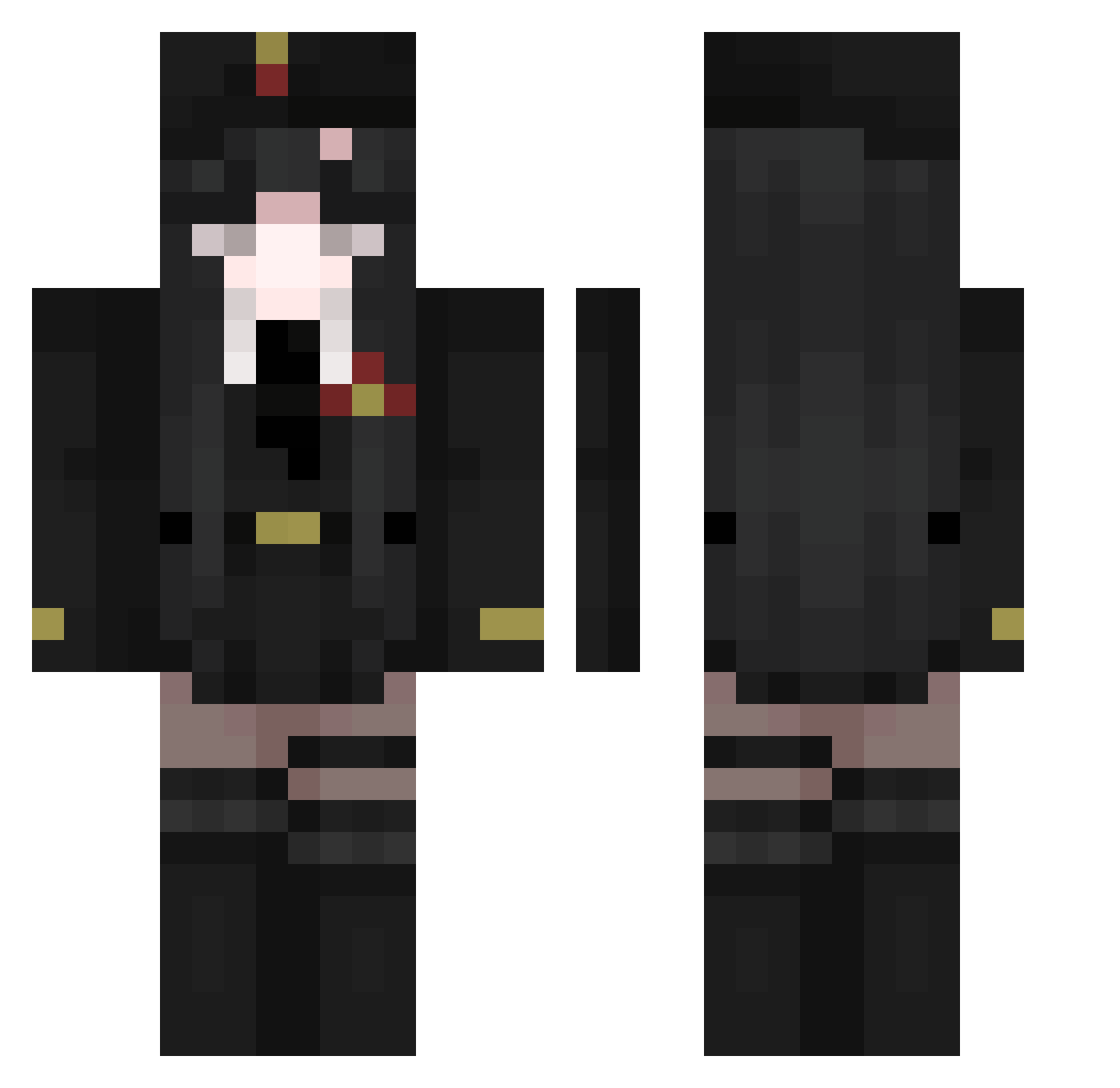
Current Minecraft skin of the player Ijenzz, loaded from the official Mojang API. Rotate the 3D model with your mouse or finger, then download the skin as a PNG file and use it in Minecraft: Bedrock Edition or Java Edition for free. When Ijenzz changes their skin, this page updates automatically and the old skin stays in the history below.
Other players with this skin (511)
Ijenzz was the 360th player we have seen with this skin, first spotted on 09.10.2026. The same skin was seen on these players. Open a nickname to see their current skin and skin history.
 elpeperial NubluTublu su_xin_ Inkplus nkiw pontyo1102 yumako Brudieon ShirazNghtmr Tundrahh22 AzureSaid D3zroFAN DeGroDANTES LeoLeGhetto Sehi91 MrNyax ShizumaMC zyanvx NightmareSouls Orgulhxso LiL_PumP69 gasster13 AsuKaLangl MaddyPerez Ketlinis DosenSchmerz MARUCHAN0214 Elisabeth318 Konosva bonbonpi yurimarimo zzj6666 Polae96 dnysos WideningKarma eltiodarek 5pzh Mr__Man_ flaXNitte Kurtawa Slamer45xx Adroha Fiel_d praytid Haste_Scythe cona575757 Mi19wa De_Jong21 kea4e Ocean4ik_ katcappp KAANGTONG Imortalizar MIshaOwO KermitxPepe TheBackOfMyMind iSanti2 Vitaget MioMaster07 ringochan7
More Uniform Minecraft skins
How to install the Ijenzz skin
- Press the Download button above to save the skin as a PNG file.
- Minecraft: Bedrock Edition (PE): open the Dressing Room from the main menu (or tap your character → Edit Character), go to Classic Skins → Owned, press the + (new skin) button, choose the downloaded PNG and pick the Classic (Steve) model. Works on PC and mobile; consoles cannot import custom skins.
- Minecraft: Java Edition: open the Minecraft Launcher, go to the Skins tab, click New Skin, load the PNG, pick the Classic (Steve) model and press Save & Use. You can also upload it at minecraft.net → Profile → Change Skin.
The skin does not show up after import - what should I do?
Restart Minecraft and open the Dressing Room again - imported skins sometimes appear only after a restart. Also make sure you selected the imported skin and picked the Classic (Steve) model.
Which model should I choose, Classic or Slim?
This skin is designed for the Classic (Steve) model. If you pick the wrong model, the arms of the skin will look stretched or squeezed.
Is the skin of Ijenzz free to download?
Yes. Press Download, save the PNG file and use it in Minecraft: Bedrock Edition or Java Edition - no payment or registration needed. The skin also works on multiplayer servers and Realms.
More skins
Looking for more? Go back to all Minecraft skins and check the top skins of the week, month and all time, or find any player's skin by nickname.