
IceAsce - Minecraft Skins & Skin History
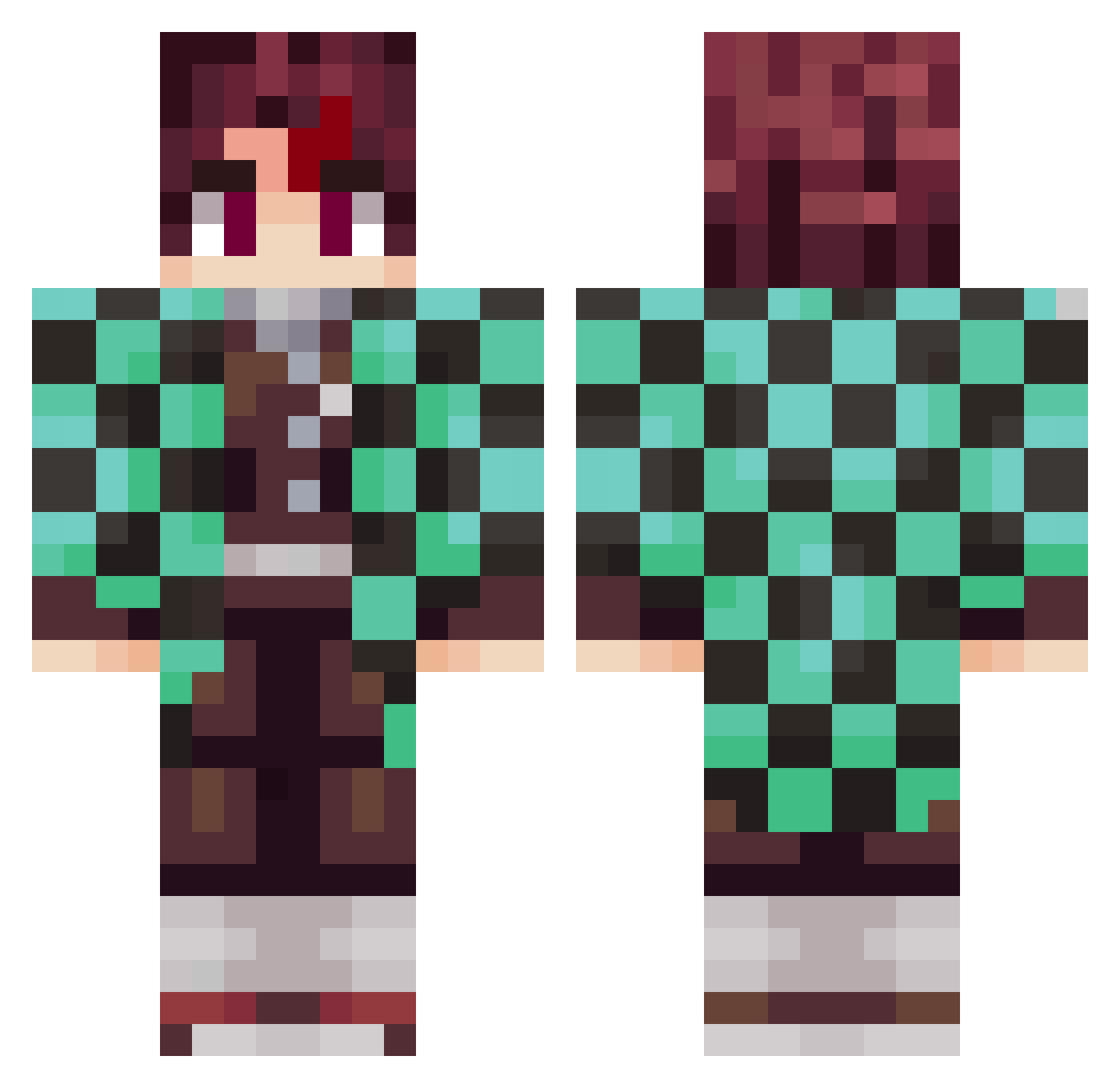
Current Minecraft skin of the player IceAsce, loaded from the official Mojang API. Rotate the 3D model with your mouse or finger, then download the skin as a PNG file and use it in Minecraft: Bedrock Edition or Java Edition for free. When IceAsce changes their skin, this page updates automatically and the old skin stays in the history below.
Other players with this skin (797)
IceAsce was the 46th player we have seen with this skin, first spotted on 29.07.2026. The same skin was seen on these players. Open a nickname to see their current skin and skin history.
 MigGamer321 LeoScult Alkoholiker19 adamo_1234 xXSoulBoyXx PRO135 Y_HIT_Y Mikecap102 JulioGza ExZ_Daiigoro MarAim99 Kili2892 Chum_Fred SorelleCambareri Henrique07st Damon2608 NextChamp23 ryu10111 HendyCap Tru3RED FreedoSsj SA5_211 ViniciusOS MiniManNgaiLam Skarabaus Nirimris_ Liknight D3adpanda2258 DanisNumberOne iTz_fri A12Alex OsirisGoku MythicalMIke42 FrogerYy dhiuwed tangerine2023 aditya12094 imomooo sasaken_0128 Deqquy fan2zzi PanjiF Arrokibe bluemoonyaka Ramiro309 rybiii yelopa Zelda1021 pl8x Mom_I_Scored
 Aiolias5 Rebjiro kimmatang ILMiller Kaubojenzas ITSUKE009 sqtellite wongtaisin14k Gaspar2897 Milkjug728
More Tanjiro Kamado Minecraft skins
See all 388 Tanjiro Kamado skins
How to install the IceAsce skin
- Press the Download button above to save the skin as a PNG file.
- Minecraft: Bedrock Edition (PE): open the Dressing Room from the main menu (or tap your character → Edit Character), go to Classic Skins → Owned, press the + (new skin) button, choose the downloaded PNG and pick the Classic (Steve) model. Works on PC and mobile; consoles cannot import custom skins.
- Minecraft: Java Edition: open the Minecraft Launcher, go to the Skins tab, click New Skin, load the PNG, pick the Classic (Steve) model and press Save & Use. You can also upload it at minecraft.net → Profile → Change Skin.
The skin does not show up after import - what should I do?
Restart Minecraft and open the Dressing Room again - imported skins sometimes appear only after a restart. Also make sure you selected the imported skin and picked the Classic (Steve) model.
Which model should I choose, Classic or Slim?
This skin is designed for the Classic (Steve) model. If you pick the wrong model, the arms of the skin will look stretched or squeezed.
Is the skin of IceAsce free to download?
Yes. Press Download, save the PNG file and use it in Minecraft: Bedrock Edition or Java Edition - no payment or registration needed. The skin also works on multiplayer servers and Realms.
More skins
Looking for more? Go back to all Minecraft skins and check the top skins of the week, month and all time, or find any player's skin by nickname.