
IamKuri - Minecraft Skins & Skin History
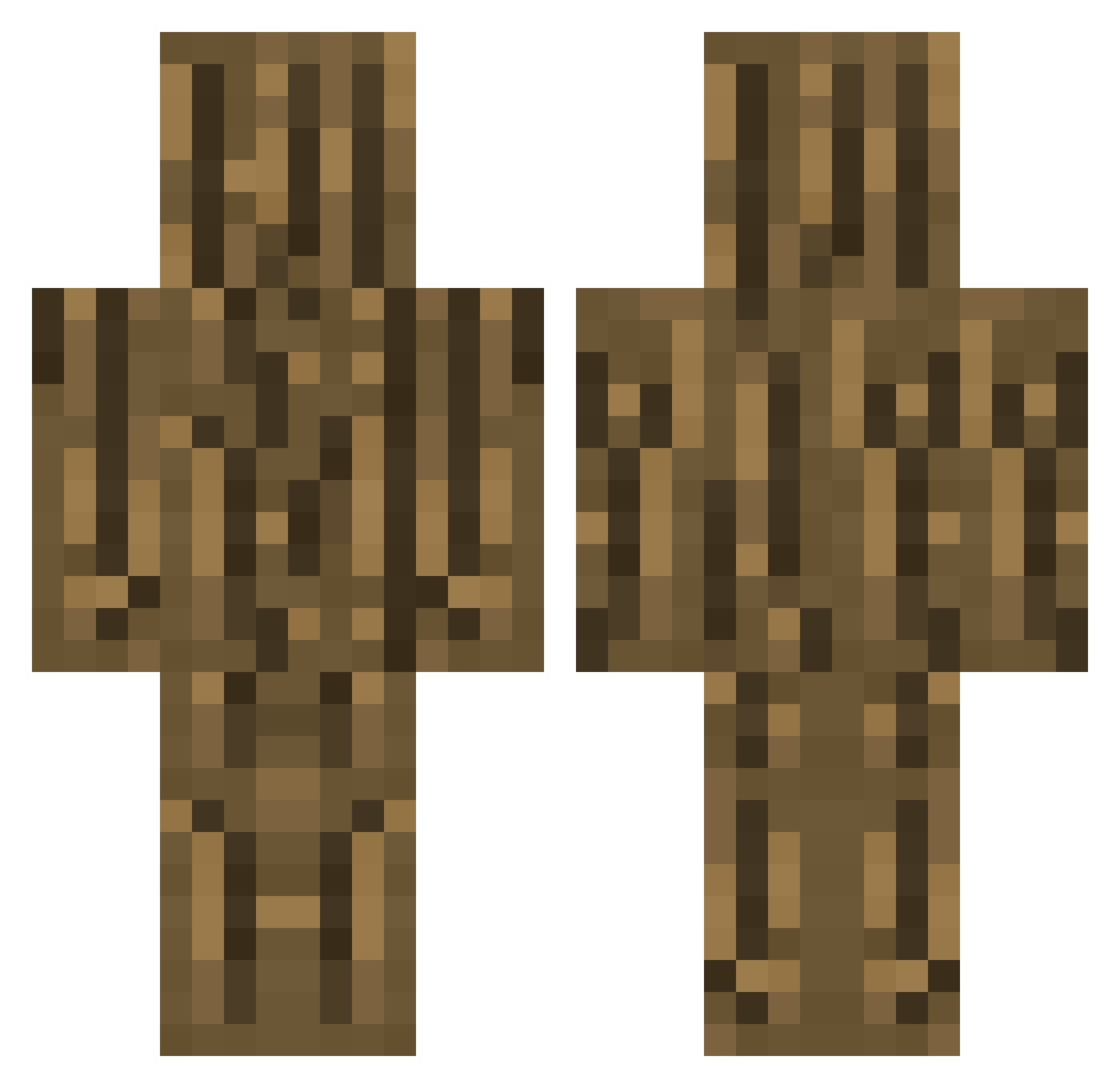
Current Minecraft skin of the player IamKuri, loaded from the official Mojang API. Rotate the 3D model with your mouse or finger, then download the skin as a PNG file and use it in Minecraft: Bedrock Edition or Java Edition for free. When IamKuri changes their skin, this page updates automatically and the old skin stays in the history below.
Other players with this skin (301)
IamKuri was the 274th player we have seen with this skin, first spotted on 23.10.2026. The same skin was seen on these players. Open a nickname to see their current skin and skin history.
 thesillybanana MorIyk hjun6581 Mossmo JustANoob_12 USAGymnast26 WayZu dunutes EinNexy jannes3769 Gets1240 hiramiya03 Fowen Wumly Meep_meep888 RaphaWapha LXEJXNHYXK DistortedCubes Sharkbait2007 TixTacHD BOFAdragon full_itazura Ayshenn Brky14 wonjaehuck drewniak123987 webbzeur The_TBird1 Axis_64 DropcapApp Guarcl H4ppyo DerSchaiter Crafter1236 vkdrb Caesar113 Gabou66 fisherturtle user9876543210 Ama_241 TheKoreanFuhrer Fathan727 MaronFPS Blank04 mmms9527 HommeDuNord TroncoDeMadeira Nastles Dark72426 hiemdolzem Ichigo_au_laiT ForestChap KongSeo yamato0909 GamingDust_ ates30 EOVND peace523kazuki agusha098 SilverWhite360
More Oak Log Minecraft skins
How to install the IamKuri skin
- Press the Download button above to save the skin as a PNG file.
- Minecraft: Bedrock Edition (PE): open the Dressing Room from the main menu (or tap your character → Edit Character), go to Classic Skins → Owned, press the + (new skin) button, choose the downloaded PNG and pick the Classic (Steve) model. Works on PC and mobile; consoles cannot import custom skins.
- Minecraft: Java Edition: open the Minecraft Launcher, go to the Skins tab, click New Skin, load the PNG, pick the Classic (Steve) model and press Save & Use. You can also upload it at minecraft.net → Profile → Change Skin.
The skin does not show up after import - what should I do?
Restart Minecraft and open the Dressing Room again - imported skins sometimes appear only after a restart. Also make sure you selected the imported skin and picked the Classic (Steve) model.
Which model should I choose, Classic or Slim?
This skin is designed for the Classic (Steve) model. If you pick the wrong model, the arms of the skin will look stretched or squeezed.
Is the skin of IamKuri free to download?
Yes. Press Download, save the PNG file and use it in Minecraft: Bedrock Edition or Java Edition - no payment or registration needed. The skin also works on multiplayer servers and Realms.
More skins
Looking for more? Go back to all Minecraft skins and check the top skins of the week, month and all time, or find any player's skin by nickname.