
I_Noko - Minecraft Skins & Skin History
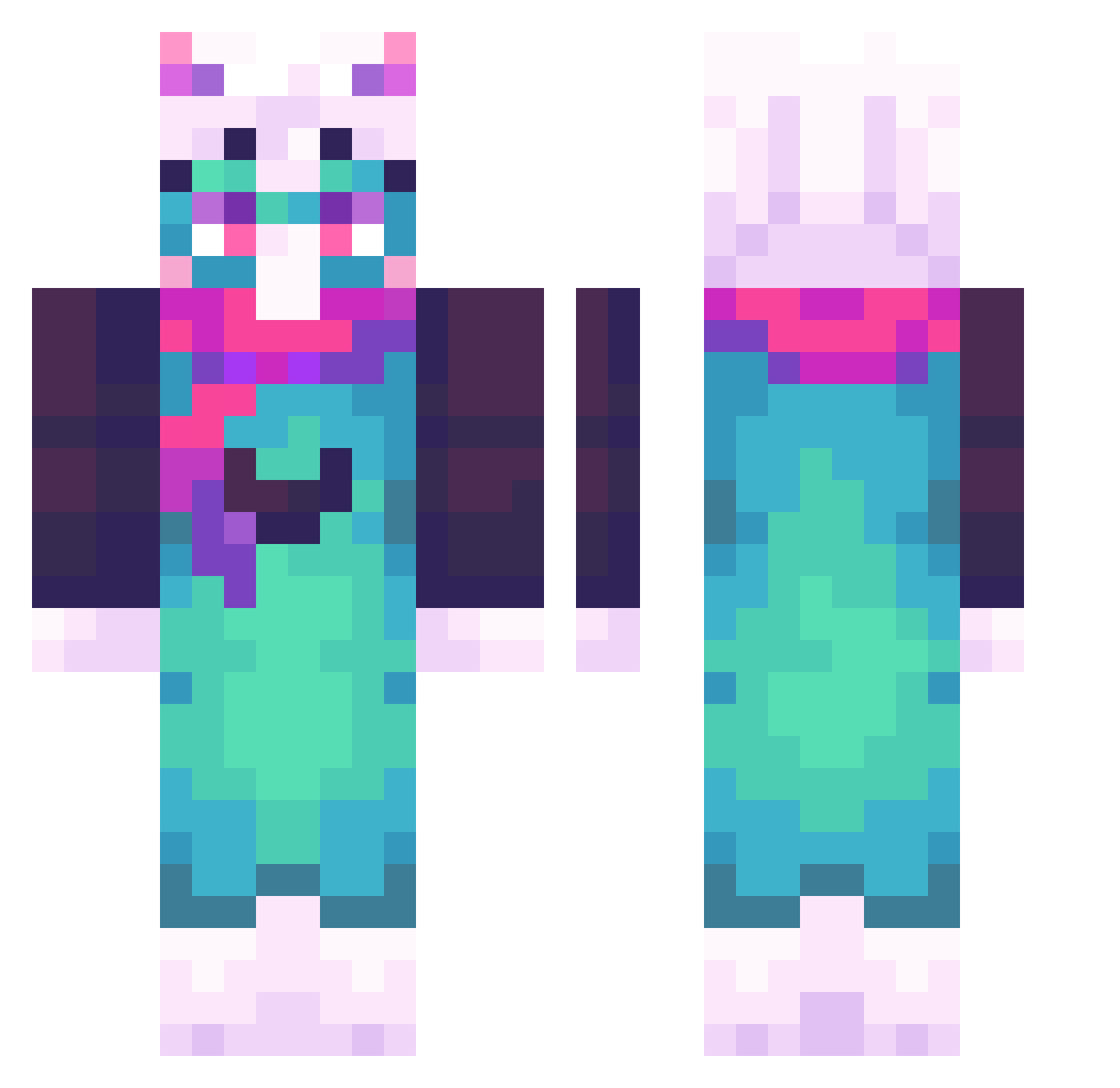
Current Minecraft skin of the player I_Noko, loaded from the official Mojang API. Rotate the 3D model with your mouse or finger, then download the skin as a PNG file and use it in Minecraft: Bedrock Edition or Java Edition for free. When I_Noko changes their skin, this page updates automatically and the old skin stays in the history below.
Other players with this skin (51)
I_Noko was the 22nd player we have seen with this skin, first spotted on 04.09.2026. The same skin was seen on these players. Open a nickname to see their current skin and skin history.
 Goon_Goblin Kurbi117
 MyneBR Mood784
 goobert57 siferTM navirouparu
 femtanyll_ CG_Gabe 24aceee madmurdock L30n1das4154 Boorish_Flea dr_evanescent
 Anarchist43267
 oFame
oFame 2saeedoo TheHecTior21 Breadcat_Music CREEPER223341 Epic_Omar1221 Salu999 clmZ_ CrisKrawss oreoman12345 Mashrack
 ArrowUwU kronvanm Dshfyew R4nd4980 nemukupo WiwwleEnda
 Plague_049_ GodRalsei evilfies S3rg10Hu3v0s
 Kevinuwugt indeednotfunny Vinesn Arkdoescare DrayJ Starlight_fox03 xviivzz
 KocimietkaMiekka Giiorno jsvc
 Acrostica IlhanPalut1922 Ballerina1431 b_infinity Purpleguiest
More Goat Minecraft skins
How to install the I_Noko skin
- Press the Download button above to save the skin as a PNG file.
- Minecraft: Bedrock Edition (PE): open the Dressing Room from the main menu (or tap your character → Edit Character), go to Classic Skins → Owned, press the + (new skin) button, choose the downloaded PNG and pick the Classic (Steve) model. Works on PC and mobile; consoles cannot import custom skins.
- Minecraft: Java Edition: open the Minecraft Launcher, go to the Skins tab, click New Skin, load the PNG, pick the Classic (Steve) model and press Save & Use. You can also upload it at minecraft.net → Profile → Change Skin.
The skin does not show up after import - what should I do?
Restart Minecraft and open the Dressing Room again - imported skins sometimes appear only after a restart. Also make sure you selected the imported skin and picked the Classic (Steve) model.
Which model should I choose, Classic or Slim?
This skin is designed for the Classic (Steve) model. If you pick the wrong model, the arms of the skin will look stretched or squeezed.
Is the skin of I_Noko free to download?
Yes. Press Download, save the PNG file and use it in Minecraft: Bedrock Edition or Java Edition - no payment or registration needed. The skin also works on multiplayer servers and Realms.
More skins
Looking for more? Go back to all Minecraft skins and check the top skins of the week, month and all time, or find any player's skin by nickname.