
IToxicPvp_ - Minecraft Skins & Skin History
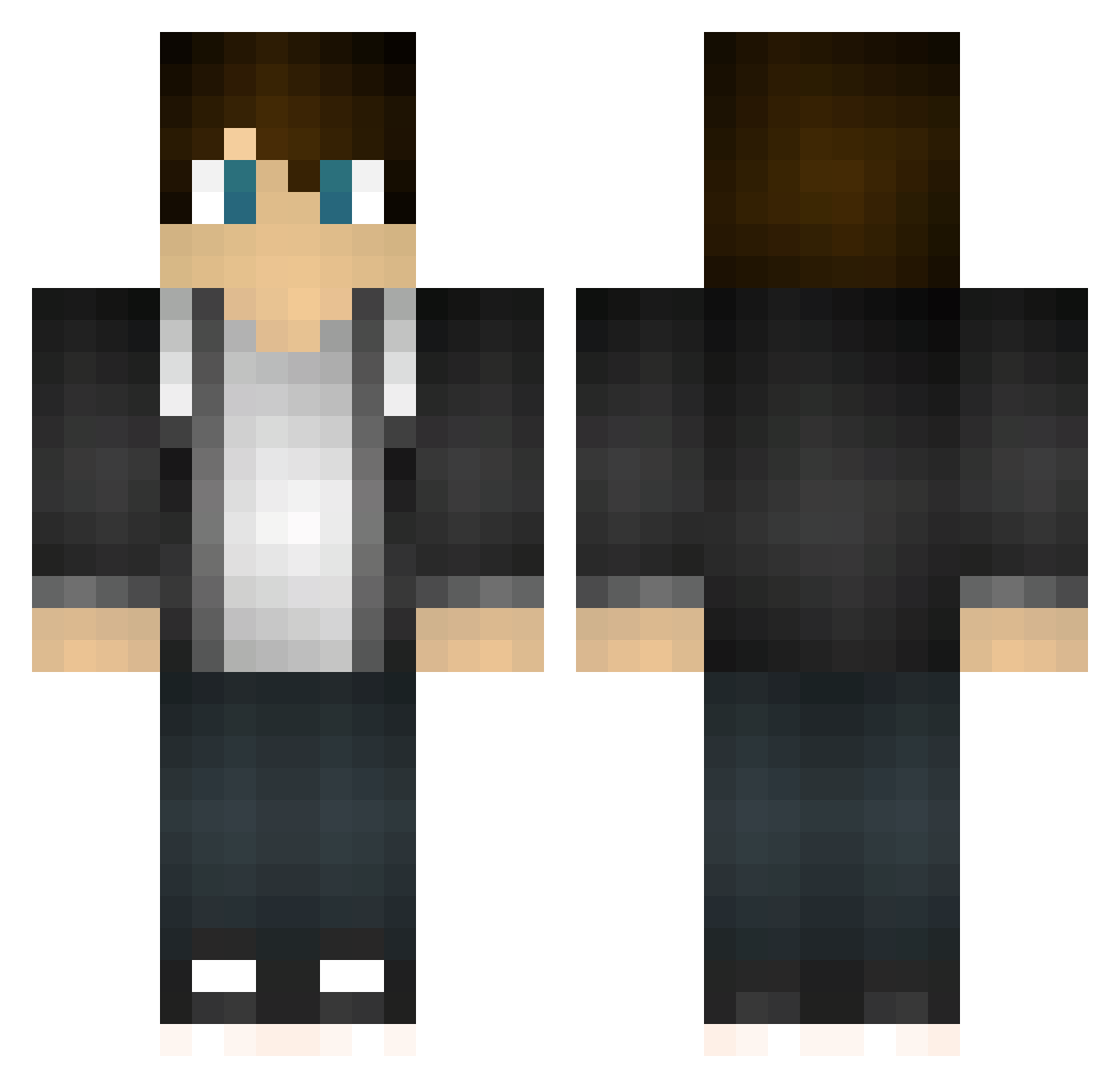
Current Minecraft skin of the player IToxicPvp_, loaded from the official Mojang API. Rotate the 3D model with your mouse or finger, then download the skin as a PNG file and use it in Minecraft: Bedrock Edition or Java Edition for free. When IToxicPvp_ changes their skin, this page updates automatically and the old skin stays in the history below.
Other players with this skin (467)
IToxicPvp_ was the 372nd player we have seen with this skin, first spotted on 20.10.2026. The same skin was seen on these players. Open a nickname to see their current skin and skin history.
 Weaseldeath dreamcatcher3948 Alenikola Joni1256 Killer__Burrito ChaBoiSnowmanHD Davidiswalking BlessedASFFF Supermemebros LaoBay OnlyInCanada Quartzan Wadefraser SkyPheonix Zakkit94 Kyriake iNasser69 sk8erryan9107 soft_nail laytons1 travisjones4321 Spindrone KJOURDAIN McBuddyPvP Veraku We_Are_OP AimIsKey Bollza2547 de77ni hendrixism ns71375 Wnehand Falcon_Lover_xXx woliver01 Das_Geisslein Hunter7030 viraj_8667 peerdMC CroStrider Jay020050 Flamesnake616 joshGaming3435 hamlet77 KonkeyRong Juantxo meerkatman1 Traxon99 JoePlayzGames KLAY24 Restart_USSR Herman2004 Unbelievable9432 Tyleper Vatsugk djbloodskull Madstache34 lokoboy69 YouJagged GlizzyFinger923 greggs1041
How to install the IToxicPvp_ skin
- Press the Download button above to save the skin as a PNG file.
- Minecraft: Bedrock Edition (PE): open the Dressing Room from the main menu (or tap your character → Edit Character), go to Classic Skins → Owned, press the + (new skin) button, choose the downloaded PNG and pick the Classic (Steve) model. Works on PC and mobile; consoles cannot import custom skins.
- Minecraft: Java Edition: open the Minecraft Launcher, go to the Skins tab, click New Skin, load the PNG, pick the Classic (Steve) model and press Save & Use. You can also upload it at minecraft.net → Profile → Change Skin.
The skin does not show up after import - what should I do?
Restart Minecraft and open the Dressing Room again - imported skins sometimes appear only after a restart. Also make sure you selected the imported skin and picked the Classic (Steve) model.
Which model should I choose, Classic or Slim?
This skin is designed for the Classic (Steve) model. If you pick the wrong model, the arms of the skin will look stretched or squeezed.
Is the skin of IToxicPvp_ free to download?
Yes. Press Download, save the PNG file and use it in Minecraft: Bedrock Edition or Java Edition - no payment or registration needed. The skin also works on multiplayer servers and Realms.
More skins
Looking for more? Go back to all Minecraft skins and check the top skins of the week, month and all time, or find any player's skin by nickname.