
ILoveRonaldoGoat - Minecraft Skins & Skin History
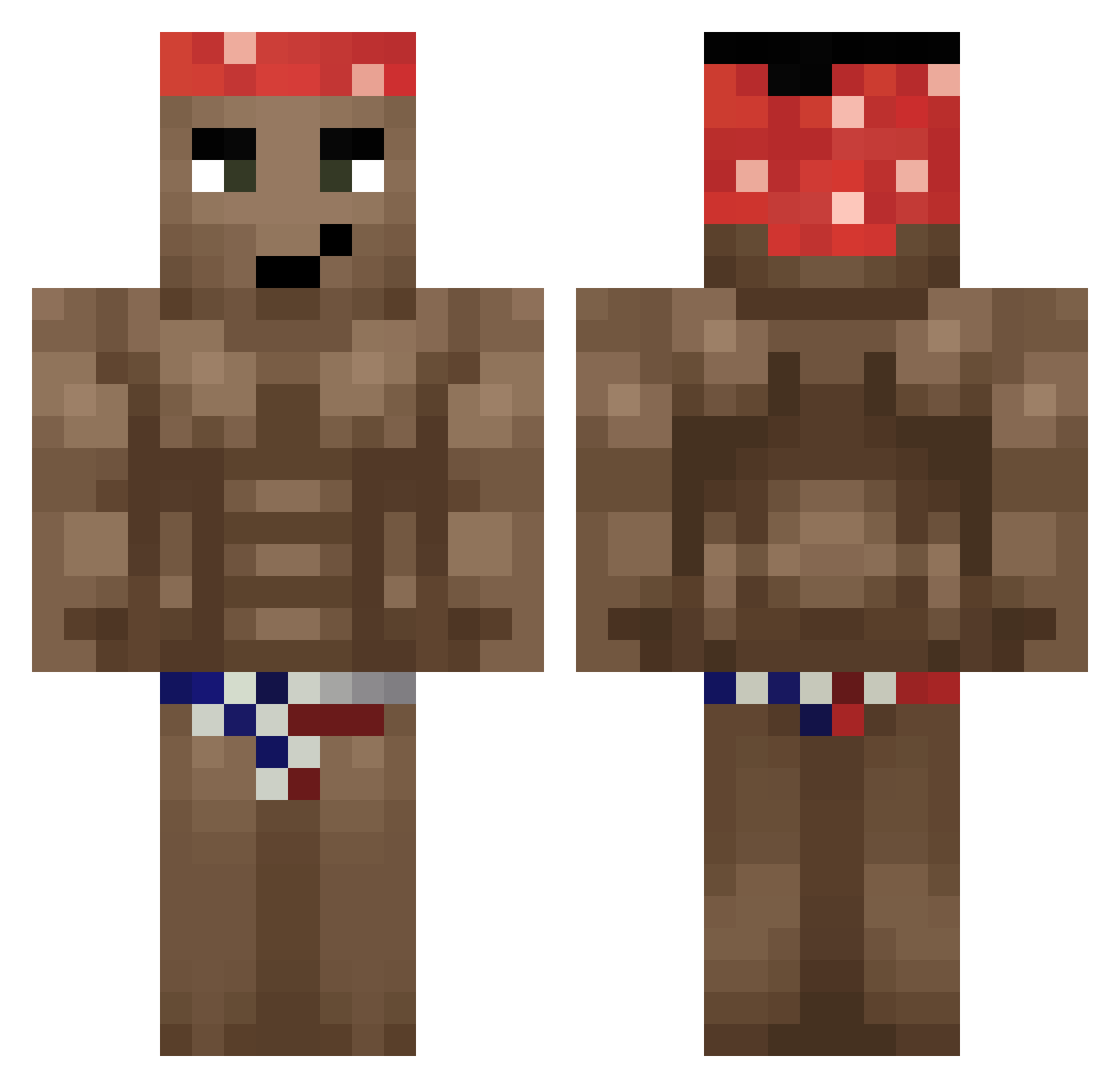
Current Minecraft skin of the player ILoveRonaldoGoat, loaded from the official Mojang API. Rotate the 3D model with your mouse or finger, then download the skin as a PNG file and use it in Minecraft: Bedrock Edition or Java Edition for free. When ILoveRonaldoGoat changes their skin, this page updates automatically and the old skin stays in the history below.
Other players with this skin (407)
ILoveRonaldoGoat was the 354th player we have seen with this skin, first spotted on 05.11.2026. The same skin was seen on these players. Open a nickname to see their current skin and skin history.
 Cov1dCat Onoxer Kacper_Polska megaron0302 Bender3k Gittymoo Navinavt90 PEDALAROBINH0 firestorm4 Russkis Mohilaaaa Pedorator Edwardwyd hnwwk nigci tanaka_fist shane_ph molipuo MUROMONTITE KoiSabatan AghastCanoe6568 _Prague katiau333 anathegne 55767 TerrariaGigaChad xd_Janaut PapuGomez324 songminseok zayatooo adaswik071 NoobleX sebas123ja mrhotdogen Roof_Ausol _OLIWA_krur_ Chroooos Mohahahahaha Brechstange22222 Davit405 stc0kich Wizardchair Dizel3K JhonnieRandler sumpit Gigardus99 nitnelab ILaoBaiI triga134 patrxc_ CayennPepper Promoty Psychofun _Fistach CapnD poopyeater123 jamonserrano231 Harvinus Young_cheezit hilessW
More Dancer Minecraft skins
How to install the ILoveRonaldoGoat skin
- Press the Download button above to save the skin as a PNG file.
- Minecraft: Bedrock Edition (PE): open the Dressing Room from the main menu (or tap your character → Edit Character), go to Classic Skins → Owned, press the + (new skin) button, choose the downloaded PNG and pick the Classic (Steve) model. Works on PC and mobile; consoles cannot import custom skins.
- Minecraft: Java Edition: open the Minecraft Launcher, go to the Skins tab, click New Skin, load the PNG, pick the Classic (Steve) model and press Save & Use. You can also upload it at minecraft.net → Profile → Change Skin.
The skin does not show up after import - what should I do?
Restart Minecraft and open the Dressing Room again - imported skins sometimes appear only after a restart. Also make sure you selected the imported skin and picked the Classic (Steve) model.
Which model should I choose, Classic or Slim?
This skin is designed for the Classic (Steve) model. If you pick the wrong model, the arms of the skin will look stretched or squeezed.
Is the skin of ILoveRonaldoGoat free to download?
Yes. Press Download, save the PNG file and use it in Minecraft: Bedrock Edition or Java Edition - no payment or registration needed. The skin also works on multiplayer servers and Realms.
More skins
Looking for more? Go back to all Minecraft skins and check the top skins of the week, month and all time, or find any player's skin by nickname.