
ILoveNkdK1dsYT - Minecraft Skins & Skin History
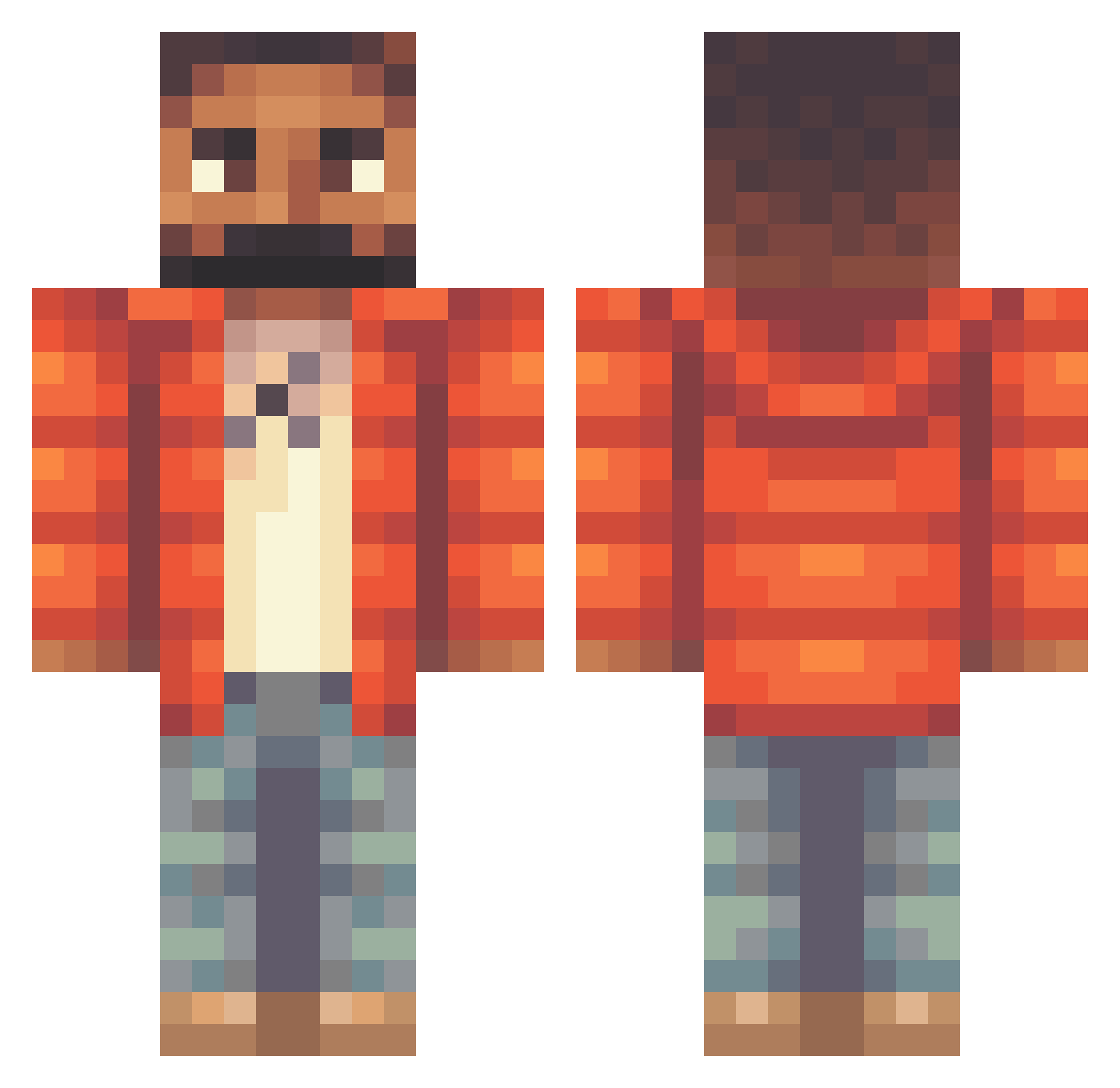
Current Minecraft skin of the player ILoveNkdK1dsYT, loaded from the official Mojang API. Rotate the 3D model with your mouse or finger, then download the skin as a PNG file and use it in Minecraft: Bedrock Edition or Java Edition for free. When ILoveNkdK1dsYT changes their skin, this page updates automatically and the old skin stays in the history below.
Other players with this skin (305)
ILoveNkdK1dsYT was the 201st player we have seen with this skin, first spotted on 03.10.2026. The same skin was seen on these players. Open a nickname to see their current skin and skin history.
 xJoseidon Donut_IQ Danil_Morozov jlbot bbIdrizzy BigPapiPhil Arkeries m02vali supernonchalant Elfuco_ Morleys DoneYouThere Medasus caccamolliccia89 Ponctuations SenorFrijoles Necxts TedkoPipetko Tolmek _PunchBowl_ rBonkey adaamp Isaihah fabeli33335 rokstarMADE a310u BryceUp Alda2407 Levvvvvvvv lqaaaa Junys jtslvrs BrunoFabre JerryBat BoomRoyale Kenn090 oozidrake Prince79 Rayskeez Burrritos D2o_official TigersAndJam MustySayTf Korniszow_ ad423e Hotminerguy CHAMPAGNEPAPl7 PABLEEN caprisunpapi69 snoopyononeinch DortHit_czm8wfof Asisgan1 Samdigitek gustis1 L0uka_ _skooklsnoop KennySlump LilDuckGang2 senior_pelle cowafro
More Beard Minecraft skins
How to install the ILoveNkdK1dsYT skin
- Press the Download button above to save the skin as a PNG file.
- Minecraft: Bedrock Edition (PE): open the Dressing Room from the main menu (or tap your character → Edit Character), go to Classic Skins → Owned, press the + (new skin) button, choose the downloaded PNG and pick the Classic (Steve) model. Works on PC and mobile; consoles cannot import custom skins.
- Minecraft: Java Edition: open the Minecraft Launcher, go to the Skins tab, click New Skin, load the PNG, pick the Classic (Steve) model and press Save & Use. You can also upload it at minecraft.net → Profile → Change Skin.
The skin does not show up after import - what should I do?
Restart Minecraft and open the Dressing Room again - imported skins sometimes appear only after a restart. Also make sure you selected the imported skin and picked the Classic (Steve) model.
Which model should I choose, Classic or Slim?
This skin is designed for the Classic (Steve) model. If you pick the wrong model, the arms of the skin will look stretched or squeezed.
Is the skin of ILoveNkdK1dsYT free to download?
Yes. Press Download, save the PNG file and use it in Minecraft: Bedrock Edition or Java Edition - no payment or registration needed. The skin also works on multiplayer servers and Realms.
More skins
Looking for more? Go back to all Minecraft skins and check the top skins of the week, month and all time, or find any player's skin by nickname.