
IKurei1x - Minecraft Skins & Skin History
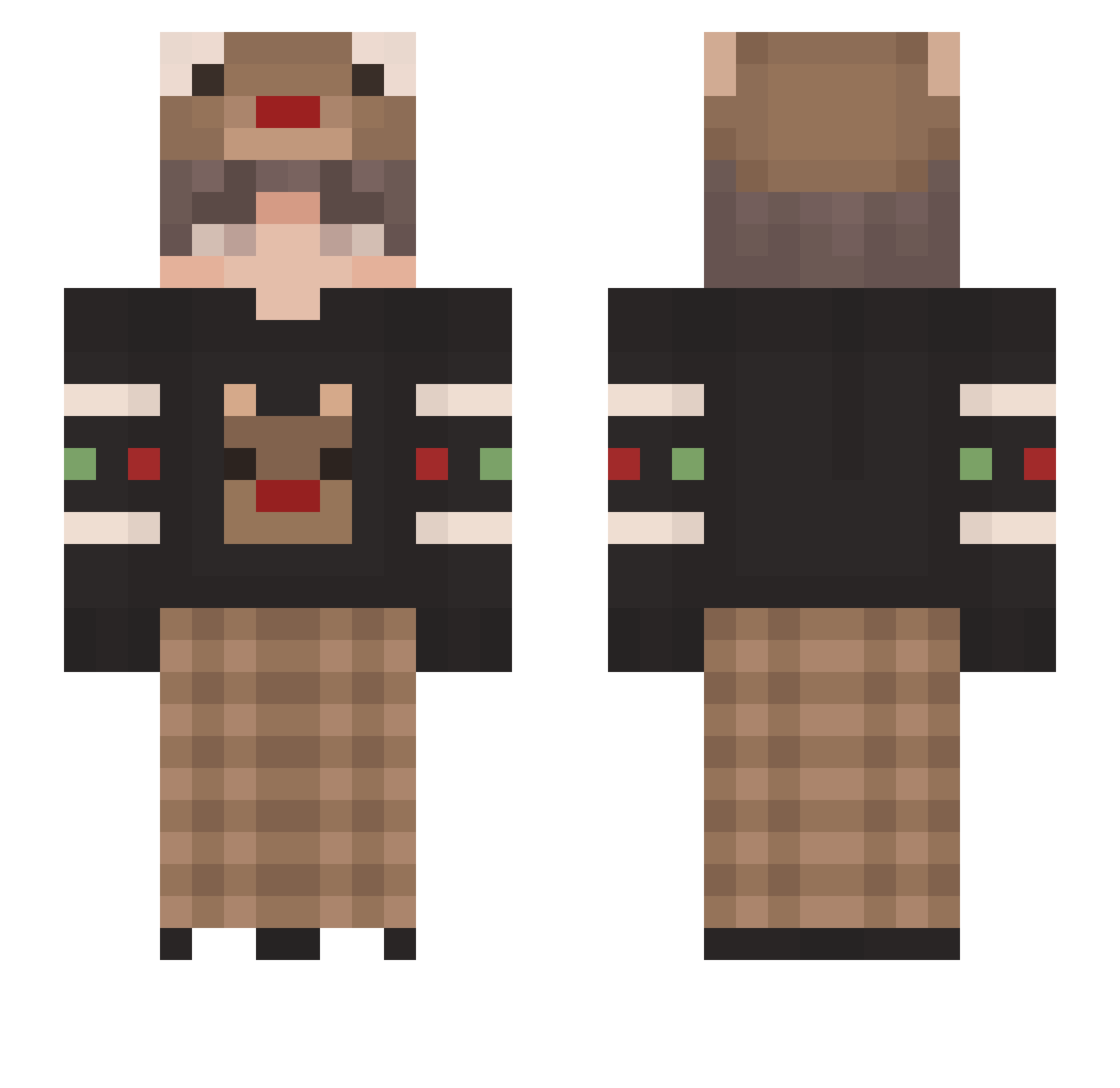
Current Minecraft skin of the player IKurei1x, loaded from the official Mojang API. Rotate the 3D model with your mouse or finger, then download the skin as a PNG file and use it in Minecraft: Bedrock Edition or Java Edition for free. When IKurei1x changes their skin, this page updates automatically and the old skin stays in the history below.
Other players with this skin (160)
IKurei1x was the 161st player we have seen with this skin, first spotted on 20.11.2026. The same skin was seen on these players. Open a nickname to see their current skin and skin history.
 Jeancc7 Shrellie Evolinox SrPeanutButter Karibu99 CakeSee Huashao _Sunnya_ kongdetuo Scorpiosm Ezob Anume123 Lodar1s TheMaverick99 LenuxWR ChoGathking rinkaiyu alloui nicky6039 Noah2077 Dojmopo Boszu68 Hawooo kogamik999 barceloniarz Pworante MayhemGod Shiode Noodles1264 R4fiki95 JowMona ericzinuwu Slater2612 VelourNoir Aleksander299 Enderboi257 Moop18 Yornel_ SH_1217 Humbiii Krsers Applicatie GhostedKaden moon000000 Grindment Zerix_Dragonkin parkuma dyllan77 WIPPI_XD FoBe01 __Luni austinryann ixalqx Remaniise beny_jin zConeh Bread7485 StaryKoles1337 YouChan_Craft hxmbe
More Reindeer Minecraft skins
How to install the IKurei1x skin
- Press the Download button above to save the skin as a PNG file.
- Minecraft: Bedrock Edition (PE): open the Dressing Room from the main menu (or tap your character → Edit Character), go to Classic Skins → Owned, press the + (new skin) button, choose the downloaded PNG and pick the Slim (Alex) model. Works on PC and mobile; consoles cannot import custom skins.
- Minecraft: Java Edition: open the Minecraft Launcher, go to the Skins tab, click New Skin, load the PNG, pick the Slim (Alex) model and press Save & Use. You can also upload it at minecraft.net → Profile → Change Skin.
The skin does not show up after import - what should I do?
Restart Minecraft and open the Dressing Room again - imported skins sometimes appear only after a restart. Also make sure you selected the imported skin and picked the Slim (Alex) model.
Which model should I choose, Classic or Slim?
This skin is designed for the Slim (Alex) model. If you pick the wrong model, the arms of the skin will look stretched or squeezed.
Is the skin of IKurei1x free to download?
Yes. Press Download, save the PNG file and use it in Minecraft: Bedrock Edition or Java Edition - no payment or registration needed. The skin also works on multiplayer servers and Realms.
More skins
Looking for more? Go back to all Minecraft skins and check the top skins of the week, month and all time, or find any player's skin by nickname.