
IGL_Chopper - Minecraft Skins & Skin History
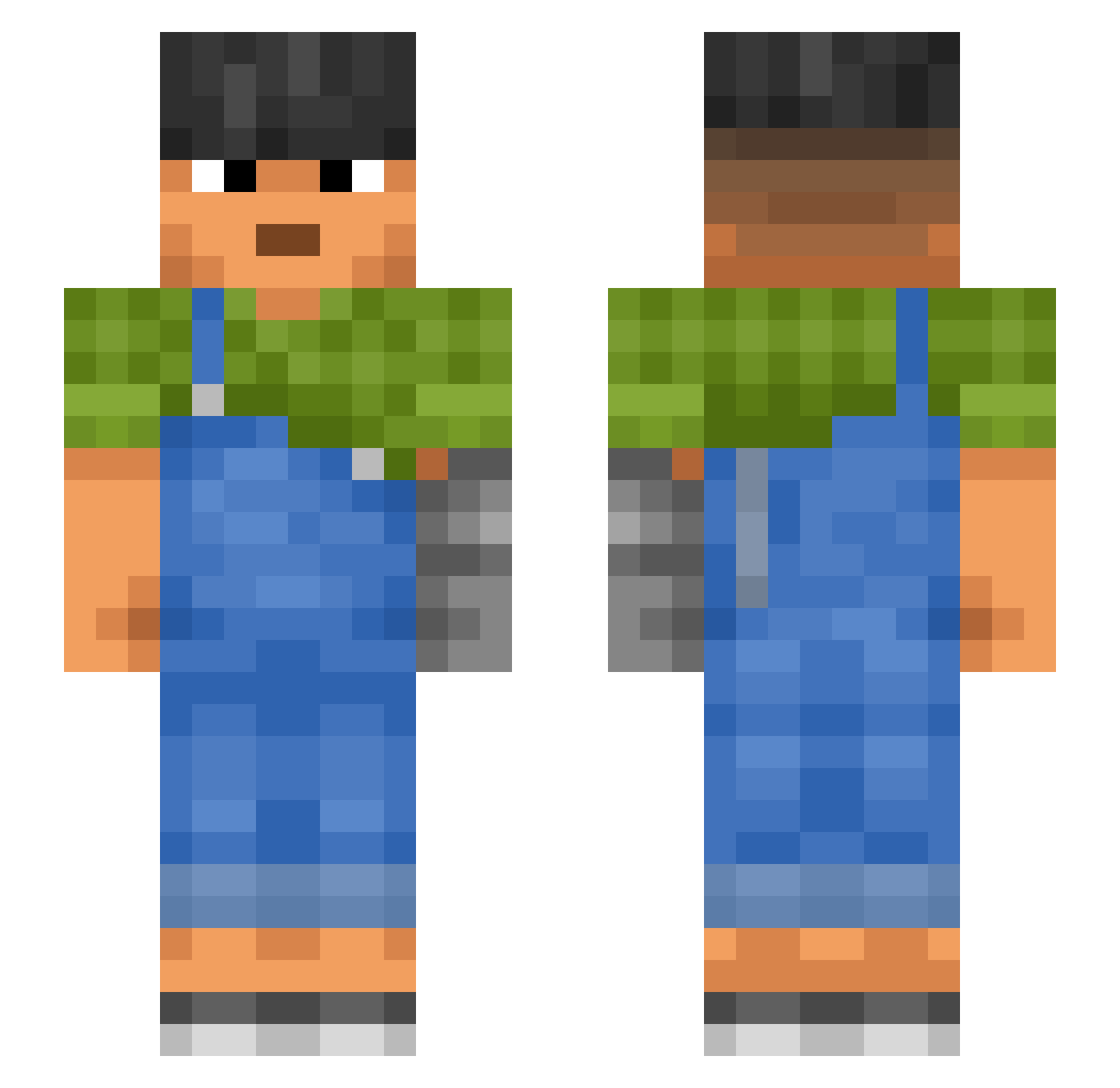
Current Minecraft skin of the player IGL_Chopper, loaded from the official Mojang API. Rotate the 3D model with your mouse or finger, then download the skin as a PNG file and use it in Minecraft: Bedrock Edition or Java Edition for free. When IGL_Chopper changes their skin, this page updates automatically and the old skin stays in the history below.
Other players with this skin (987)
IGL_Chopper was the 910th player we have seen with this skin, first spotted on 26.10.2026. The same skin was seen on these players. Open a nickname to see their current skin and skin history.
 wasaie Abram 1Flipoo leanoxx Bounttty ziveqqau LopyPoo Vicarius96 jjrryyaa2 Chivied ViljarDaBoy SidhuGamer61 Meridel billeeter briquet NeoGenesis Carousal lababajiemen steinBok iOrchestrated911 Satiny 28Rx Twistybonky Commenting Smokehouse Mont SlipperySnail foundery Weekender Platie FrieGroenne obfuscates picolins KingofVanilla XgrundyX Svengali Auscultator Nifle frijole MarvinU2743 Tsovi LegitimateFarmer oscar11723 GIVEMYACCBACK_ Adelphian Agdistis sexglad Maggot Katanaquag SPICECAKE zoometries BOCHITADISALVO S1Lent_MADneSs DAIKIS_0112 Whybhop_ Samekh jony1904 miketyson_ me_hi DigitalRazer
More Prosthetic Arm Minecraft skins
See all 71 Prosthetic Arm skins
How to install the IGL_Chopper skin
- Press the Download button above to save the skin as a PNG file.
- Minecraft: Bedrock Edition (PE): open the Dressing Room from the main menu (or tap your character → Edit Character), go to Classic Skins → Owned, press the + (new skin) button, choose the downloaded PNG and pick the Slim (Alex) model. Works on PC and mobile; consoles cannot import custom skins.
- Minecraft: Java Edition: open the Minecraft Launcher, go to the Skins tab, click New Skin, load the PNG, pick the Slim (Alex) model and press Save & Use. You can also upload it at minecraft.net → Profile → Change Skin.
The skin does not show up after import - what should I do?
Restart Minecraft and open the Dressing Room again - imported skins sometimes appear only after a restart. Also make sure you selected the imported skin and picked the Slim (Alex) model.
Which model should I choose, Classic or Slim?
This skin is designed for the Slim (Alex) model. If you pick the wrong model, the arms of the skin will look stretched or squeezed.
Is the skin of IGL_Chopper free to download?
Yes. Press Download, save the PNG file and use it in Minecraft: Bedrock Edition or Java Edition - no payment or registration needed. The skin also works on multiplayer servers and Realms.
More skins
Looking for more? Go back to all Minecraft skins and check the top skins of the week, month and all time, or find any player's skin by nickname.