
I2oy - Minecraft Skins & Skin History
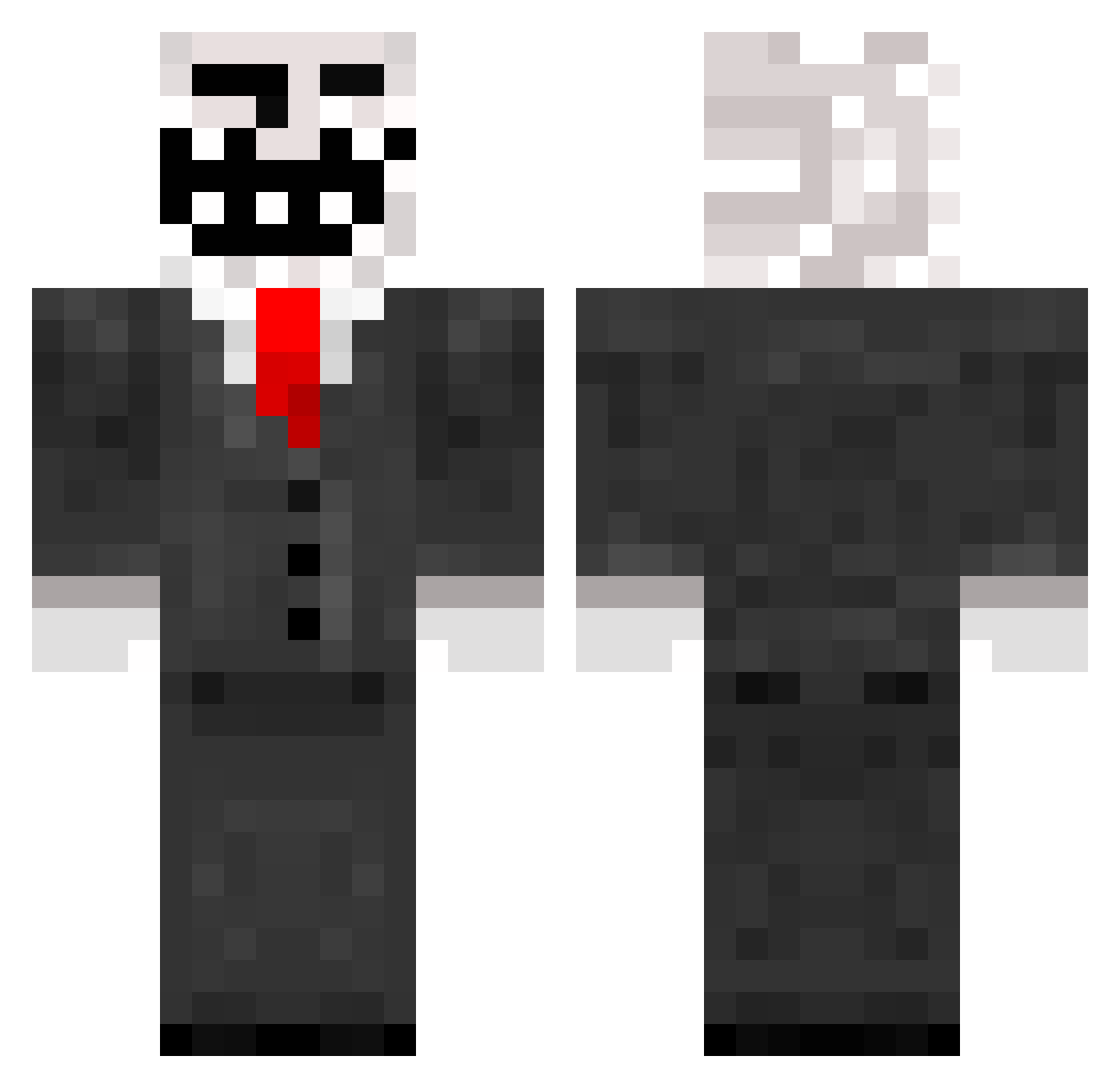
Current Minecraft skin of the player I2oy, loaded from the official Mojang API. Rotate the 3D model with your mouse or finger, then download the skin as a PNG file and use it in Minecraft: Bedrock Edition or Java Edition for free. When I2oy changes their skin, this page updates automatically and the old skin stays in the history below.
Other players with this skin (788)
I2oy was the 568th player we have seen with this skin, first spotted on 08.10.2026. The same skin was seen on these players. Open a nickname to see their current skin and skin history.
 fragmeistar Majatek Divine_Garbage brage221 CONORRULES superPOW1 sand4man2 seeners2 brandflakes48 Jerx15 HitNRuN50 JhoneyTroLL Darthanus7 KenDzee Schlumpfkiller ObsidianMiner_xD philippe42 warioboy203 FTP_Sparky Stigligt SP3_ heckhound666 Mc_Troller samburger0222 DylaN_06 Epic__Fail c0dyball JoeyMc02 Oli5150 TheMoench GaGa_97 soulbreaker243 CharlieMyles coles119 chuckrapp ar15kid99 Randimize kaki7 Roacher Richmenas UNLIKELYHULK Frengi3000 sonng anthonydude1234 crosswind96 THEBOSSERV tuomaselias Desire777 ymtceo Flufypower killerx0092 ELITEGAMER_NET supermoose22 Emanslaw csdcbrown ToxicQc Peter_Hare Decimationist lilbiffy borisvilter
More Trollface Minecraft skins
How to install the I2oy skin
- Press the Download button above to save the skin as a PNG file.
- Minecraft: Bedrock Edition (PE): open the Dressing Room from the main menu (or tap your character → Edit Character), go to Classic Skins → Owned, press the + (new skin) button, choose the downloaded PNG and pick the Classic (Steve) model. Works on PC and mobile; consoles cannot import custom skins.
- Minecraft: Java Edition: open the Minecraft Launcher, go to the Skins tab, click New Skin, load the PNG, pick the Classic (Steve) model and press Save & Use. You can also upload it at minecraft.net → Profile → Change Skin.
The skin does not show up after import - what should I do?
Restart Minecraft and open the Dressing Room again - imported skins sometimes appear only after a restart. Also make sure you selected the imported skin and picked the Classic (Steve) model.
Which model should I choose, Classic or Slim?
This skin is designed for the Classic (Steve) model. If you pick the wrong model, the arms of the skin will look stretched or squeezed.
Is the skin of I2oy free to download?
Yes. Press Download, save the PNG file and use it in Minecraft: Bedrock Edition or Java Edition - no payment or registration needed. The skin also works on multiplayer servers and Realms.
More skins
Looking for more? Go back to all Minecraft skins and check the top skins of the week, month and all time, or find any player's skin by nickname.