
Hysterios - Minecraft Skins & Skin History
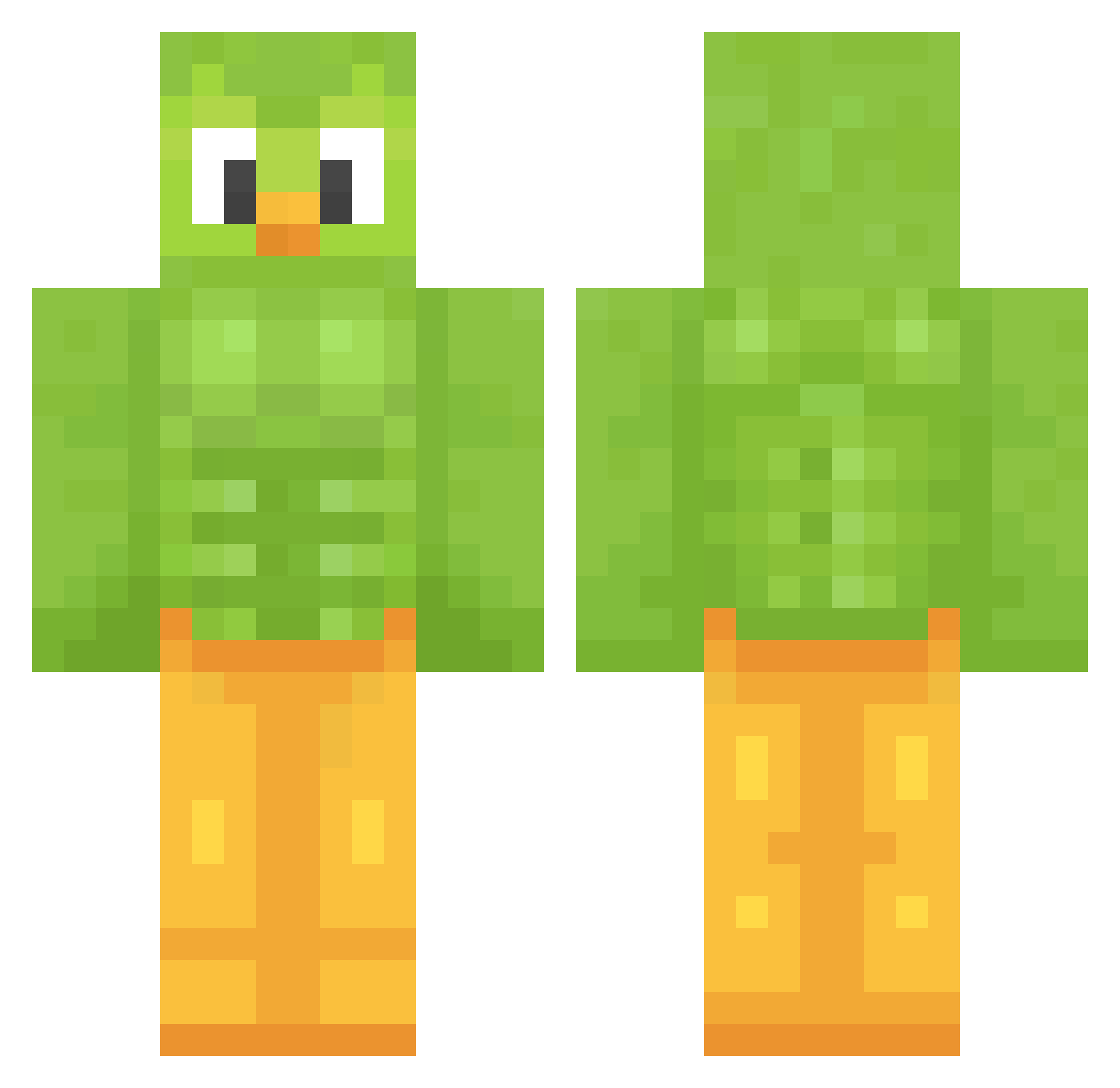
Current Minecraft skin of the player Hysterios, loaded from the official Mojang API. Rotate the 3D model with your mouse or finger, then download the skin as a PNG file and use it in Minecraft: Bedrock Edition or Java Edition for free. When Hysterios changes their skin, this page updates automatically and the old skin stays in the history below.
Other players with this skin (1208)
Hysterios was the 416th player we have seen with this skin, first spotted on 27.08.2026. The same skin was seen on these players. Open a nickname to see their current skin and skin history.
 celbes36 BobMaster220 Furexik kingalex2015
 Sneakzz159 ADevilishChild seabzeh30 MARSHMALLOW420 MCJAY08 iamkelly zufuz RivalRanger logdawg420 BlancaRul27 Coeem kov420
 Etipro22 spicy_carrott cherrycherry04 Re7r09 Phoenix080604 Marcrack865 Benityan Kingbob0901 freeseeky coolebent12 RITSU531 bawanone jamalcholover Pupchen
 hyunchulgi jinzu0907 MrBlueBird mephixtoph pudimdepao1 baby_leaf_kate memeking1113 MAMAAAE Snori101 shinispipis oreoooooou AC2704 bexmorg XINXIN_0225 Jhonutzzul _xPeanut TallTruffle Varli7Sriuba StarryNi9ht dusdjaksen abby_gamer21 Vodoo0 nuggetsdonuts BENI1421 EnzoBoldarinn Spoonerism_69 Belwuga AdamSlaw HUGEMISTAHLAWWY WieDu
More Duo Minecraft skins
How to install the Hysterios skin
- Press the Download button above to save the skin as a PNG file.
- Minecraft: Bedrock Edition (PE): open the Dressing Room from the main menu (or tap your character → Edit Character), go to Classic Skins → Owned, press the + (new skin) button, choose the downloaded PNG and pick the Classic (Steve) model. Works on PC and mobile; consoles cannot import custom skins.
- Minecraft: Java Edition: open the Minecraft Launcher, go to the Skins tab, click New Skin, load the PNG, pick the Classic (Steve) model and press Save & Use. You can also upload it at minecraft.net → Profile → Change Skin.
The skin does not show up after import - what should I do?
Restart Minecraft and open the Dressing Room again - imported skins sometimes appear only after a restart. Also make sure you selected the imported skin and picked the Classic (Steve) model.
Which model should I choose, Classic or Slim?
This skin is designed for the Classic (Steve) model. If you pick the wrong model, the arms of the skin will look stretched or squeezed.
Is the skin of Hysterios free to download?
Yes. Press Download, save the PNG file and use it in Minecraft: Bedrock Edition or Java Edition - no payment or registration needed. The skin also works on multiplayer servers and Realms.
More skins
Looking for more? Go back to all Minecraft skins and check the top skins of the week, month and all time, or find any player's skin by nickname.