
HyperRage - Minecraft Skins & Skin History
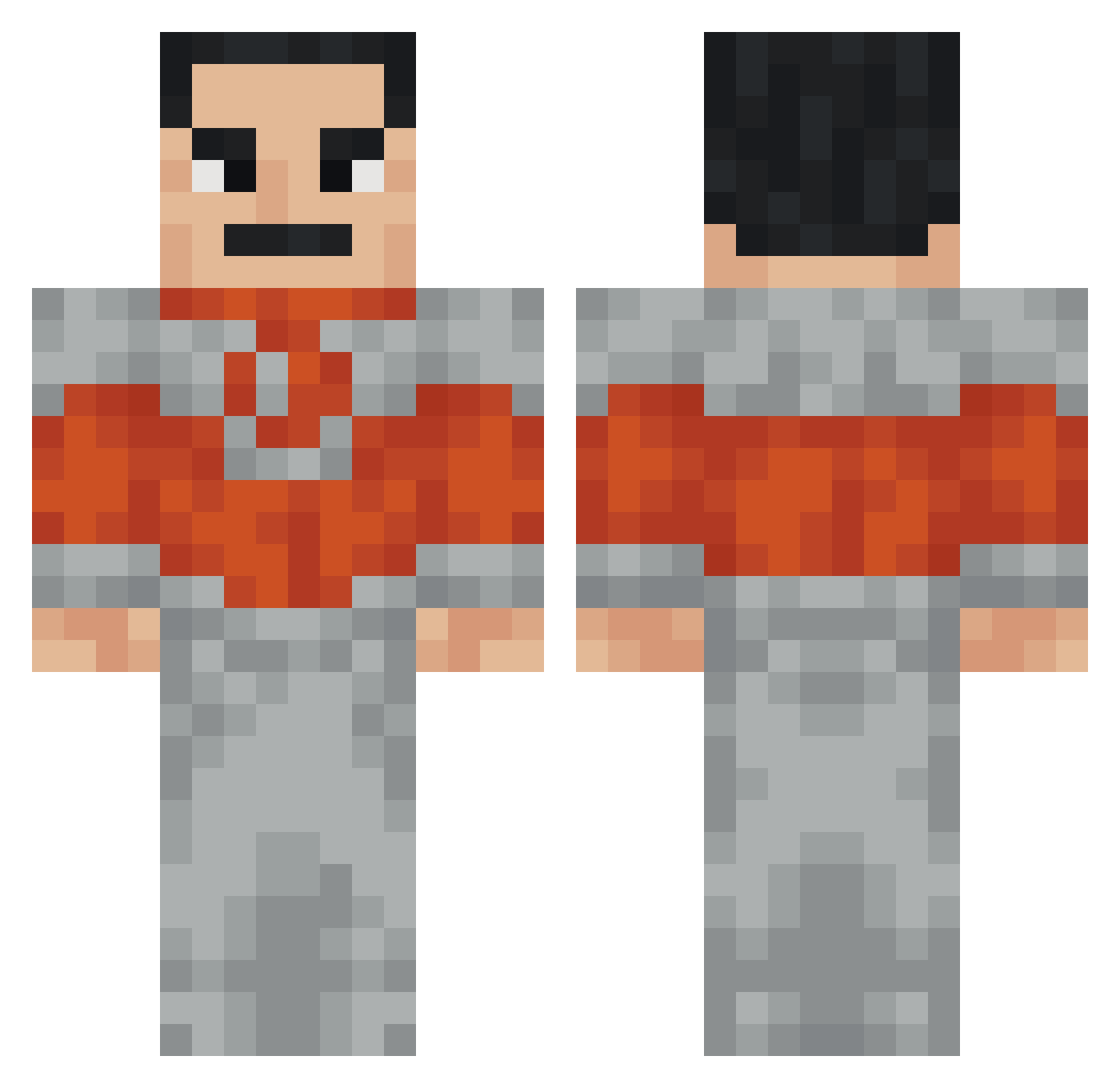
Current Minecraft skin of the player HyperRage, loaded from the official Mojang API. Rotate the 3D model with your mouse or finger, then download the skin as a PNG file and use it in Minecraft: Bedrock Edition or Java Edition for free. When HyperRage changes their skin, this page updates automatically and the old skin stays in the history below.
Other players with this skin (38)
HyperRage was the 20th player we have seen with this skin, first spotted on 11.09.2026. The same skin was seen on these players. Open a nickname to see their current skin and skin history.
 DarKnight0165 ImInYourWalls678 DJ_WildCat komilot1 chagela Cosmox_Diucka Macix400 vlad1208 RobotAI877 Nick120212 Maorior2144 Kemirmee Pentachromee Swetlina gopnretnal BeetleBridge636 H0peful StrayLonnie Dylan1___ cornin _Sentric_ Gowtham1 Toms2314 ELPedron06 Tombo2 TheCMAc31 Xanax501 FEVEBIGLAF Skeredy babafingo321 DontFightBack M1vey LampPosttt VisualArrow2015 Metriuum
 oktay1223 SPQRJOKER09 pablonum1
More Freddy Mercury Minecraft skins
See all 17 Freddy Mercury skins
How to install the HyperRage skin
- Press the Download button above to save the skin as a PNG file.
- Minecraft: Bedrock Edition (PE): open the Dressing Room from the main menu (or tap your character → Edit Character), go to Classic Skins → Owned, press the + (new skin) button, choose the downloaded PNG and pick the Classic (Steve) model. Works on PC and mobile; consoles cannot import custom skins.
- Minecraft: Java Edition: open the Minecraft Launcher, go to the Skins tab, click New Skin, load the PNG, pick the Classic (Steve) model and press Save & Use. You can also upload it at minecraft.net → Profile → Change Skin.
The skin does not show up after import - what should I do?
Restart Minecraft and open the Dressing Room again - imported skins sometimes appear only after a restart. Also make sure you selected the imported skin and picked the Classic (Steve) model.
Which model should I choose, Classic or Slim?
This skin is designed for the Classic (Steve) model. If you pick the wrong model, the arms of the skin will look stretched or squeezed.
Is the skin of HyperRage free to download?
Yes. Press Download, save the PNG file and use it in Minecraft: Bedrock Edition or Java Edition - no payment or registration needed. The skin also works on multiplayer servers and Realms.
More skins
Looking for more? Go back to all Minecraft skins and check the top skins of the week, month and all time, or find any player's skin by nickname.