
Hyper5231 - Minecraft Skins & Skin History
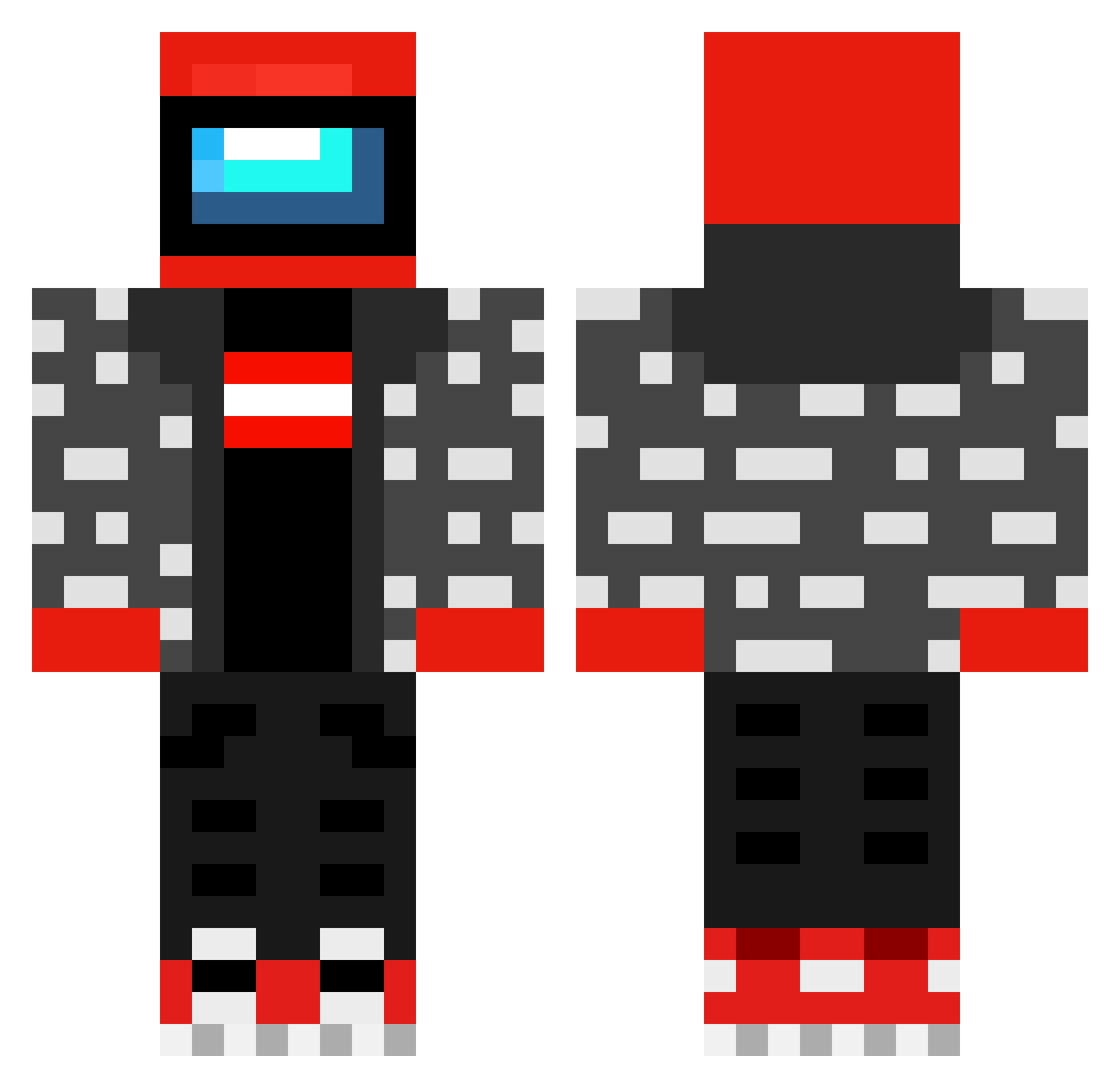
Current Minecraft skin of the player Hyper5231, loaded from the official Mojang API. Rotate the 3D model with your mouse or finger, then download the skin as a PNG file and use it in Minecraft: Bedrock Edition or Java Edition for free. When Hyper5231 changes their skin, this page updates automatically and the old skin stays in the history below.
Other players with this skin (440)
Hyper5231 was the 186th player we have seen with this skin, first spotted on 06.09.2026. The same skin was seen on these players. Open a nickname to see their current skin and skin history.
 xdplushy92 EleventhPlot774 SillyWilly500 X_cuteur BRATEN_BOY XH_Shen LegendaryTeo TiredofSleeping Cha7o emilnej Jamesthemanb Zykexx_ RespectedGenius MEisBOTmoment SOPNAT98 CosmicBiscuit44 Im_Diego_ Vankell pioreeq Andruzilla ALEXPA1Nlol vicot Trail_Racist Incognito105 RFK1020 Billy_Bob66 FreshPelinkovac DeltaNotSW koutoku29 GeneralisimoPaco Mieciu_13 Asian2k min1001234 Sipanzolas KarabaLaSorcier ShreverTheRLVR Goofy_ahh_cat84 ShibaToken Anton0Hulk HungSine Manchorque NoirMuscle HEAVYDUTY259 nocrog charlieshyper9 chuvar130 N1njaAmputect abobawtf ArachnidJason upper_armour Poleti80 zJoojao Wanchoss02 MelakyMEGAX EblanKonch1337_ HistyLMAO Gabooo16 matteo_dgr Atomic0608 SANCEZY
More Drip Minecraft skins
How to install the Hyper5231 skin
- Press the Download button above to save the skin as a PNG file.
- Minecraft: Bedrock Edition (PE): open the Dressing Room from the main menu (or tap your character → Edit Character), go to Classic Skins → Owned, press the + (new skin) button, choose the downloaded PNG and pick the Classic (Steve) model. Works on PC and mobile; consoles cannot import custom skins.
- Minecraft: Java Edition: open the Minecraft Launcher, go to the Skins tab, click New Skin, load the PNG, pick the Classic (Steve) model and press Save & Use. You can also upload it at minecraft.net → Profile → Change Skin.
The skin does not show up after import - what should I do?
Restart Minecraft and open the Dressing Room again - imported skins sometimes appear only after a restart. Also make sure you selected the imported skin and picked the Classic (Steve) model.
Which model should I choose, Classic or Slim?
This skin is designed for the Classic (Steve) model. If you pick the wrong model, the arms of the skin will look stretched or squeezed.
Is the skin of Hyper5231 free to download?
Yes. Press Download, save the PNG file and use it in Minecraft: Bedrock Edition or Java Edition - no payment or registration needed. The skin also works on multiplayer servers and Realms.
More skins
Looking for more? Go back to all Minecraft skins and check the top skins of the week, month and all time, or find any player's skin by nickname.