
HungryBriarUwU67 - Minecraft Skins & Skin History
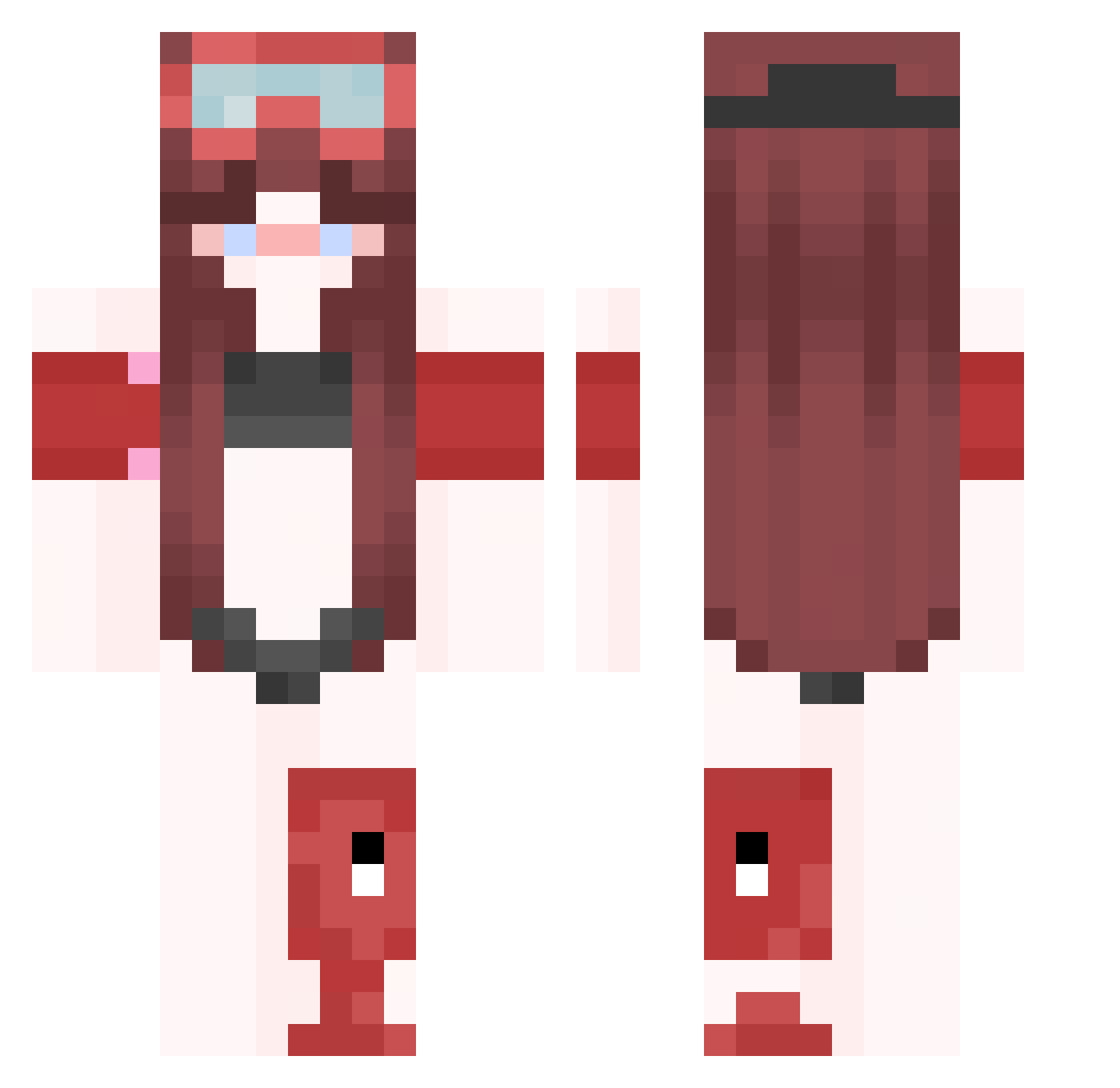
Current Minecraft skin of the player HungryBriarUwU67, loaded from the official Mojang API. Rotate the 3D model with your mouse or finger, then download the skin as a PNG file and use it in Minecraft: Bedrock Edition or Java Edition for free. When HungryBriarUwU67 changes their skin, this page updates automatically and the old skin stays in the history below.
Other players with this skin (347)
HungryBriarUwU67 was the 179th player we have seen with this skin, first spotted on 09.09.2026. The same skin was seen on these players. Open a nickname to see their current skin and skin history.
 Andy_fin raveAhbgqu0Y nn1l_7 kimwolf423056 ptaltsOzBhP MegaElk4 ToufTouf_149647 victorfascina Ma5Nning_pro DdieYTgoXx12 LinhUFwdU1218 cutewrists00 Funchauthentic3 Easdon_remote2 RegginxXxaa0_ Nightsmith1 anon280386 Mor_proenAYT38 Bradley3453
 ToufTouf_542957 Ozranes Sv2e5mwQZhd2xSv2 D1EQerMistFan anon926246 s8larfore7t Banana_qhb FrYTanccis4 iArcherLP LinhndygF0107 tzi_iKZtS_12_01 Lliiis09aYT12 HyperBug69
 imjustexo nightwalker11133 raveJDsqeca9 IDAHQ992706 rthtfd9h undefinedForgot lullo_exalted785 _RAGE0_ uuriyee lorrrrrr47 raveTTd23Kno shmaoup raven5cCYqOa ptaltsMlFCG FatBoyYoda234886 topunsolv4able FERNAN965486 bigbigpoopemoji MmajxXx8a IDAHQ908646 Nabzi123 cptbvcket FfreeddEricc4 FERNAN045366 ptaltsiggTE ptaltsoVfkW kikin_YQlGG_12 K_Anina
More Lifeguard Minecraft skins
How to install the HungryBriarUwU67 skin
- Press the Download button above to save the skin as a PNG file.
- Minecraft: Bedrock Edition (PE): open the Dressing Room from the main menu (or tap your character → Edit Character), go to Classic Skins → Owned, press the + (new skin) button, choose the downloaded PNG and pick the Classic (Steve) model. Works on PC and mobile; consoles cannot import custom skins.
- Minecraft: Java Edition: open the Minecraft Launcher, go to the Skins tab, click New Skin, load the PNG, pick the Classic (Steve) model and press Save & Use. You can also upload it at minecraft.net → Profile → Change Skin.
The skin does not show up after import - what should I do?
Restart Minecraft and open the Dressing Room again - imported skins sometimes appear only after a restart. Also make sure you selected the imported skin and picked the Classic (Steve) model.
Which model should I choose, Classic or Slim?
This skin is designed for the Classic (Steve) model. If you pick the wrong model, the arms of the skin will look stretched or squeezed.
Is the skin of HungryBriarUwU67 free to download?
Yes. Press Download, save the PNG file and use it in Minecraft: Bedrock Edition or Java Edition - no payment or registration needed. The skin also works on multiplayer servers and Realms.
More skins
Looking for more? Go back to all Minecraft skins and check the top skins of the week, month and all time, or find any player's skin by nickname.