
Hungaryen - Minecraft Skins & Skin History
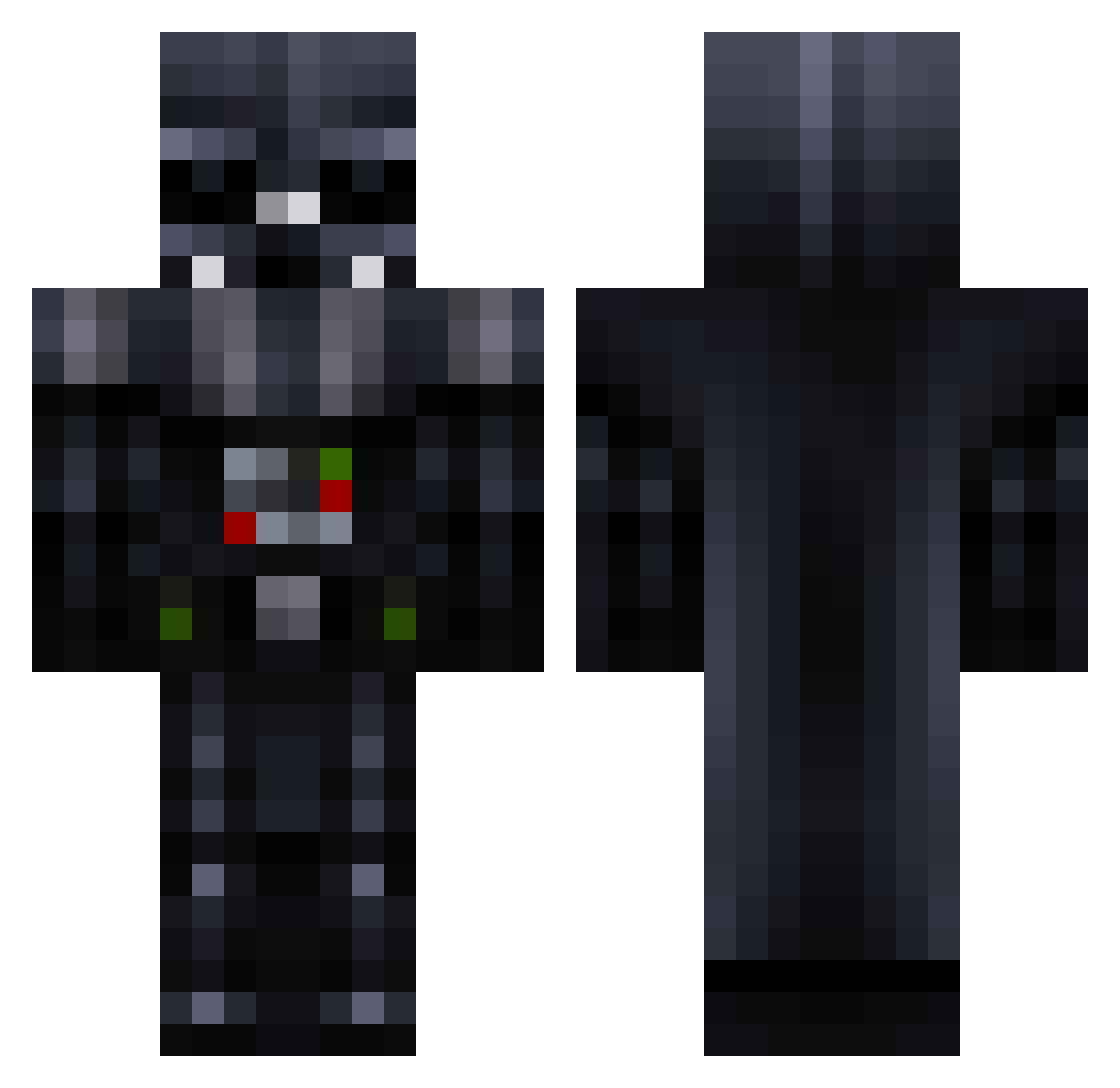
Current Minecraft skin of the player Hungaryen, loaded from the official Mojang API. Rotate the 3D model with your mouse or finger, then download the skin as a PNG file and use it in Minecraft: Bedrock Edition or Java Edition for free. When Hungaryen changes their skin, this page updates automatically and the old skin stays in the history below.
Other players with this skin (258)
Hungaryen was the 142nd player we have seen with this skin, first spotted on 22.09.2026. The same skin was seen on these players. Open a nickname to see their current skin and skin history.
 Lord_Kaine cbawd Coolkid958 Quaxter69420 NoahG387 B0B122 AnakinSKYwal_ker JohannLv Ryder_014 Der_Stresser abd1166 Darthnox99 Ezedge ONastyG Gen_Lucario Jackyboi87 Apollo202 o9_DodgeDude lizziemenard DarthNihilus445 Eeley_M D1str0ychik Loges_7 Schokladkeks 3F6ON BlazingHollow JDRoloG NejakyLuke IgorCosta tubbybeef nalydh HandHack RedSquadron5 Vrex__ PyroBreaker midyedolma VinyB12 TacoBeans Paliantrax Szymix85 majohnson923 creeping049unit crazyadogg DonKalle Shurahbeel Paytontd34 ViralInfekT SPRANGA_DonMarco Elchevere6329 big_al69420 WWII213 huiskamerplantxx dragonlord0024 Geethxs2000 FoxeN_DrStrench IAmbCrafty MyCookiesBackoff stctauro
 y3rn_ Palmer_AI
More Darth Vader Minecraft skins
How to install the Hungaryen skin
- Press the Download button above to save the skin as a PNG file.
- Minecraft: Bedrock Edition (PE): open the Dressing Room from the main menu (or tap your character → Edit Character), go to Classic Skins → Owned, press the + (new skin) button, choose the downloaded PNG and pick the Classic (Steve) model. Works on PC and mobile; consoles cannot import custom skins.
- Minecraft: Java Edition: open the Minecraft Launcher, go to the Skins tab, click New Skin, load the PNG, pick the Classic (Steve) model and press Save & Use. You can also upload it at minecraft.net → Profile → Change Skin.
The skin does not show up after import - what should I do?
Restart Minecraft and open the Dressing Room again - imported skins sometimes appear only after a restart. Also make sure you selected the imported skin and picked the Classic (Steve) model.
Which model should I choose, Classic or Slim?
This skin is designed for the Classic (Steve) model. If you pick the wrong model, the arms of the skin will look stretched or squeezed.
Is the skin of Hungaryen free to download?
Yes. Press Download, save the PNG file and use it in Minecraft: Bedrock Edition or Java Edition - no payment or registration needed. The skin also works on multiplayer servers and Realms.
More skins
Looking for more? Go back to all Minecraft skins and check the top skins of the week, month and all time, or find any player's skin by nickname.