
HumptyDumpti - Minecraft Skins & Skin History
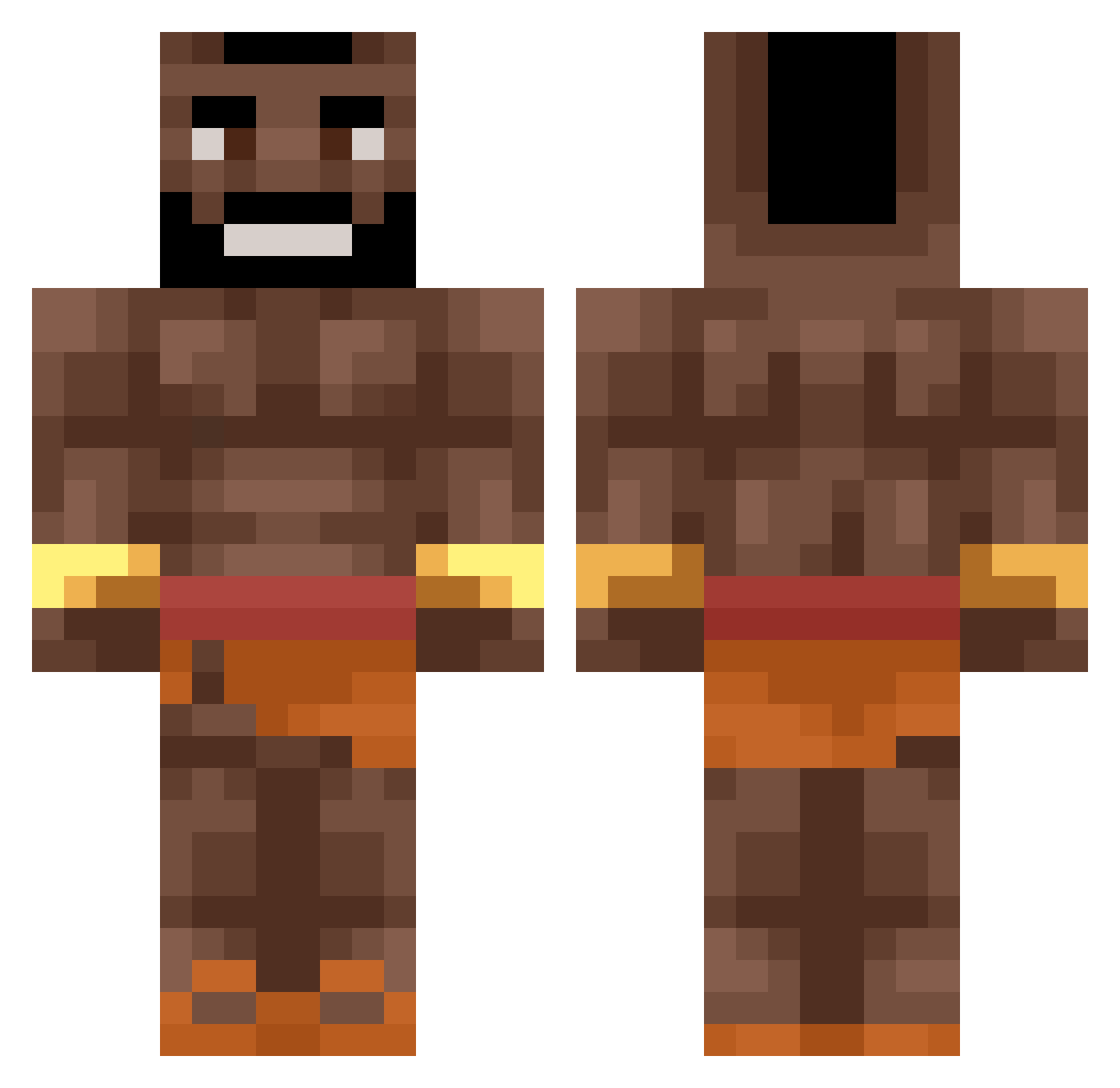
Current Minecraft skin of the player HumptyDumpti, loaded from the official Mojang API. Rotate the 3D model with your mouse or finger, then download the skin as a PNG file and use it in Minecraft: Bedrock Edition or Java Edition for free. When HumptyDumpti changes their skin, this page updates automatically and the old skin stays in the history below.
Other players with this skin (550)
HumptyDumpti was the 266th player we have seen with this skin, first spotted on 21.09.2026. The same skin was seen on these players. Open a nickname to see their current skin and skin history.
 blackpvp1337 MlgDeathEater podguznik69 totallynotnerdy e18aD rascooo93 IchBimsKrass Julix_123M BOB2212 mikalngr_yt Chairstrap oskarleon1 KillerRQ jahman21 kopchek l3szcz Lu_kii Healingdoaco anpexxc Egosaurus2 1glokk Lockson_3x1 ido2993 Xx_DarkSasuk_xX _Swizs DerCage koloivan akkarides Embappi Maedhros01 Laura_mmdv84 fh_2005 RaceLinus 3lux GetTeo mavering_ eemelimainaa JulianAlvarez MrKrones RonitomiK free_pizza123 2324291 HogRidah12 Nathan_SMG Matei_xd SirZakaria PlesnivaChcanka Eloliasos1234 sld_Littleboy Domicaj Yosha21 Permanox bb_loutres VFEmerald WobbinBlobbin Dragonstriker83 Youboy0908 Pabloob Rein2beat panecake187
More Actor Minecraft skins
How to install the HumptyDumpti skin
- Press the Download button above to save the skin as a PNG file.
- Minecraft: Bedrock Edition (PE): open the Dressing Room from the main menu (or tap your character → Edit Character), go to Classic Skins → Owned, press the + (new skin) button, choose the downloaded PNG and pick the Classic (Steve) model. Works on PC and mobile; consoles cannot import custom skins.
- Minecraft: Java Edition: open the Minecraft Launcher, go to the Skins tab, click New Skin, load the PNG, pick the Classic (Steve) model and press Save & Use. You can also upload it at minecraft.net → Profile → Change Skin.
The skin does not show up after import - what should I do?
Restart Minecraft and open the Dressing Room again - imported skins sometimes appear only after a restart. Also make sure you selected the imported skin and picked the Classic (Steve) model.
Which model should I choose, Classic or Slim?
This skin is designed for the Classic (Steve) model. If you pick the wrong model, the arms of the skin will look stretched or squeezed.
Is the skin of HumptyDumpti free to download?
Yes. Press Download, save the PNG file and use it in Minecraft: Bedrock Edition or Java Edition - no payment or registration needed. The skin also works on multiplayer servers and Realms.
More skins
Looking for more? Go back to all Minecraft skins and check the top skins of the week, month and all time, or find any player's skin by nickname.