
HumbleShroom - Minecraft Skins & Skin History
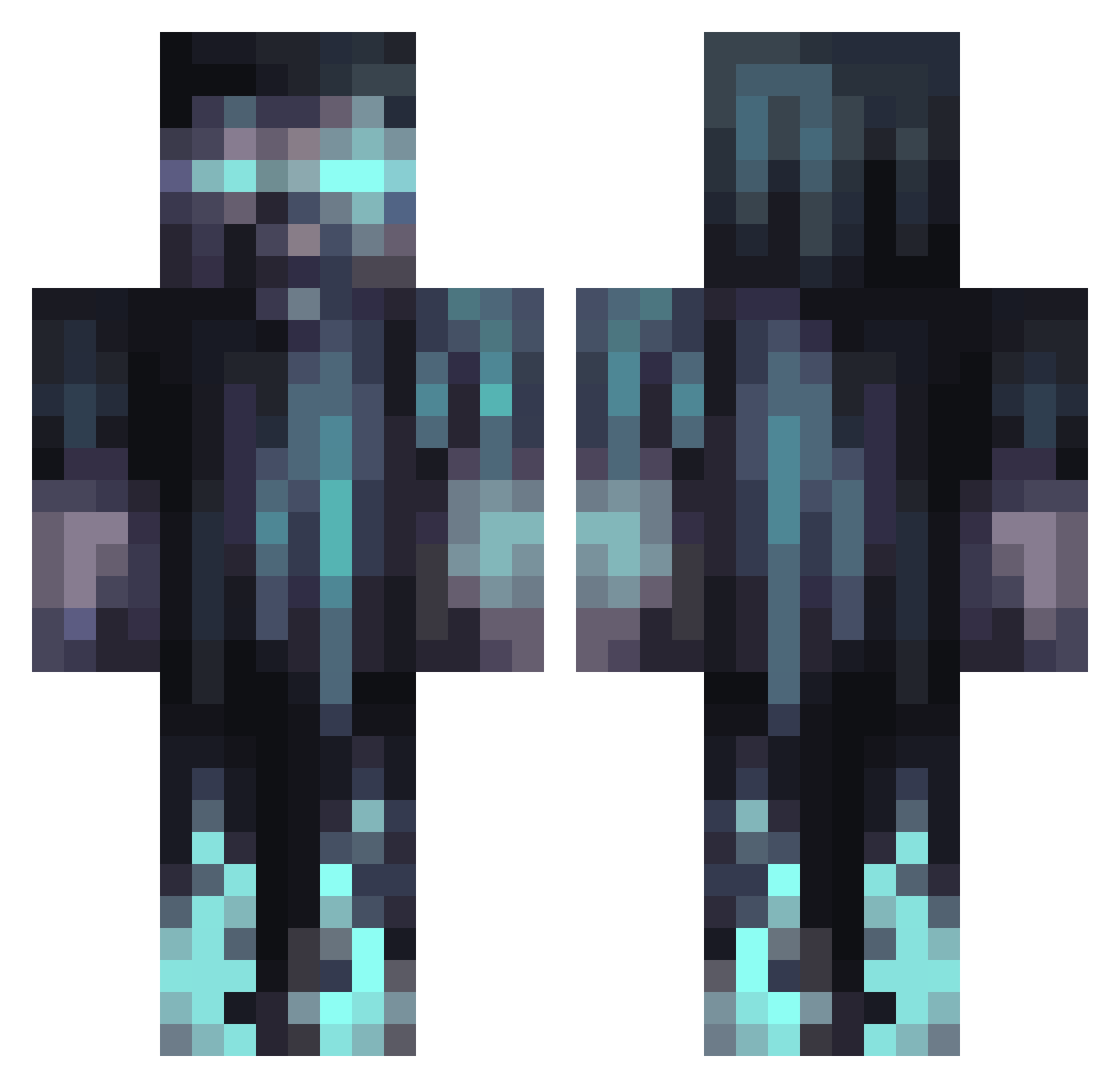
Current Minecraft skin of the player HumbleShroom, loaded from the official Mojang API. Rotate the 3D model with your mouse or finger, then download the skin as a PNG file and use it in Minecraft: Bedrock Edition or Java Edition for free. When HumbleShroom changes their skin, this page updates automatically and the old skin stays in the history below.
Other players with this skin (1067)
HumbleShroom was the 712th player we have seen with this skin, first spotted on 04.10.2026. The same skin was seen on these players. Open a nickname to see their current skin and skin history.
 SlimeKing_ Janek02334 Marxln LJ_12354 DerpyFish7 Ed1117 j4sman77 CrankyOregano Night_M4re MR_Le0n Alhera vDesox sheenthesheep69 Musicairsoft xShameless BBSITABBLEAN viktortheman wirTosh DanielWebsterr selahcat m0t02rf0c02r Harkema RIVERTEARS WPitombeira CrownKing11 Breezy_odog detatupmA THATWELSHLAD Icybisquit kapphs Su9arD4ddy The_Busky ShadowyChaos hanwoogod GlitchyPath9093 Chrischnek oldoo TheBrocage STARKX83 Portraitos mrpewpew18 DEATHNOTE21 DudeCraft116 CrimsonVenom60 Kassu2202 Stabp 4pf_zy Cousinsean24 PedroShotgun SaberSquidHD Vanya99us XTictac264X Doomagedon1 Itzz_PMPRS PeachCoronet725 MineTronic666 arennut swifty_2207 Capman94 Galahad0122
More Warden Minecraft skins
How to install the HumbleShroom skin
- Press the Download button above to save the skin as a PNG file.
- Minecraft: Bedrock Edition (PE): open the Dressing Room from the main menu (or tap your character → Edit Character), go to Classic Skins → Owned, press the + (new skin) button, choose the downloaded PNG and pick the Classic (Steve) model. Works on PC and mobile; consoles cannot import custom skins.
- Minecraft: Java Edition: open the Minecraft Launcher, go to the Skins tab, click New Skin, load the PNG, pick the Classic (Steve) model and press Save & Use. You can also upload it at minecraft.net → Profile → Change Skin.
The skin does not show up after import - what should I do?
Restart Minecraft and open the Dressing Room again - imported skins sometimes appear only after a restart. Also make sure you selected the imported skin and picked the Classic (Steve) model.
Which model should I choose, Classic or Slim?
This skin is designed for the Classic (Steve) model. If you pick the wrong model, the arms of the skin will look stretched or squeezed.
Is the skin of HumbleShroom free to download?
Yes. Press Download, save the PNG file and use it in Minecraft: Bedrock Edition or Java Edition - no payment or registration needed. The skin also works on multiplayer servers and Realms.
More skins
Looking for more? Go back to all Minecraft skins and check the top skins of the week, month and all time, or find any player's skin by nickname.