
Humaned17 - Minecraft Skins & Skin History
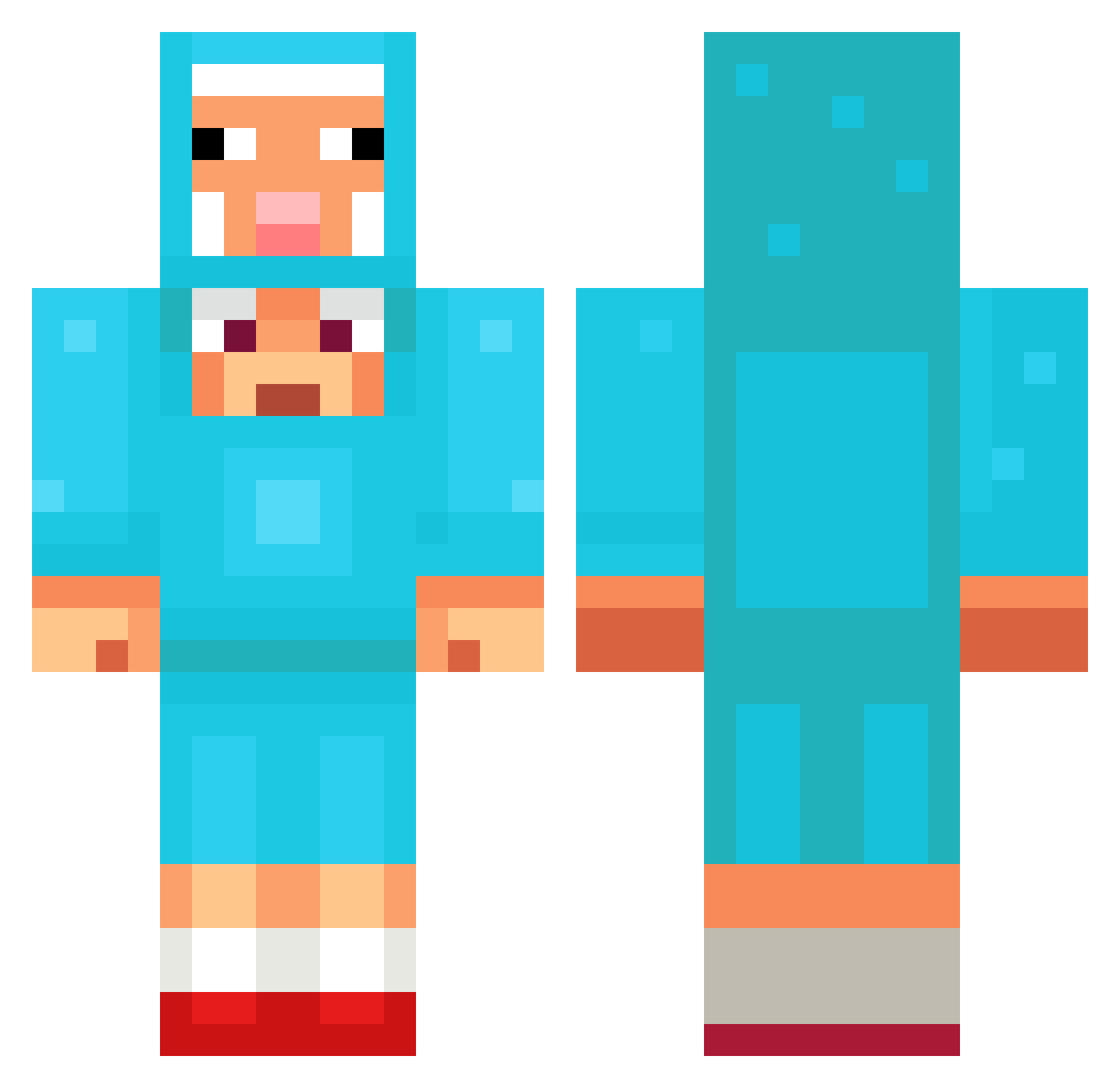
Current Minecraft skin of the player Humaned17, loaded from the official Mojang API. Rotate the 3D model with your mouse or finger, then download the skin as a PNG file and use it in Minecraft: Bedrock Edition or Java Edition for free. When Humaned17 changes their skin, this page updates automatically and the old skin stays in the history below.
Other players with this skin (1081)
Humaned17 was the 526th player we have seen with this skin, first spotted on 07.09.2026. The same skin was seen on these players. Open a nickname to see their current skin and skin history.
 Graysonstock loveyouf oreo1211 smv4 hceaven ihaveacoolguitar wetnoodle_1 AIE_LY WOOJINWOOWOO Zsombor16 JaeShin07 Bandi0101 thesloppymonster MR_savage zvoka dreiiii UselessGandi 006x MarbleJoker1836 Skartreuse MEHMOT elle67 Rohkrai abozhra1 dragon_LuNau WastedApple luckbgl LKC0926 MuFuFu10 Kawwam DALISPACE MrChristofer ha0214 BLACKWOLFF5555 kamamotom zeskaa HydroHawk712298 paanpyor Lilybel5 MontBlack042 Craftk200 Sancord Axnv98 Eppisch WikipediaArtikel SilentToes 1RILLA IsiVxo Vysva Pixelhuber DiamondDanny29 Beibo12 Fossoyeur44 LegalSchwitzen MalinElise1994 Senp911 Linberg CyrusCole BladeT1 DIBBO_DRISSO
More Sheep Minecraft skins
How to install the Humaned17 skin
- Press the Download button above to save the skin as a PNG file.
- Minecraft: Bedrock Edition (PE): open the Dressing Room from the main menu (or tap your character → Edit Character), go to Classic Skins → Owned, press the + (new skin) button, choose the downloaded PNG and pick the Classic (Steve) model. Works on PC and mobile; consoles cannot import custom skins.
- Minecraft: Java Edition: open the Minecraft Launcher, go to the Skins tab, click New Skin, load the PNG, pick the Classic (Steve) model and press Save & Use. You can also upload it at minecraft.net → Profile → Change Skin.
The skin does not show up after import - what should I do?
Restart Minecraft and open the Dressing Room again - imported skins sometimes appear only after a restart. Also make sure you selected the imported skin and picked the Classic (Steve) model.
Which model should I choose, Classic or Slim?
This skin is designed for the Classic (Steve) model. If you pick the wrong model, the arms of the skin will look stretched or squeezed.
Is the skin of Humaned17 free to download?
Yes. Press Download, save the PNG file and use it in Minecraft: Bedrock Edition or Java Edition - no payment or registration needed. The skin also works on multiplayer servers and Realms.
More skins
Looking for more? Go back to all Minecraft skins and check the top skins of the week, month and all time, or find any player's skin by nickname.