
HuhnMItHose69 - Minecraft Skins & Skin History
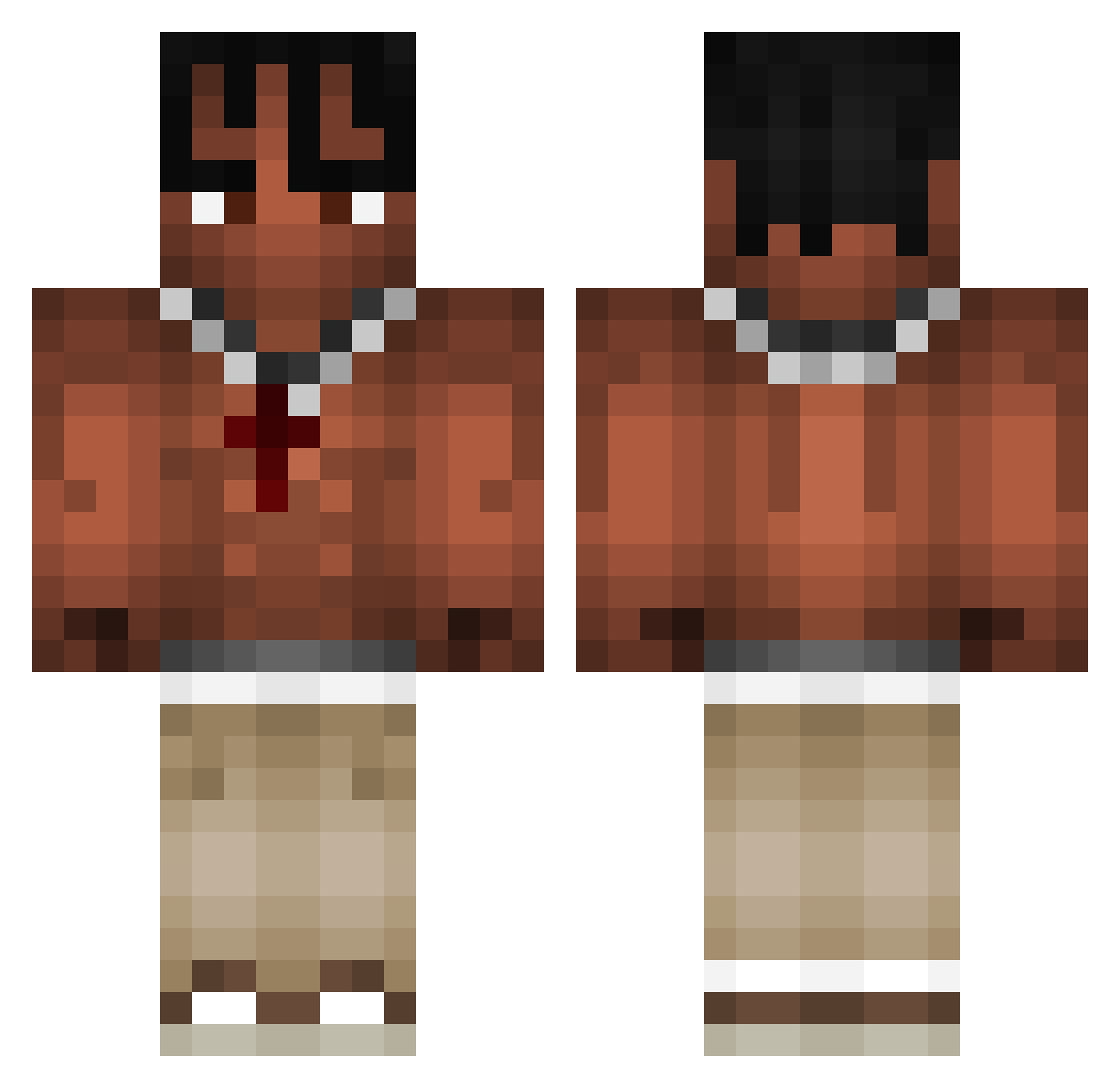
Current Minecraft skin of the player HuhnMItHose69, loaded from the official Mojang API. Rotate the 3D model with your mouse or finger, then download the skin as a PNG file and use it in Minecraft: Bedrock Edition or Java Edition for free. When HuhnMItHose69 changes their skin, this page updates automatically and the old skin stays in the history below.
Other players with this skin (968)
HuhnMItHose69 was the 494th player we have seen with this skin, first spotted on 19.09.2026. The same skin was seen on these players. Open a nickname to see their current skin and skin history.
 jaggillarbajs Jugz12 ron11_ JRackz julian3424 MineMatix matius22 FakeDream89 taaak2115 mario3746 yVictoooor Luvteller maliPL Opsyah MMCVELODISABLER nxggi02 JulianVP0331 eaglekiller69 BlueNlnja XymoP2W Salmon_907 Haiiroku Vulk4s DARIL_974 yokkun0224 Kayrons Szmalix_2115 Caramelo27_CR pasq0220 EngNite Alfio456_ MomRockz12 heitorsu113 ValorantNoob69 GwnRyanNL xoaco13 BARDICLAUS cxlebblol Vicgoat TONKA576 GucciAnarchy Heraldin TravisCoto JuAkO23 Jamus_Luxemborgi 8x8x XGerardo straybou TunahanTR46 batudlc21 Zoyx3r Miguepm98 swordega MrSeeks Cortalnttv Miszczu2345 Zilly___ Dzamal_2004 Jayerdas CardLeaf
More Xxxtentacion Minecraft skins
See all 407 Xxxtentacion skins
How to install the HuhnMItHose69 skin
- Press the Download button above to save the skin as a PNG file.
- Minecraft: Bedrock Edition (PE): open the Dressing Room from the main menu (or tap your character → Edit Character), go to Classic Skins → Owned, press the + (new skin) button, choose the downloaded PNG and pick the Classic (Steve) model. Works on PC and mobile; consoles cannot import custom skins.
- Minecraft: Java Edition: open the Minecraft Launcher, go to the Skins tab, click New Skin, load the PNG, pick the Classic (Steve) model and press Save & Use. You can also upload it at minecraft.net → Profile → Change Skin.
The skin does not show up after import - what should I do?
Restart Minecraft and open the Dressing Room again - imported skins sometimes appear only after a restart. Also make sure you selected the imported skin and picked the Classic (Steve) model.
Which model should I choose, Classic or Slim?
This skin is designed for the Classic (Steve) model. If you pick the wrong model, the arms of the skin will look stretched or squeezed.
Is the skin of HuhnMItHose69 free to download?
Yes. Press Download, save the PNG file and use it in Minecraft: Bedrock Edition or Java Edition - no payment or registration needed. The skin also works on multiplayer servers and Realms.
More skins
Looking for more? Go back to all Minecraft skins and check the top skins of the week, month and all time, or find any player's skin by nickname.