
Huevooficial823 - Minecraft Skins & Skin History
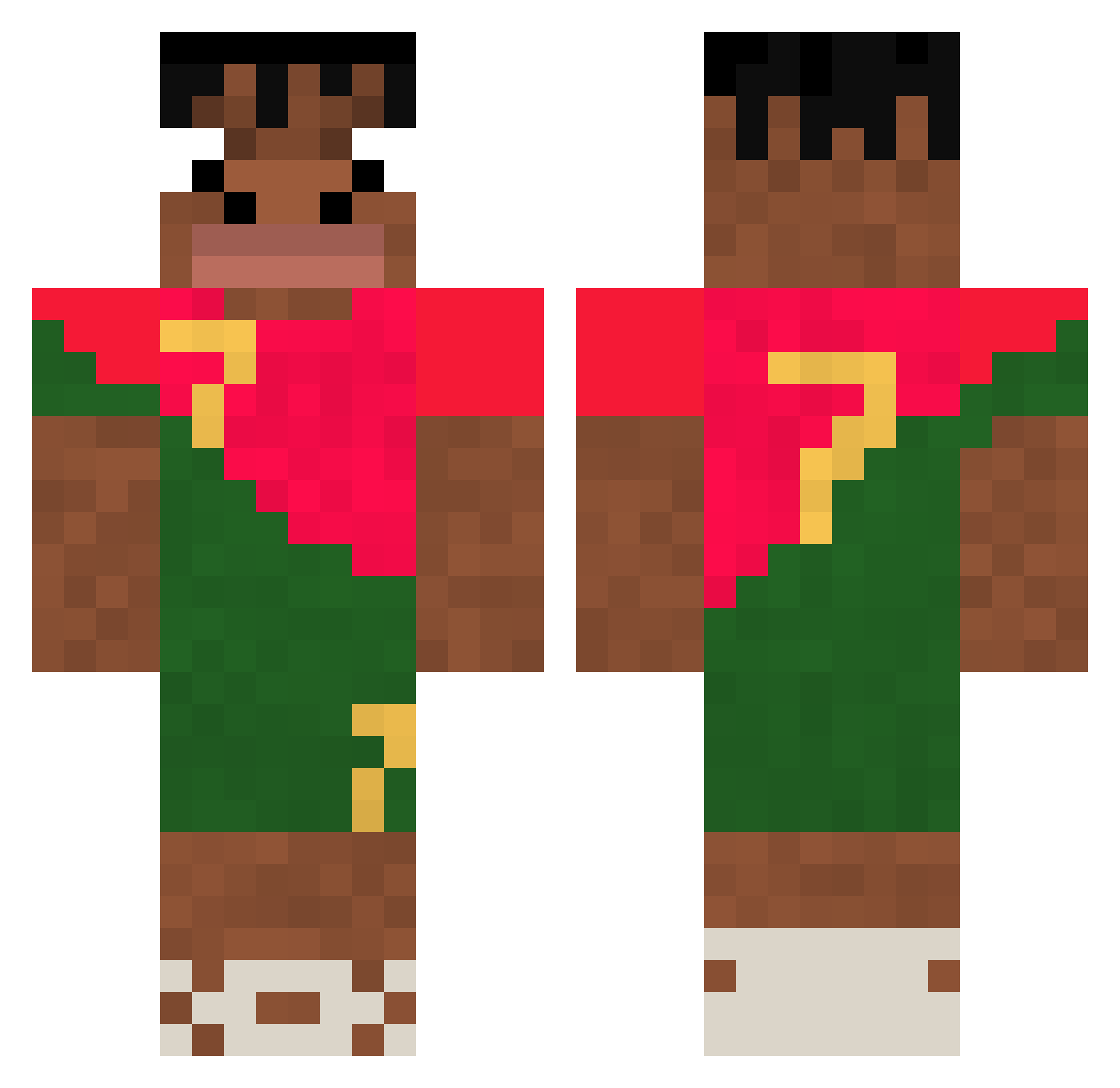
Current Minecraft skin of the player Huevooficial823, loaded from the official Mojang API. Rotate the 3D model with your mouse or finger, then download the skin as a PNG file and use it in Minecraft: Bedrock Edition or Java Edition for free. When Huevooficial823 changes their skin, this page updates automatically and the old skin stays in the history below.
Other players with this skin (366)
Huevooficial823 was the 312th player we have seen with this skin, first spotted on 03.11.2026. The same skin was seen on these players. Open a nickname to see their current skin and skin history.
 AngryRangaTV Denizakyz Midawayy JJForceField Flypi14 persebabo NineNocap ISHOWSPEEDEPIC iandy922 Mommyhand0626 kangho1234 Dav1nx Lingardongza GodGambit KingBarou13 Emil_Skjerbaek R0LaxD zieter FrsBrn ApprovedBlock15 Chibredubengale SemirBBC YoeLeg woodser420 kekwkyu Creps4141 Danielshowspeed Hennebont luvculo dlxorb11 mejdzor67 elmascapito32_ H3NNY444 lIlIlIlIIIllII _KKKoceto_ PollAndersson NotWhaleXD mjss3248 CazaPuchainas RIP_Nikolof_801 not_simpleloo91 DynaiDDy CopaCmoiwsh Iphone20pro Byd3n1zz EDP_Cupcake13 Die2431 blopblup OlliesMumButterz AxelXDLOL09 AWESOMEARU Gyanneler harveydeadspace panda0123 woyoujingshenbin 7epy kch0131 Fussballer810 hbkfinnesse YangTaek2
More Portugal Minecraft skins
How to install the Huevooficial823 skin
- Press the Download button above to save the skin as a PNG file.
- Minecraft: Bedrock Edition (PE): open the Dressing Room from the main menu (or tap your character → Edit Character), go to Classic Skins → Owned, press the + (new skin) button, choose the downloaded PNG and pick the Classic (Steve) model. Works on PC and mobile; consoles cannot import custom skins.
- Minecraft: Java Edition: open the Minecraft Launcher, go to the Skins tab, click New Skin, load the PNG, pick the Classic (Steve) model and press Save & Use. You can also upload it at minecraft.net → Profile → Change Skin.
The skin does not show up after import - what should I do?
Restart Minecraft and open the Dressing Room again - imported skins sometimes appear only after a restart. Also make sure you selected the imported skin and picked the Classic (Steve) model.
Which model should I choose, Classic or Slim?
This skin is designed for the Classic (Steve) model. If you pick the wrong model, the arms of the skin will look stretched or squeezed.
Is the skin of Huevooficial823 free to download?
Yes. Press Download, save the PNG file and use it in Minecraft: Bedrock Edition or Java Edition - no payment or registration needed. The skin also works on multiplayer servers and Realms.
More skins
Looking for more? Go back to all Minecraft skins and check the top skins of the week, month and all time, or find any player's skin by nickname.