
HouseOfNoah - Minecraft Skins & Skin History
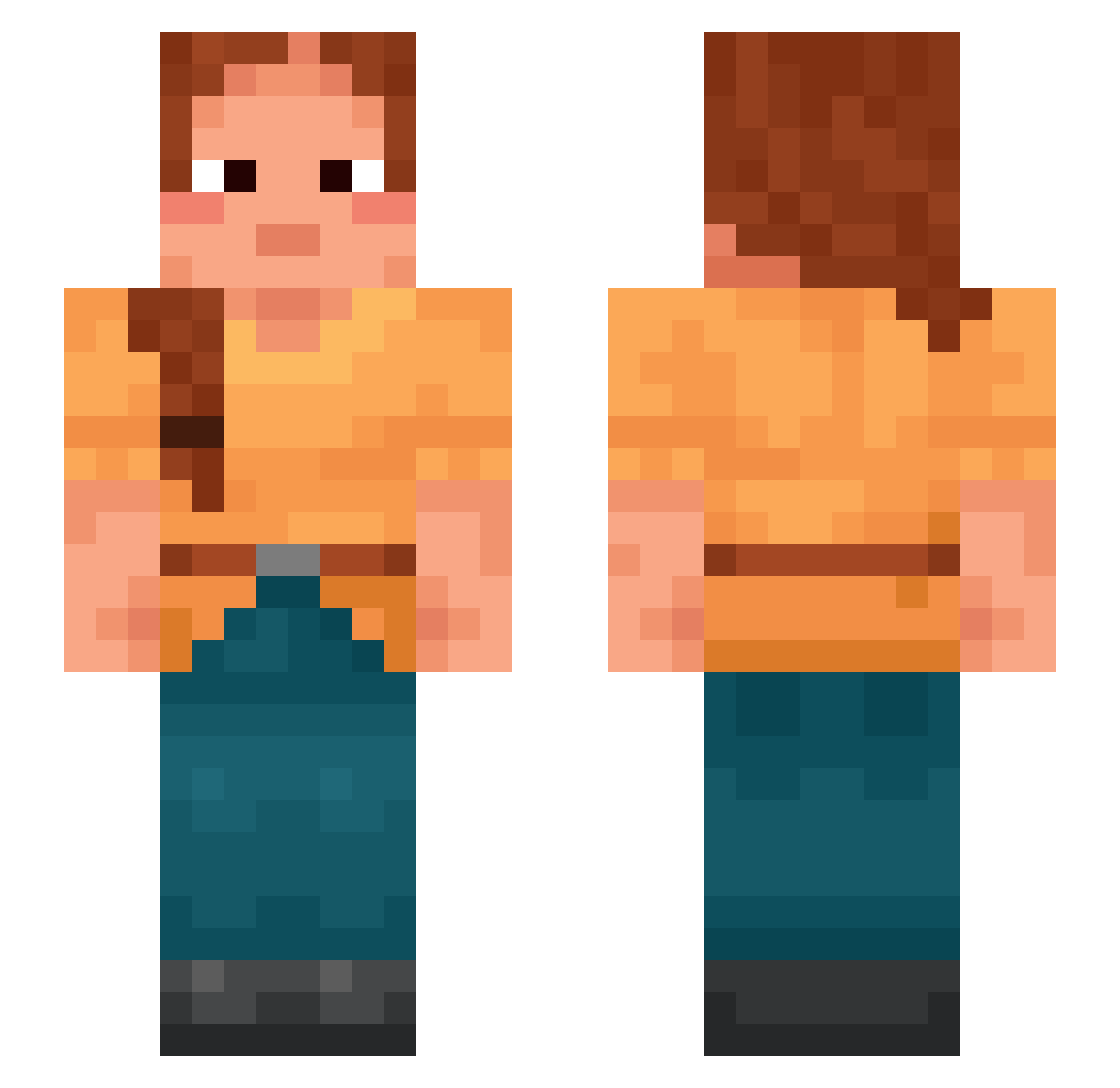
Current Minecraft skin of the player HouseOfNoah, loaded from the official Mojang API. Rotate the 3D model with your mouse or finger, then download the skin as a PNG file and use it in Minecraft: Bedrock Edition or Java Edition for free. When HouseOfNoah changes their skin, this page updates automatically and the old skin stays in the history below.
Other players with this skin (870)
HouseOfNoah was the 495th player we have seen with this skin, first spotted on 22.09.2026. The same skin was seen on these players. Open a nickname to see their current skin and skin history.
 Androides locten Ariadkas Sensuosity Proscience exiledtasha_ bullions Flowerer azu313 CasperJensen12 horseplay Talismanical Vicariism Lewick RareMrMaxou stogies squinched 356DaysOfBan Saffron Unit_7 Screeners Romic Apogeal Nomandanian MateXk1nG Rodmaker SteffanBT Exhortations M1njalidze Appendectomy Jabberwk _violet_aster SEXY_PEPSI FhxOn Hurion_Rubis Joshiles45 Armadai Alliaria Blastopore Obliquity 22_9 attalea SuperNormal Maladies Chatted sdfhs68 CowTongue Vinny_Poo Spagoota Zephyry SQUEEEZU zMyte Carbureted ZoeRenae balistidae W1zel_gg Torhack GermChan621 7iedem lipskio
More Braid Minecraft skins
How to install the HouseOfNoah skin
- Press the Download button above to save the skin as a PNG file.
- Minecraft: Bedrock Edition (PE): open the Dressing Room from the main menu (or tap your character → Edit Character), go to Classic Skins → Owned, press the + (new skin) button, choose the downloaded PNG and pick the Slim (Alex) model. Works on PC and mobile; consoles cannot import custom skins.
- Minecraft: Java Edition: open the Minecraft Launcher, go to the Skins tab, click New Skin, load the PNG, pick the Slim (Alex) model and press Save & Use. You can also upload it at minecraft.net → Profile → Change Skin.
The skin does not show up after import - what should I do?
Restart Minecraft and open the Dressing Room again - imported skins sometimes appear only after a restart. Also make sure you selected the imported skin and picked the Slim (Alex) model.
Which model should I choose, Classic or Slim?
This skin is designed for the Slim (Alex) model. If you pick the wrong model, the arms of the skin will look stretched or squeezed.
Is the skin of HouseOfNoah free to download?
Yes. Press Download, save the PNG file and use it in Minecraft: Bedrock Edition or Java Edition - no payment or registration needed. The skin also works on multiplayer servers and Realms.
More skins
Looking for more? Go back to all Minecraft skins and check the top skins of the week, month and all time, or find any player's skin by nickname.