
HouoH - Minecraft Skins & Skin History
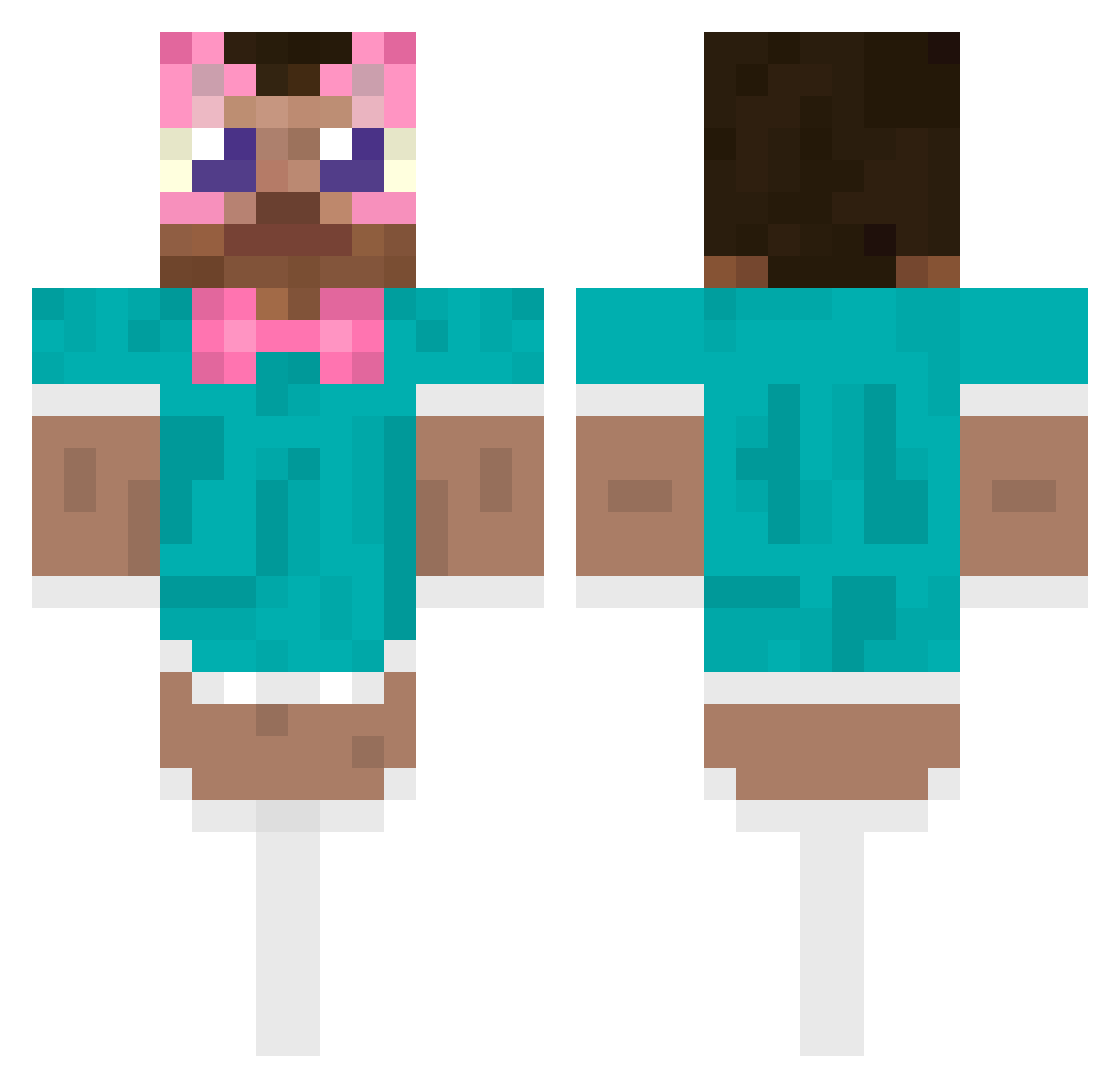
Current Minecraft skin of the player HouoH, loaded from the official Mojang API. Rotate the 3D model with your mouse or finger, then download the skin as a PNG file and use it in Minecraft: Bedrock Edition or Java Edition for free. When HouoH changes their skin, this page updates automatically and the old skin stays in the history below.
Other players with this skin (487)
HouoH was the 452nd player we have seen with this skin, first spotted on 23.10.2026. The same skin was seen on these players. Open a nickname to see their current skin and skin history.
 RONAS105 SafekeepingsonYT Tiiiio pkup the7killer iThePaPa PiupX Globgo_Rat PepperPro36 SpEEcal fywu pte159 J1210 171222 lukehp126 Holkiz seungilpark NaOH_wash_face Nizhri ConNhoNaoDo kyg1025 junolovesjam ERR666 xxrman20xx CLICKARON PRUTTISBOB AqvO1l Cryxtals kallekalleenyt lhjjjjj FeoMat rayray401 XPOINT_ mamystek winstreakzep LuDoa Piesek556 Hamcheese001 myduckysaysmeow 0A_n_d_r_e_i0 qkdwja FoxPlayD 3_Kitsunie_3 AmboutukomInyoaz SN00PD0GEEE Amendoiin TakiSayuri Hong_Ba OceanManTakeMe1 flyingmachine09 JoseDeAstora jukou qkusaq APIGE jontyblack AlemannMC Bruh_mine RogFierce user_minecraft boykisser_420
More Maid Outfit Minecraft skins
How to install the HouoH skin
- Press the Download button above to save the skin as a PNG file.
- Minecraft: Bedrock Edition (PE): open the Dressing Room from the main menu (or tap your character → Edit Character), go to Classic Skins → Owned, press the + (new skin) button, choose the downloaded PNG and pick the Classic (Steve) model. Works on PC and mobile; consoles cannot import custom skins.
- Minecraft: Java Edition: open the Minecraft Launcher, go to the Skins tab, click New Skin, load the PNG, pick the Classic (Steve) model and press Save & Use. You can also upload it at minecraft.net → Profile → Change Skin.
The skin does not show up after import - what should I do?
Restart Minecraft and open the Dressing Room again - imported skins sometimes appear only after a restart. Also make sure you selected the imported skin and picked the Classic (Steve) model.
Which model should I choose, Classic or Slim?
This skin is designed for the Classic (Steve) model. If you pick the wrong model, the arms of the skin will look stretched or squeezed.
Is the skin of HouoH free to download?
Yes. Press Download, save the PNG file and use it in Minecraft: Bedrock Edition or Java Edition - no payment or registration needed. The skin also works on multiplayer servers and Realms.
More skins
Looking for more? Go back to all Minecraft skins and check the top skins of the week, month and all time, or find any player's skin by nickname.