
Hoon612 - Minecraft Skins & Skin History
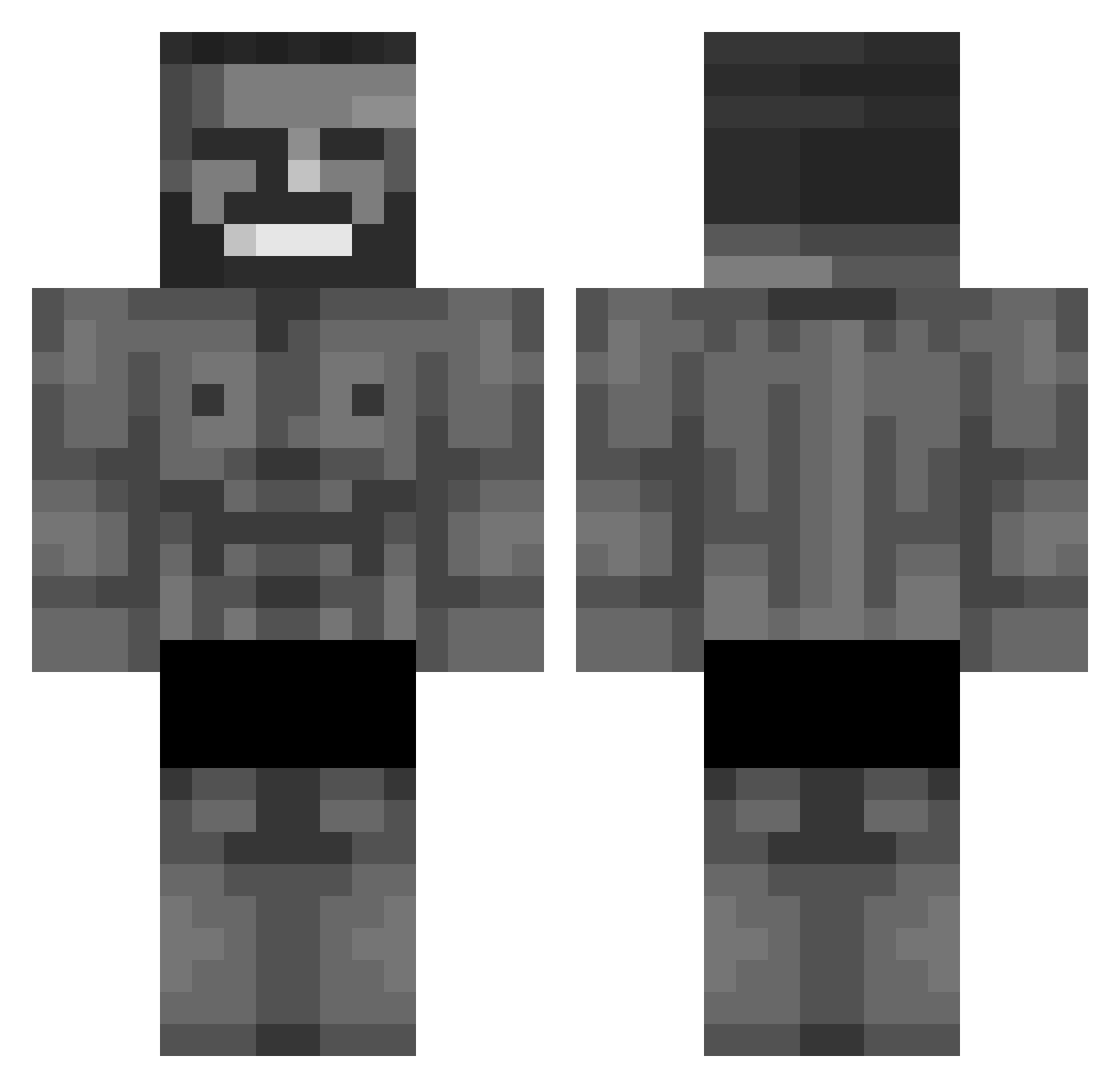
Current Minecraft skin of the player Hoon612, loaded from the official Mojang API. Rotate the 3D model with your mouse or finger, then download the skin as a PNG file and use it in Minecraft: Bedrock Edition or Java Edition for free. When Hoon612 changes their skin, this page updates automatically and the old skin stays in the history below.
Other players with this skin (177)
Hoon612 was the 154th player we have seen with this skin, first spotted on 22.10.2026. The same skin was seen on these players. Open a nickname to see their current skin and skin history.
 RomanE46 underdevelops COH1 Falsework superfusca dixby_ PrincBajaja yowhtupiamcool Swipeuh bootypunisher67 MatthewOnline IMadol _sestry_ Oxodid bones3333x Thanson_ tlgn14093788 tamas3137 yiphess KLa_ cstmth Wiesiuuu Kief_Meister smoothyyy Rabaval MatMax77 notoriouspc ZotLilia SpareZero sadniko Roostin barisern cheese_taster K1nG_V1pEr QVNG _JerrBear_ Oivz zewerot Orkansama Meeehmet Blanq0 Zeysa Juan_3410 Noori18 Ultimate_Laz CAMALEONTE_LUDO NackedNasas pumchik Nigus_1110 juul_E_ BeAkis idiot12345678910 Casillero_BR Akafunk ArthuSam Cataclissme24 _stoker davey_wavey13 Elnashark RageFrosted
More Gigachad Minecraft skins
How to install the Hoon612 skin
- Press the Download button above to save the skin as a PNG file.
- Minecraft: Bedrock Edition (PE): open the Dressing Room from the main menu (or tap your character → Edit Character), go to Classic Skins → Owned, press the + (new skin) button, choose the downloaded PNG and pick the Classic (Steve) model. Works on PC and mobile; consoles cannot import custom skins.
- Minecraft: Java Edition: open the Minecraft Launcher, go to the Skins tab, click New Skin, load the PNG, pick the Classic (Steve) model and press Save & Use. You can also upload it at minecraft.net → Profile → Change Skin.
The skin does not show up after import - what should I do?
Restart Minecraft and open the Dressing Room again - imported skins sometimes appear only after a restart. Also make sure you selected the imported skin and picked the Classic (Steve) model.
Which model should I choose, Classic or Slim?
This skin is designed for the Classic (Steve) model. If you pick the wrong model, the arms of the skin will look stretched or squeezed.
Is the skin of Hoon612 free to download?
Yes. Press Download, save the PNG file and use it in Minecraft: Bedrock Edition or Java Edition - no payment or registration needed. The skin also works on multiplayer servers and Realms.
More skins
Looking for more? Go back to all Minecraft skins and check the top skins of the week, month and all time, or find any player's skin by nickname.